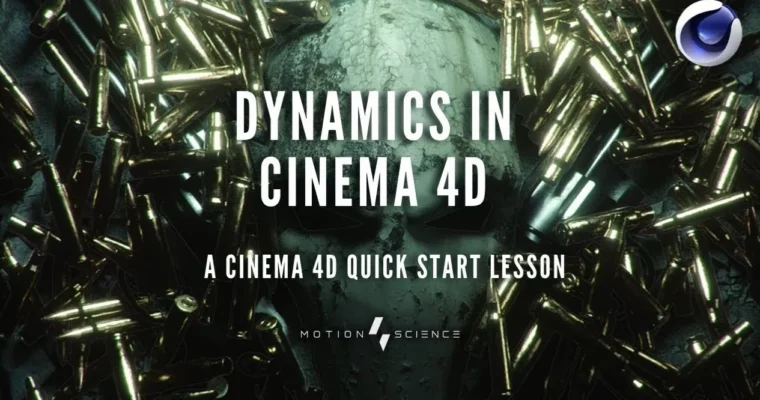
Cinema 4D Quick Start by Shannon Wilkerson

Actual Duration:12h 26m
Release date:2022, February
Publisher:Motion Science
Skill level:Beginner
Language:English
Exercise files:Yes
Software:Cinema 4D, Adobe Illustrator
Course URL:https://www.motionscience.tv/blog?tag=cinema+4d
If After Effects is feeling flat and you want actual 3D in your reel, this is your shortcut. Shannon walks you through Cinema 4D the way working motion designers use it — interface, modeling, lighting, and animation — so you can build and render real scenes instead of getting stuck in menus.
🎯 What you’ll learn
- Navigate the Cinema 4D interface and build a custom workspace that actually speeds you up
- Model with splines and extrude Adobe Illustrator vectors into clean 3D geometry
- Set up lighting, materials, and textures for polished studio-style renders
- Animate with the timeline and curve editor for tight, snappy motion graphics
- Use the dynamics engine and physics settings to control collisions without glitches
- Tune production settings like gravity scale, collision margins, and Steps per Frame
✅ Requirements
- Skills: Basic design sense, familiarity with After Effects or Illustrator helps but no prior 3D needed
- Tools: Cinema 4D, Adobe Illustrator for vector prep
- Hardware: Modern workstation with 16GB+ RAM and dedicated GPU recommended for rendering and dynamics
📝 Description
This isn’t theory-first training. Shannon teaches Cinema 4D like you’d use it on a client job — set up your scene, get stuff in from Illustrator, light it, animate it, render it. No endless tour of every button. Just the tools that matter for motion work.
Module one gets the confusion out of the way. You’ll set up your layout, learn how C4D thinks about objects, tags, and managers, and get comfortable moving around in 3D space. If you’ve opened C4D before and closed it right away, this fixes that.
Then you build. Module two is all about look. You’ll work through two full scenes using real vector assets, splines, and extrusions to create that clean industrial style you see in broadcast work. You’ll cover lighting setups, materials, and render settings so your stills actually look finished, not grey and flat.
Module three is where it moves. You’ll get into the timeline, the curve editor, and then the fun part — dynamics. Shannon shows the small production tweaks that make a big difference, like dropping collision margins from 1 to 0.3 and bumping Steps per Frame so objects don’t jitter or pass through each other. Practical stuff you won’t find in the manual.
🧑🎓 Who this course is for
- Motion designers and 2D animators who want to add Cinema 4D to their toolkit fast
- Beginners who tried C4D before and bounced off the interface and need a clear, project-based path
🧑🏫 About the Author
Shannon Wilkerson is the founder of Motion Science and has spent over a decade working in Cinema 4D for motion design and production. He’s known for a straight-to-the-point teaching style focused on real studio workflows, not fluff. His training centers on 3D motion design, VFX, and efficient animation techniques used in client work.
🏁 Final Result
- Two fully lit, textured, and rendered 3D scenes built from Illustrator vectors, plus an animated dynamics shot with clean collisions — solid portfolio pieces showing interface fluency, lighting, and animation fundamentals.
 Channel