It looks like you're using an adblocker.
Adblockers make us sad. We use ads to keep our content happy and free. If you like what we are doing please consider supporting us by whitelisting our website. You can report badly-behaved ads by clicking/tapping the nearby 'Advertisement' X text.
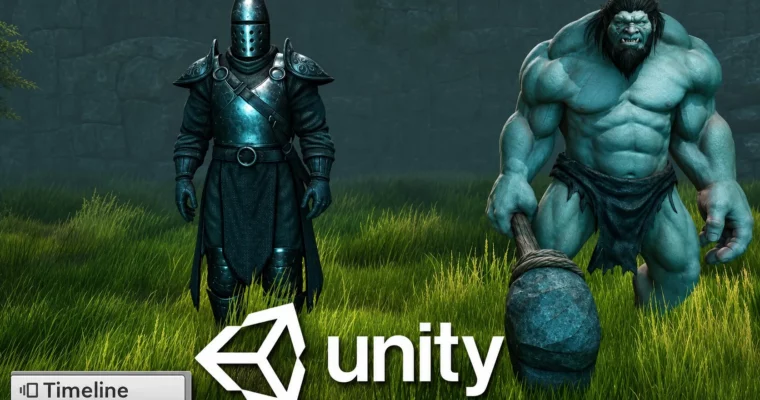
Animate a 30-second Knight vs Troll fight in Unity using Timeline with no coding and export it as video.
Forget overnight renders. In this course you build a full fantasy scene in Unity and animate a 30-second Knight vs Troll fight using Unity Timeline — no code, just cameras, clips, and timing — then export it as a shareable video.
🎯 What you’ll learn
Animate like a professional
Master the Unity Timeline
Create realistic looking scenes for your animations
Add post processing effects to give your animations a AAA quality feel
Save out your animations as video files
Learn how to create 3D animations in Unity without using coding
✅ Requirements
Skills: No prior experience required, basic understanding of keyframing and tweening is helpful
Tools: Free version of Unity 2018, free characters and props from the Unity Asset Store
Hardware: PC or Mac capable of running Unity 2018, DirectX 11 compatible graphics card, at least 1GB free disk space
📝 Description
Here is the idea: you skip traditional offline rendering and make animation in real time. You use Unity, Unity Timeline and free store assets to stage, light, and cut everything right in the editor.
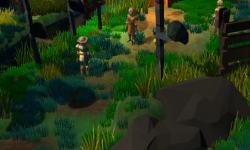
First you build the world. Cliffs, terrain, sea, grass, trees, and small details. Then you bring in the Knight and Troll, tweak them, set up spot lights, and preview their animation clips. It is practical set dressing, not theory.
Then comes the fun part. You block out a 30-second fight with Timeline tracks, override clips for individual body parts, and cut between multiple virtual cameras. You will do camera moves, slow-motion hits, weapon clashes, knockbacks, and reaction shots. You check pacing like an editor, fix pops and rotation curves, and add secondary motion so it does not look stiff.
To sell it, you add fog, mist particles, and Post Processing for that AAA look. At the end you add sound effects, balance volume, and use Unity Recorder to export the whole thing as .mp4 or .webm to share online. Same workflow works for animated shorts and game cutscenes.
🧑🎓 Who this course is for
Complete beginners who want to make 3D animation without coding
Game devs and hobbyists who want to create animated cutscenes in Unity
🧑🏫 About the Author
Pete Jepson teaches practical Unity animation focused on getting shots done, not just pushing buttons. His work centers on realtime cinematics and Timeline-based workflows for short films and game cutscenes.
He walks through every step in detail and answers questions in Q&A, so if you get stuck on assets, Timeline, or export, you get help fast.
🏁 Final Result
A finished 30-second 3D animated short of a Knight vs Troll fight, lit with post-processing and fog, cut with multiple cameras, with sound, exported as a video file ready for portfolio or YouTube.
Curriculum
📋 Course content
Module 1:Getting Started with Unity
Introduction2:09
Made with Unity1:27
Why use Unity?1:12
Asset Store3:09
Installing Unity 2018.24:50
Latest version of Unity0:32
Running Unity for the first time4:41
Unity recorder Update1:08
Importing assets2:07
Installing assets using the latest versions of Unity0:22
Using assets4:21
Unity Standard Assets0:18
Other assets to install1:18
Strong Knight Character0:12
Fixing Standard Assets1:16
Post Processing Version 10:16
Panel layout4:10
Overview of this section0:34
Module 2:Building the Fantasy Environment
Creating cliffs part 15:15
Creating cliffs part 26:16
Creating cliffs part 31:39
Terrain6:48
Terrain tools in newer versions of Unity2:51
Sea part 15:01
Sea part 22:23
Grass9:41
Trees8:28
Details part 17:14
Details part 211:41
Overview of this section0:07
Module 3:Characters and Lighting Setup
Importing main characters2:45
Spot light part 16:03
Spot light part 24:11
Modifying characters9:28
Previewing animations4:23
Overview of this section0:25
Module 4:Cameras, Post-Processing and Atmosphere
Knight camera7:02
Troll camera6:34
Post Processing Errors0:10
Post Processing10:58
Fog5:23
Using Post Processing in newer versions of Unity1:58
Mist Particles9:06
Final mist effect2:29
Overview of this section0:54
Module 5:Animating the Fight – Blocking and Timeline Basics
Setting up the first scene4:32
Screen Ratio1:31
Knight holding sword8:53
Knight stance6:55
Timeline4:20
Camera Move6:49
Troll running10:21
Troll attack3:43
Changing camera shot9:24
Knight flying7:09
Camera edit4:24
Walking animation6:30
Setting up the knight camera6:50
Knight Vs Troll shot6:31
Weapons clash10:55
Setting up the 2 shot4:16
Camera Fix3:03
Troll flying back4:32
Troll reaction6:23
Final Shot11:03
Checking pacing3:44
Overview of this section0:25
Module 6:Polish, Sound and Export
Knight animation13:35
Modifying the troll animation4:28
Knight flying8:32
Troll attack5:33
Knight standing up11:01
Setting up the weapons clash8:08
Sword strike7:36
Troll club strike5:27
Camera zoom2:22
Standoff5:01
Troll lunge12:56
Knight prepares for attack9:15
Knight kicks the Troll4:23
Troll attack7:42
Troll flying back15:06
Troll fix1:18
Animating the knight4:38
Troll reaction6:42
Troll strike in the air6:57
Troll secondary motion6:33
Knight moving5:23
Bug fixing part 110:51
Bug fixing part 29:55
Adding sound effects7:18
Adjusting volume4:55
Exporting the video file5:13
Congratulations, you have now completed the course0:32
Module 7:Troubleshooting and Fixes
Error Fixes for using Unity 2018.3 on Windows 73:00




 Channel