Ad Clicks : Ad Views : Ad Clicks : Ad Views : Ad Clicks : Ad Views : Ad Clicks : Ad Views :
Oh Snap!

It looks like you're using an adblocker. Adblockers make us sad. We use ads to keep our content happy and free. If you like what we are doing please consider supporting us by whitelisting our website. You can report badly-behaved ads by clicking/tapping the nearby 'Advertisement' X text.

Houdini for Every Artist by Businge Ismail

Houdini for Every Artist by Businge Ismail

/

Author:Businge Ismail

Duration:5h 50m

Actual Duration:3h 7m

Release date:2025, July

Publisher:Udemy

Skill level:Beginner

Language:English

Exercise files:Yes

Software:Houdini, Blender

Course URL:https://www.udemy.com/course/houdini-for-every-artist

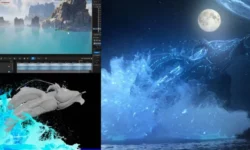
Learn Houdini the Blender-friendly way and add sand, snow, water, destruction, and cloth sims straight into your Blender renders.

If you already know Blender and Houdini still feels intimidating, this course fixes that. You learn the UI, nodes, and sim basics by actually making stuff – domino sims, sand, snow, water, destruction, cloth – then bringing it back into Blender for the final shot.

๐ŸŽฏ What you’ll learn

  • Use Houdini to create effects for Blender shots
  • Build practical procedural workflows with nodes and attributes
  • Combine Blender and Houdini to increase production value
  • Create realistic sand, snow, water, RBD, and cloth simulations

โœ… Requirements

  • Skills: Basic knowledge of Blender or another 3D app, comfortable with 3D viewport navigation
  • Tools: Houdini (Apprentice / Indie / FX) and Blender installed
  • Hardware: Multi-core CPU with 16GB+ RAM, dedicated GPU recommended for heavy sims and Karma rendering

๐Ÿ“ Description

Opened Houdini once and noped out? Yeah, most Blender users do. This course skips the theory dump and gets you clicking nodes right away. You learn how the node-based workflow actually thinks – geometry flows in, gets modified, gets simmed. No coding, just plug-and-play setups you can reuse.

Then we get into the fun stuff. Vellum grains for sand piles and snow, Vellum fluids for water, plus how to mix them without blowing up your scene. You will play with friction, viscosity, velocity, and random attributes to get that chunky, real-world look instead of floaty CG particles.

Destruction is where it pays off fast. You will do RBD fracture, boolean cuts, name attributes, and glue constraints to smash a procedurally modeled table and emit chunks on cue. Same logic applies to game debris, commercials, or motion graphics hits – fracture it, hold it with glue, break it when you want.

We wrap with full mini-projects: a snow plow pushing through snow, a water + leaf setup finished in Blender, and a heart cloth simulation lit and shaded in Karma. By the end you have a clear Blender-to-Houdini roundtrip you can use on client work.

๐Ÿง‘โ€๐ŸŽ“ Who this course is for

  • Blender artists trying Houdini for the first time
  • Game developers who want practical destruction and grain sims
  • 3D artists who want to get into TV commercials and VFX shots

๐Ÿง‘โ€๐Ÿซ About the Author

Businge Ismail teaches Houdini with a Blender-first mindset. His focus is on practical FX – grains, fluids, RBD, and cloth – explained in plain language without heavy technical jargon. He builds project-based lessons aimed at helping Blender artists add Hollywood-style sims to their own workflow fast.

๐Ÿ Final Result

  • A set of portfolio-ready FX shots – sand pile, snow plow sim, water sim, RBD table destruction, and cloth heart render – all built in Houdini and integrated with Blender / Karma lighting.
Curriculum

๐Ÿ“‹ Course content

  1. Module 1:  Getting Started in Houdini
    • Understanding Houdini User Interface4:56
    • Understanding Houdini Networks and Geometry5:26
    • Editing Geometry in Houdini3:43
    • Creating Groups in Houdini9:56
    • Modeling a Domino Cube in Houdini7:33
    • Instancing Domino Cubes on a Curve in Houdini5:37
    • Creating Your First Simulation in Houdini4:37
  2. Module 2:  Vellum Grains – Sand and Particles
    • Introduction to Vellum Grains7:42
    • Vellum Grains Forces and Clusters Together with Attributes6:31
    • Creating Random Attributes for Vellum Grains8:16
    • Adding Initial Velocity and Other Properties to Vellum Grains8:05
    • Creating a Sand Pile Up with Vellum11:30
    • Creating Glue Constraints4:50
    • Breaking Vellum Glue Constraints6:03
    • Meshing Particles in Houdini2:55
  3. Module 3:  Vellum Fluids
    • Introduction to Vellum Fluids6:34
    • Meshing Vellum Fluids2:29
    • Vellum Fluids Friction and Viscosity Attributes7:59
    • Mixing Grains and Fluids18:19
    • Meshing Fluids6:28
  4. Module 4:  Water and Leaf Project with Blender Integration
    • Scene Setup and Mesh Optimization4:39
    • Adding Water Simulation10:58
    • Modeling a Leaf Using the Trace Node12:09
    • Mixing Different Vellum Simulations12:23
    • Putting Everything Together in Blender7:49
  5. Module 5:  Snow Plough Simulation Project
    • Creating and Animating a Snow Plough6:49
    • Setting Up Snow Grains4:46
    • Setting Up Snow Attributes7:15
    • Setting Up Friction and Attraction Weight5:37
    • Setting Up Clusters and Glue Constraints 211:13
    • Improving the Simulation7:15
    • Rendering the Snow7:52
  6. Module 6:  RBD Destruction and Fracturing
    • Introduction to RBD Simulations in Houdini5:52
    • The Name Attribute10:02
    • RBD Boolean Fracture7:43
    • RBD Glue Constraints6:19
    • Emitting RBD Objects10:27
    • Modeling a Table Procedurally7:34
    • Optimizing the Simulation5:15
  7. Module 7:  Cloth Simulation Final Project in Karma
    • Section Project Overview6:14
    • Creating the Heart7:34
    • Cloth Test Simulation12:47
    • Cleaning Up the Simulation5:28
    • Staging for Rendering7:27
    • Setting Up Lights8:25
    • Setting Up Materials in Karma11:28
Watch online or Download for Free
Houdini for Every Artist by Businge Ismail
NAME
SIZEDURATION

Download all Videos (25)
227 MB3h 7m

Project Files (Assets, Resources)
433 KB

Download all

Join us on
  Channel    and      Group

Leave a Comment

Your email address will not be published. Required fields are marked *