Create 3D Character Animations With Unity by Unity by Nonolu

Duration:8Hours 45Minutes
Actual Duration:17h 29m
Release date:2024
Publisher:Coloso
Skill level:Advanced
Language:English
Exercise files:Yes
Software:Unity, After Effects, Photoshop, UMotion Pro
Course URL:https://coloso.global/en/products/3dcgcreator-nonolu-us
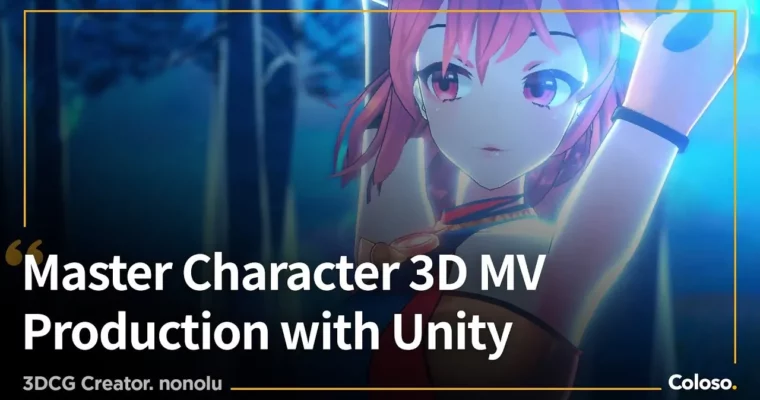
Want to make a VTuber music video but Unity feels intimidating? This class walks you through the whole thing — UI setup, fantasy stage, character acting, cameras, and final export — and you finish with a complete 3D music video of your own.
🎯 What you’ll learn
- Set up Unity UI, render pipelines, and Package Manager for video work
- Build terrain, forests, fog, and props with the Terrain Tool
- Light a fantasy stage and add depth with particle systems and effects
- Direct FBX and VRM characters in Timeline with AnimationClips
- Fix and retarget motion with UMotion Pro, including finger animation
- Create expressive faces with blend shapes and Timeline blending
- Shoot with Cinemachine and avoid angles that flatten your model
- Export with Unity Recorder and finish in After Effects
- Do hands holding props, mirror reflections, and material swaps
✅ Requirements
- Skills: No prior Unity experience needed, basic PC file management and timeline thinking helps
- Tools: Unity 2021.3.17f1, After Effects 22.0.0, Photoshop or Clip Studio Paint for masks
- Hardware: Windows PC capable of running Unity and After Effects, dedicated GPU recommended, minimum 16GB RAM
📝 Description
Nonolu learned Unity on her own and turned it into a job making 100+ VTuber videos. This class is that workflow, stripped down to what actually matters. You start with installs, Built-in vs URP vs HDRP, UI layout, and Package Manager. No fluff. Just get the project ready to shoot.
Then you build the world. You’ll sculpt ground with the Terrain Tool, paint textures, scatter trees, drop in store-bought scenes and props, and set fog. After that comes mood: lights, light masks, effects, and particle systems for dust, glow, and smoke. That’s how you sell temperature and depth instead of a flat background.
Character work is where videos live or die. You’ll place FBX and VRM motions in Timeline, tweak them in UMotion Pro, convert VRM to FBX when needed, and reuse finger clips across characters. For faces, you’ll stack blend shapes and mix parameters right in Timeline so expressions don’t pop or freeze. Cameras are done with Cinemachine — what focal length to pick, what angles to skip, how to cut on beat.
To finish, you’ll export with Unity Recorder, handle broken scenes and package sharing, then encode and polish in After Effects. Bonus tricks cover hands gripping objects, specular mirror reflections, and paid effects worth buying. You get PDF materials, Unity package data, VRM model data, and the final video files to study.
🧑🎓 Who this course is for
- Beginners who want to make their first 3D music video in Unity without getting lost in docs
- VTuber creators, fans, and freelance 3D artists who want repeatable stage, acting, and camera workflows
🧑🏫 About the Author
Nonolu is a freelance 3DCG creator focused on music videos for VTubers. Self-taught in 3D and Unity, she has delivered over 100 videos and also designs merch, stages, and key art. Her credits include Kizuna AI – The Miracle, Tsunomaki Watame, Yukihana Lamy – Fleur, Shiranui Flare, HACHI, and AMENOSEI. She teaches like someone who started from zero — practical, direct, and focused on finished shots.
🏁 Final Result
- A finished 3D music video with your character performing on an original fantasy forest stage, with terrain, lighting, particles, facial acting, camera work, and After Effects export ready for portfolio or YouTube.
📢 Guys, this is a Group Buy campaign, check the GBC forum thread to get access
You can find the course preview in the download section below.
 Channel