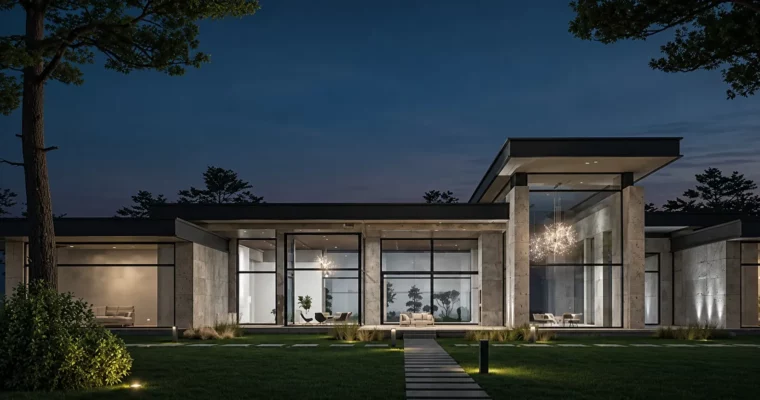
Modern Exterior Arch Viz with 3ds Max VRay Vantage by Mahmoud Abdellatif

Duration:5h 47m
Actual Duration:5h 47m
Release date:2024, December
Publisher:Udemy
Skill level:Beginner
Language:English
Exercise files:Yes
Software:3ds Max, V-Ray, Chaos Vantage, Photoshop
Course URL:https://www.udemy.com/course/modern-exterior-arch-viz-with-3ds-max-v-ray-vantage
Want to make exteriors that actually look real? In this course you model a full modern house from zero, light it for night, and push it through to polished stills and a real-time walkthrough.
🎯 What you’ll learn
- Model a modern house exterior from scratch in 3ds Max with correct proportions
- Create and tweak realistic V-Ray materials and PBR textures for facade, glass and wood
- Set up natural and night-time artificial lighting for mood and depth
- Tune V-Ray render settings and render elements for clean, photoreal images
- Build grass, trees and site context with Chaos Scatter
- Set up cameras and composition for strong exterior shots
- Polish renders in post-production for architectural exteriors
- Create real-time visualization and dynamic walkthroughs in Chaos Vantage
✅ Requirements
- Skills: No prior experience required, suitable for complete beginners
- Tools: Autodesk 3ds Max (2021 or newer), V-Ray for 3ds Max, Chaos Vantage, Adobe Photoshop
- Hardware: Minimum 16GB RAM, dedicated GPU recommended for V-Ray and Vantage
📝 Description
This is a full pipeline course, not a tips-and-tricks collection. You start with blank 3ds Max viewport and end with finished night renders plus animation. Every step follows how working viz artists actually do it: block the massing, get proportions right, then add windows, trims, and interior hints that sell scale through glass.
Materials and light do the heavy lifting for realism. You will build V-Ray materials from scratch, then move to PBR textures for concrete, wood, glass and metal — roughness, reflection, bump, the stuff that stops surfaces looking flat. For lighting, you focus on a night mood: cool sky vs. warm interior, porch spots, street glow. Small tweaks, big difference.
Then you make it presentable. You will dial in V-Ray render settings and elements so images come out clean without crazy render times, scatter grass with Chaos Scatter, place trees and bushes for depth, and lock cameras with solid composition. Post in Photoshop ties it together — contrast, color balance, glow, and those final fixes that make a render feel photographed.
Last part is speed. You take the same scene into Chaos Vantage for real-time feedback, adjust light and materials live, and record a dynamic walkthrough. Perfect if you want to show clients more than stills without re-rendering everything.
🧑🎓 Who this course is for
- Absolute beginners who want to learn exterior arch-viz without getting lost — no 3ds Max, V-Ray or Vantage experience needed
- Architecture students and recent grads who want portfolio-ready exterior renders and walkthroughs to present their designs better
🧑🏫 About the Author
Mahmoud Abdellatif works in architectural visualization with a focus on photoreal exteriors. His teaching is built around the 3ds Max to V-Ray workflow used in production — modeling clean, lighting for mood, and finishing work that holds up in a portfolio. This course packages that practical, project-based approach for beginners starting from zero.
🏁 Final Result
- A complete modern house exterior project: modeled site and building, night lighting setup, photoreal V-Ray stills with post-production, plus a real-time Chaos Vantage walkthrough ready for your portfolio.
 Channel