Ad Clicks : Ad Views : Ad Clicks : Ad Views : Ad Clicks : Ad Views : Ad Clicks : Ad Views :
Oh Snap!

It looks like you're using an adblocker. Adblockers make us sad. We use ads to keep our content happy and free. If you like what we are doing please consider supporting us by whitelisting our website. You can report badly-behaved ads by clicking/tapping the nearby 'Advertisement' X text.

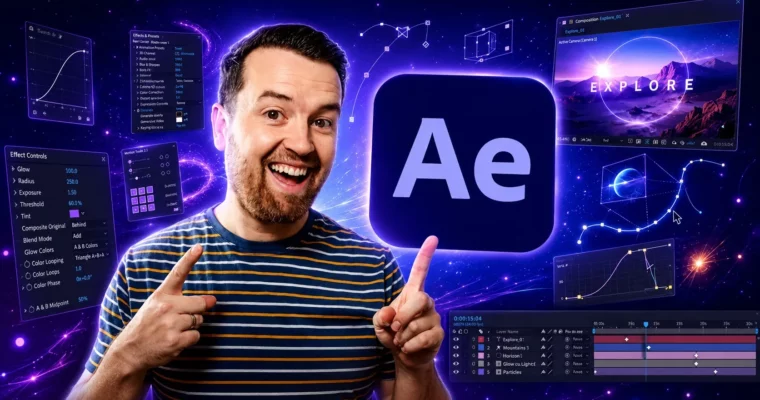
After Effects CC Masters VFX Motion Graphics Animation by Phil Ebiner

After Effects CC Masters VFX Motion Graphics Animation by Phil Ebiner

Author:Phil Ebiner

Duration:27.5 hours

Release date:2024

Publisher:Udemy

Skill level:Beginner

Language:English

Exercise files:Yes

Software:Adobe After Effects, Adobe Illustrator, Adobe Premiere Pro

Course URL:https://www.udemy.com/course/after-effects-cc

Go from zero to confident After Effects user by building real projects, mastering motion graphics, VFX, and animation along the way.

This is the full After Effects journey. No prior experience needed — just the software and a willingness to learn. You’ll start with the interface, then move through keyframes, shapes, text animation, rotoscoping, tracking, 3D, and compositing. By the end, you’ll have a portfolio of real projects and the confidence to tackle your own video ideas.

🎯 What you’ll learn

  • Navigate After Effects CC comfortably, even if you’re a complete beginner
  • Build complete video projects from start to finish, from import to export
  • Create professional motion graphics for lower thirds, transitions, and social media
  • Add visual effects like green screen removal, rotoscoping, and screen replacements
  • Animate with keyframes, the graph editor, and expressions for more dynamic results
  • Export high-quality videos and work efficiently with Premiere Pro

✅ Requirements

  • Skills: No prior After Effects experience needed. This course starts from absolute zero.
  • Tools: Adobe After Effects installed (Creative Cloud version recommended, but older versions like CS6 work for most lessons). Adobe Illustrator is used in a few project sections.
  • Hardware: A computer capable of running After Effects smoothly. A 3-button mouse is highly recommended for navigation.

📝 Description

This isn’t a “watch me click around” kind of course. You’ll be building things from the very first lessons. The structure is simple: learn a concept, then immediately apply it in a real project. You’ll create lower thirds, transitions, logo reveals, character animations, and even a full kinetic typography piece.

The course covers the entire spectrum of After Effects work. You’ll start with the basics — compositions, layers, keyframes — and then move into more specialized territory. Motion tracking, rotoscoping, and green screen removal are covered in dedicated sections. You’ll also get into 3D space, working with cameras and null objects to create depth.

What sets this course apart is the sheer volume of practice. There are 228 lectures and 27.5 hours of content, but it never feels padded. Each project teaches a specific skill you can immediately use in your own work. The bonus section alone covers effects like neon signs, holograms, and old film styles — the kind of stuff you’d normally search for hours to figure out.

You’ll also learn the practical side of the job. Exporting for different platforms, working with Premiere Pro, creating motion graphics templates, and using stock assets efficiently. These are the workflow skills that make you faster and more employable.

🧑‍🎓 Who this course is for

  • Video editors and videographers who want to add motion graphics and VFX to their toolkit
  • YouTubers and content creators looking to level up their video quality
  • Graphic designers wanting to move into motion design
  • Complete beginners with zero After Effects experience who want a structured, project-based path

🧑‍🏫 About the Author

Phil Ebiner is a professional motion graphics artist and video creator with years of hands-on experience. He’s the founder of Video School and has taught over a million students worldwide. His teaching style is direct and practical — no fluff, just clear explanations and real projects. He’s known for being incredibly responsive to student questions, often replying directly to course queries. His background spans commercial video production, online education, and personal creative work, giving him a well-rounded perspective on what actually matters in the industry.

🏁 Final Result

  • A portfolio of completed projects including lower thirds, transitions, logo reveals, character animations, and a kinetic typography piece
  • The confidence to open After Effects and build your own motion graphics from scratch
  • Practical knowledge of VFX techniques like rotoscoping, tracking, and green screen removal
  • A solid understanding of the full production workflow, from import to final export
Curriculum

📋 Course content

  1. Module 1: Getting Started with After Effects
    • Know Your Way Around After Effects5:39
    • Start a New Composition8:15
    • Importing Media and Placing on the Timeline5:08
    • Learn the Important Tools10:20
    • The Timeline10:59
  2. Module 2: Animation Fundamentals
    • Adding and Editing Keyframes + Opacity Animations7:35
    • Position, Size, and Rotation Animations5:17
    • Make Animations Better with Easy Ease and Motion Blur4:21
    • Advanced Animations with the Graph Editor5:32
    • Challenge: Bouncing Ball Animation1:01
    • Solution: Bouncing Ball Animation20:20
  3. Module 3: Working with Layers and Shapes
    • Working with Solid Layers7:07
    • Working with Shapes6:24
    • Layer Styles – Drop Shadows, Bevel & Emboss, and Gradients3:44
    • Track Mattes: Make Layers Appear and Disappear8:37
    • Pre-Compositions: Grouping Layers Together5:34
    • Blend Modes6:05
  4. Module 4: Real World Projects
    • Project: Clean Lower Third9:22
    • Project: Colorful Transition16:59
    • Project: Text with Mask Transition10:05
    • Project: Text Bubble Pop-Up Animation13:39
    • Project: Weather App User Design Animation – Part 116:41
    • Project: Weather App User Design Animation – Part 28:21
    • Project: Weather App User Design Animation – Part 36:59
    • Project: Simple Logo Reveal13:25
  5. Module 5: Visual Effects and Compositing
    • Remove Green Screen with Keylight 1.26:46
    • Adding a Background that Matches the Foreground + Parenting7:55
    • Adding Motion to a Still Image with the Puppet Tool6:26
    • Make a Selection with the Rotoscope Tool6:55
    • Cleaning Up Edges7:21
    • Replacing a Screen with Easy Masking9:56
    • Replacing Device Screens with Mocha8:13
  6. Module 6: 3D and Camera
    • 3D in After Effects + The Camera Tool and Views10:04
    • Swinging 3D Rotating Text Animation + Null Objects12:11
    • Building a 3D Composition5:47
    • Animating in 3D Space7:38
    • Creating Stars in After Effects5:11
  7. Module 7: Character Animation
    • Intro to Character Animations1:31
    • Design Your Character14:32
    • Rigging Body Parts2:50
    • Animate Your Character9:55
    • Adding an Animated Background for Context9:12
    • Adding the ‘Paper Cut Out’ Texture to Your Layers5:29
  8. Module 8: Exporting and Workflow
    • Exporting H.264 Files7:03
    • Exporting with a Transparent Background4:03
    • Exporting Videos with Adobe Media Encoder4:40
    • Working with Premiere Pro Projects5:54
  9. Module 9: Expressions and Advanced Techniques
    • Adding an Expression7:24
    • Animate a Flickering Light with Expressions17:35
    • Dive Deeper with After Effects Expressions0:13
  10. Module 10: Bonus Tutorials
    • Neon Sign Effect21:49
    • Fade Text Up with Motion: Popular YouTuber Animation Style13:32
    • Map Animations with 3D Camera Move like YouTuber Drew Binsky32:43
    • Rotoscoping Tutorial16:32
    • Old Film Style22:50
    • Hologram Effect27:56
    • Cinemagraphs in After Effects13:14
    • Basic Kinetic Typography Tutorial25:15
  11. Module 11: Shape Animation Mastery
    • Shape Refresher11:17
    • Fill & Stroke11:55
    • Trim Paths14:34
    • The Repeater Effect12:13
    • Wiggle Paths9:55
    • Project 1 – Adding Accents12:27
    • Project 2 – Fun Transitions20:33
    • Project 3 – The Repeater Transition12:11
    • Project 4 – Map Effects17:22
    • Project 5 – Text Effect9:45
    • Project 6 – Squeeze and Stretch8:28
    • Project 7 – Hipster Circles20:20
    • Project 8 – Clean Lower Thirds16:35
    • Project 9 – Storytime Slideshow18:05
  12. Module 12: Social Media and Motion Graphics Templates
    • Lower Third – Design Your Text5:15
    • Lower Third – Animate Your Text10:47
    • Modern Transition – Design and Animate Your Transition7:30
    • YouTube Button – Animate Your Subscribe Button with a Click13:34
    • Social Media Buttons – Design the Graphic3:50
    • Social Media Buttons – Animate the Graphic5:34
  13. Module 13: Kinetic Typography Project
    • The Kinetic Typography Project1:52
    • Cut and Scale Animations13:40
    • Position Animations8:51
    • Rotation Animations12:56
    • Reveal Animations7:44
    • Adding a Background9:02
    • Exporting Your Kinetic Typography2:38
Watch online or Download for Free
After Effects CC Masters VFX Motion Graphics Animation by Phil Ebiner
NAME
SIZEDURATION

Download all Videos (214)
17.4 GB


Download all

Join us on
  Channel    and      Group

Leave a Comment

Your email address will not be published. Required fields are marked *