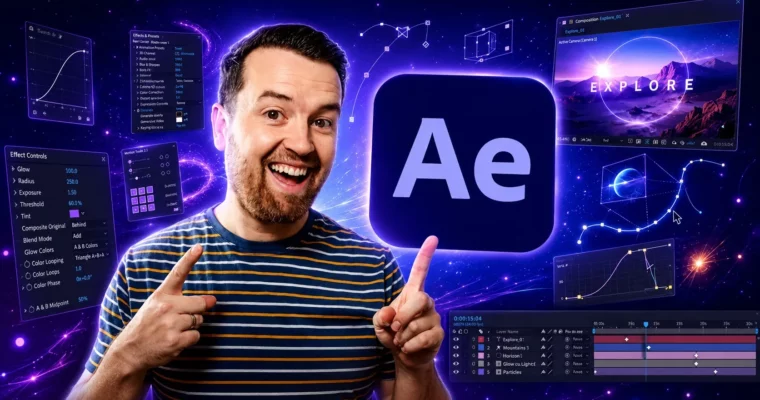
After Effects CC Masters VFX Motion Graphics Animation by Phil Ebiner

Duration:27.5 hours
Actual Duration:27h 40m
Release date:2024
Publisher:Udemy
Skill level:Beginner
Language:English
Exercise files:Yes
Software:Adobe After Effects, Adobe Illustrator, Adobe Premiere Pro
Course URL:https://www.udemy.com/course/after-effects-cc
This is the full After Effects journey. No prior experience needed — just the software and a willingness to learn. You’ll start with the interface, then move through keyframes, shapes, text animation, rotoscoping, tracking, 3D, and compositing. By the end, you’ll have a portfolio of real projects and the confidence to tackle your own video ideas.
🎯 What you’ll learn
- Navigate After Effects CC comfortably, even if you’re a complete beginner
- Build complete video projects from start to finish, from import to export
- Create professional motion graphics for lower thirds, transitions, and social media
- Add visual effects like green screen removal, rotoscoping, and screen replacements
- Animate with keyframes, the graph editor, and expressions for more dynamic results
- Export high-quality videos and work efficiently with Premiere Pro
✅ Requirements
- Skills: No prior After Effects experience needed. This course starts from absolute zero.
- Tools: Adobe After Effects installed (Creative Cloud version recommended, but older versions like CS6 work for most lessons). Adobe Illustrator is used in a few project sections.
- Hardware: A computer capable of running After Effects smoothly. A 3-button mouse is highly recommended for navigation.
📝 Description
This isn’t a “watch me click around” kind of course. You’ll be building things from the very first lessons. The structure is simple: learn a concept, then immediately apply it in a real project. You’ll create lower thirds, transitions, logo reveals, character animations, and even a full kinetic typography piece.
The course covers the entire spectrum of After Effects work. You’ll start with the basics — compositions, layers, keyframes — and then move into more specialized territory. Motion tracking, rotoscoping, and green screen removal are covered in dedicated sections. You’ll also get into 3D space, working with cameras and null objects to create depth.
What sets this course apart is the sheer volume of practice. There are 228 lectures and 27.5 hours of content, but it never feels padded. Each project teaches a specific skill you can immediately use in your own work. The bonus section alone covers effects like neon signs, holograms, and old film styles — the kind of stuff you’d normally search for hours to figure out.
You’ll also learn the practical side of the job. Exporting for different platforms, working with Premiere Pro, creating motion graphics templates, and using stock assets efficiently. These are the workflow skills that make you faster and more employable.
🧑🎓 Who this course is for
- Video editors and videographers who want to add motion graphics and VFX to their toolkit
- YouTubers and content creators looking to level up their video quality
- Graphic designers wanting to move into motion design
- Complete beginners with zero After Effects experience who want a structured, project-based path
🧑🏫 About the Author
Phil Ebiner is a professional motion graphics artist and video creator with years of hands-on experience. He’s the founder of Video School and has taught over a million students worldwide. His teaching style is direct and practical — no fluff, just clear explanations and real projects. He’s known for being incredibly responsive to student questions, often replying directly to course queries. His background spans commercial video production, online education, and personal creative work, giving him a well-rounded perspective on what actually matters in the industry.
🏁 Final Result
- A portfolio of completed projects including lower thirds, transitions, logo reveals, character animations, and a kinetic typography piece
- The confidence to open After Effects and build your own motion graphics from scratch
- Practical knowledge of VFX techniques like rotoscoping, tracking, and green screen removal
- A solid understanding of the full production workflow, from import to final export
 Channel