Ad Clicks : Ad Views : Ad Clicks : Ad Views : Ad Clicks : Ad Views : Ad Clicks : Ad Views :
Oh Snap!

It looks like you're using an adblocker. Adblockers make us sad. We use ads to keep our content happy and free. If you like what we are doing please consider supporting us by whitelisting our website. You can report badly-behaved ads by clicking/tapping the nearby 'Advertisement' X text.

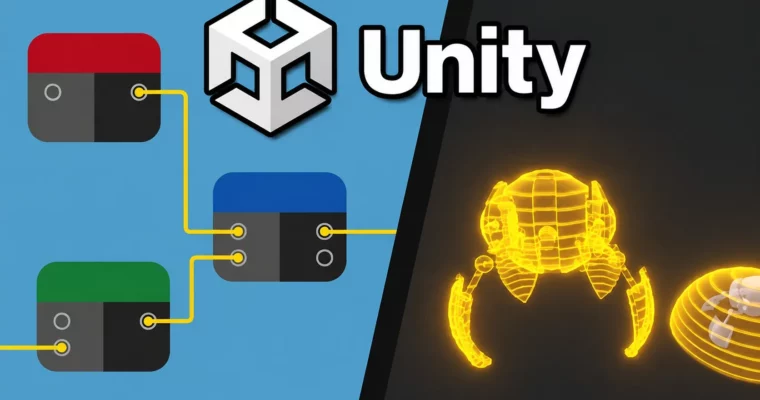
Learn To Use Shader Graph To Create Awesome Effects In Unity by James Doyle

Learn To Use Shader Graph To Create Awesome Effects In Unity by James Doyle

Author:James Doyle

Duration:6 hours

Actual Duration:6h 4m

Release date:2023, August

Publisher:Udemy

Skill level:Beginner

Language:English

Exercise files:Yes

Software:Unity

Course URL:https://www.udemy.com/course/unity-shader-graph

Learn to build a wide range of visual effects in Unity using Shader Graph, from glowing holograms to dynamic water, without writing a single line of code.

Learn to build a wide range of visual effects in Unity using Shader Graph, from glowing holograms to dynamic water, without writing a single line of code.

🎯 What you’ll learn

  • Create a variety of shader types using Unity’s Shader Graph system
  • Understand the capabilities of shader development in Unity
  • Develop strong and transferrable problem solving skills
  • Gain an understanding of the game development process
  • Work with both 3D and 2D visual effects

βœ… Requirements

  • Skills: Basic understanding of Unity’s interface
  • Tools: A copy of Unity 2022.3 or newer
  • Hardware: Mac or PC capable of running Unity 3D

πŸ“ Description

This course is all about getting your hands dirty with Shader Graph, Unity’s built-in visual shader editor. Forget about writing complex codeβ€”you’ll be connecting nodes to create real, game-ready effects. The focus is on practical application, not just theory. You’ll build a glowing hologram, a dissolving object, a toon shader, a dynamic water surface, and even a 2D parallax effect.

Each section walks you through a complete effect from start to finish. You’ll learn how to control materials through code, use vertex displacement to make grass sway, and master nodes like Triplanar and Sub-Graphs to keep your workflow efficient. The course is structured so you can follow along and see immediate results, making it easier to understand how each node contributes to the final look.

By the end, you’ll have a solid grasp of how to approach shader development in Unity. You’ll be able to take these building blocks and combine them to create your own unique visual effects for your games.

πŸ§‘β€πŸŽ“ Who this course is for

  • Complete beginners with an interest in learning game development
  • Artists looking to expand their game development range
  • Programmers interested in understanding the visual side of game dev
  • Anyone who wants to make their own games with custom visual effects

πŸ§‘β€πŸ« About the Author

James Doyle is a game developer and instructor with a Bachelor’s degree in Computer Science. He has helped over 99,000 students learn Unity through his clear, project-based courses. With a background in independent game development, he focuses on teaching code and concepts in a practical context, showing you how each skill applies to real-world problems in your games.

🏁 Final Result

  • A complete Unity project with multiple custom shaders, including a glowing hologram, dissolve effect, toon shader, water shader, and 2D parallax effect.
Curriculum

πŸ“‹ Course content

  1. Introduction & Project Setup
    • Introduction0:50
    • Project Assets0:03
    • Setting Up The Project Using The URP Template4:26
    • Setting Up Without The URP Template6:05
    • Setting Up Our Assets2:40
  2. Material & Shader Basics
    • Material Basics13:42
    • Setting Up A Shader and Material3:59
    • Controlling Color7:59
    • Adding More Variables5:52
    • Adding Texture5:07
    • Setting Up A Fully Textured Model6:03
    • Normal Maps & More8:29
    • Adding Emissive Texture5:08
    • Tiling & Offset7:30
    • Wrapping Up The Basics1:51
  3. Glowing Hologram Effect
    • Setting Up For Glowing2:11
    • Creating Glowing Edges8:28
    • Ignoring Lighting2:58
    • Making It Transparent6:41
    • Adding Texture Lines10:31
    • Making Lines Always Horizontal4:43
    • Scrolling The Lines5:43
    • Fixing A Potential Line Texture Issues3:10
  4. Dissolve Effect
    • Setting Up A Dissolve Shader2:32
    • Making Dissolve Work3:03
    • Adding Noise6:14
    • Adding Coloured Edges7:50
    • Improving The Coloured Edges5:56
    • Controlling Materials Through Code9:02
    • Controlling The Dissolve Effect6:01
    • Improving The Effect11:25
  5. Texture by Position & Triplanar Mapping
    • Texture By Position Setup2:24
    • Controlling Texture By Position7:51
    • Triplanar Node8:11
  6. Vertex Displacement & Grass Swaying
    • Setting Up Grass Swaying Scene4:35
    • Understanding Vertex Displacement9:11
    • Setting Up Grass Basics3:22
    • Moving The Grass11:32
    • Keeping The Base Steady5:42
    • Using A Sub-Graph For Efficiency6:51
  7. Toon Shader
    • Setting Up A Toon Shader3:57
    • Calculating Shadows7:20
    • Adding Colour & Texture5:41
    • Adding Coloured Shadows5:09
    • Adding Highlights7:50
    • Adding Outlines7:45
    • A Separate Outline Shader12:52
  8. Water Shader
    • Setting Up The Water Shader3:28
    • Adding Depth11:11
    • Making The Surface Move10:35
    • Adding Foam6:01
    • Adding Edge Foam7:57
  9. 2D Parallax Shader
    • Setting Up 2D Parallax Shader6:22
    • Making It Work11:41
    • Limiting Parallax Direction6:06
    • Moving The Camera4:32
  10. Conclusion
    • Next Steps10:10
    • Complete Project Files0:06
Watch online or Download for Free
Learn To Use Shader Graph To Create Awesome Effects In Unity by James Doyle
NAME
SIZEDURATION
01 – Introduction
734.2 KB0m
06 – Texture By Position
33.4 MB18m
09 – Water Shader
68.1 MB39m
10 – 2D Parallax Shader
87.8 MB28m
11 – Finishing Up
4.5 MB10m

Download all Videos (56)
585.6 MB6h 4m


Download all

Join us on
  Channel    and      Group

Leave a Comment

Your email address will not be published. Required fields are marked *