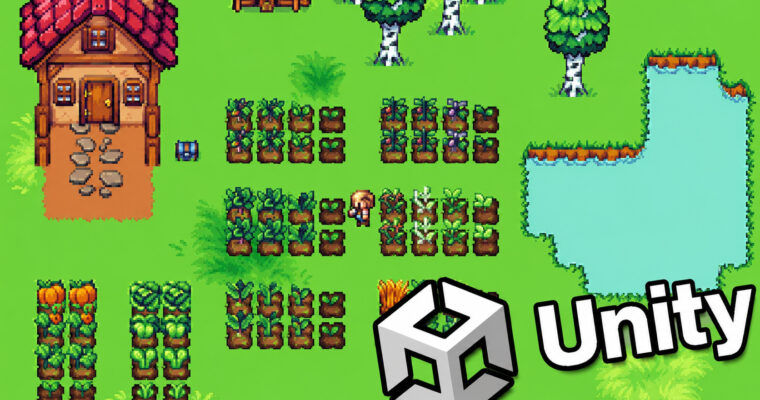
Learn To Create A Farming Game With Unity 6 & C# by James Doyle

Duration:11.5 hours
Actual Duration:11h 27m
Release date:2025, May
Publisher:Udemy
Skill level:Beginner
Language:English
Exercise files:Yes
Software:Unity, C#
Course URL:https://www.udemy.com/course/unity6-farming
Build a complete farming game from scratch with Unity 6 and C#. This course walks you through every step of creating a crop-growing simulation, from player movement and tilemaps to inventory systems and day/night cycles. No prior game dev experience needed.
🎯 What you’ll learn
- Write clean C# code and apply object-oriented programming in a real game project
- Build a complete tile-based farming system with planting, watering, and harvesting
- Create a day/night cycle and time progression system
- Implement an inventory and shop system for buying seeds and selling crops
- Design player movement, tool switching, and animation systems
- Manage multiple game scenes and persistent data between them
✅ Requirements
- Skills: Basic computer literacy; no prior programming or Unity experience needed
- Tools: A copy of Unity (free version is fine)
- Hardware: Mac or PC capable of running Unity 3D
📝 Description
This isn’t just a “follow along and copy code” course. You’ll actually understand why each piece of code works and how it fits into the bigger picture of game development.
The course is built around a single, focused project: a farming game. You’ll start by setting up a tilemap for the ground and getting a player character moving around with animations. From there, you’ll build out the core mechanics step by step. You’ll create a system for tilling soil, planting seeds, watering crops, and harvesting them. Each mechanic is tied directly to a tool the player can switch between, so you’ll learn how to manage player states and UI feedback.
But it doesn’t stop at the farm. You’ll implement a full day/night cycle that affects gameplay, an inventory system to track seeds and harvested crops, and a shop where you can buy and sell goods to build an in-game economy. You’ll also learn how to manage multiple scenes, like an indoor area and a title screen, and how to keep your game data consistent when moving between them.
The course wraps up by adding audio, a pause menu, and finally building your game for distribution. By the end, you’ll have a complete, playable farming game and a solid understanding of how to build your own game systems from scratch.
🧑🎓 Who this course is for
- Complete beginners who want to learn game development by building a real project
- Artists looking to expand their skills into interactive game design
- Programmers interested in understanding how game systems like inventory and economy work in practice
- Anyone who wants to create and publish their own farming management games
🧑🏫 About the Author
James Doyle is a game developer and instructor with a Bachelor’s degree in Computer Science. He has helped over 97,000 students learn to make games in Unity through his clear, project-based teaching style. With a background in independent game development, James focuses on teaching code in context, so you learn how each concept applies to real problems in your games. He has created over 30 courses on Udemy covering a wide range of game genres.
🏁 Final Result
- A fully playable 2D farming game with player movement, tool switching, and a complete crop-growing cycle
- A functional in-game economy with a shop, inventory, and money tracking
- A day/night cycle and time progression system
- Multiple game scenes including indoor areas and a title screen
- A built, distributable version of your game
 Channel