Unity Cutscenes – Master Cinematics, Animation and Trailers by Thomas Barrett

Duration:10 hours 13 minutes
Actual Duration:10h 14m
Release date:2025, November
Publisher:Udemy
Skill level:Intermediate
Language:English
Exercise files:Yes
Software:Unity
Course URL:https://www.udemy.com/course/unity-cutscenes-master-cinematics-animation-and-trailers/
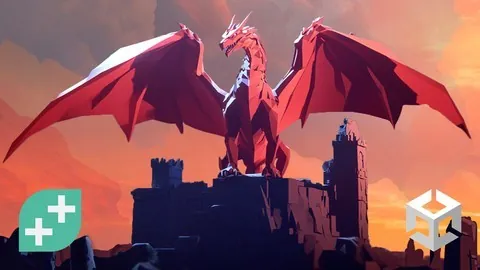
This course teaches you how to build professional-quality cut-scenes, boss fights, and trailers using Unity’s Cinemachine and Timeline tools. You’ll go from basic camera setups to fully interactive cinematic sequences that feel like they belong in a big-budget game.
🎯 What you’ll learn
- Craft interactive cut-scenes that blend seamlessly with gameplay.
- Master dynamic camera moves using Unity’s Cinemachine.
- Build smooth animation sequences with Timeline and Animation tools.
- Develop epic boss fights with dynamic cameras and visual effects.
- Create cinematic trailers from start to finish.
- Apply post-processing tricks for a polished, cinematic look.
✅ Requirements
- Skills: Basic understanding of Unity’s interface and game object manipulation.
- Tools: A 3-button mouse.
- Hardware: A computer capable of running Unity.
📝 Description
This course is all about practical, hands-on learning. You won’t just watch theory—you’ll build a boss fight cut-scene, a character select sequence, and a full cinematic trailer. The focus is on using Cinemachine and Timeline to create sequences that feel interactive, not just pre-rendered videos.
You’ll start by learning the core tools: virtual cameras, dolly tracks, and the Timeline editor. Then, you’ll jump into a full boss fight project. This is where things get interesting. You’ll learn to sync animations, trigger events, and use post-processing to give your scenes that final polish. The course also covers how to handle transitions between gameplay and cut-scenes, so everything feels connected.
The final section walks you through creating a cinematic trailer from scratch. You’ll learn how to plan shots, edit sequences, and add effects to make your game look its best. By the end, you’ll have a portfolio-ready project that shows you can handle professional-level cinematics.
🧑🎓 Who this course is for
- Aspiring game developers who want to add cinematic storytelling to their skillset.
- Intermediate Unity users looking to master Cinemachine and Timeline.
- Content creators and trailer makers who need to produce high-quality game trailers.
🧑🏫 About the Author
Thomas Barrett is a game development instructor at GameDev.tv. After a career in tech and a detour into professional mountain biking and ultra-running, he returned to his childhood passion for game development. He now teaches others how to use the Unity Engine to bring their creative visions to life, focusing on practical, project-based learning.
🏁 Final Result
- A complete, interactive boss fight cut-scene with dynamic cameras and effects.
- A character select sequence with custom animations and UI.
- A polished cinematic trailer for a game project.
 Channel