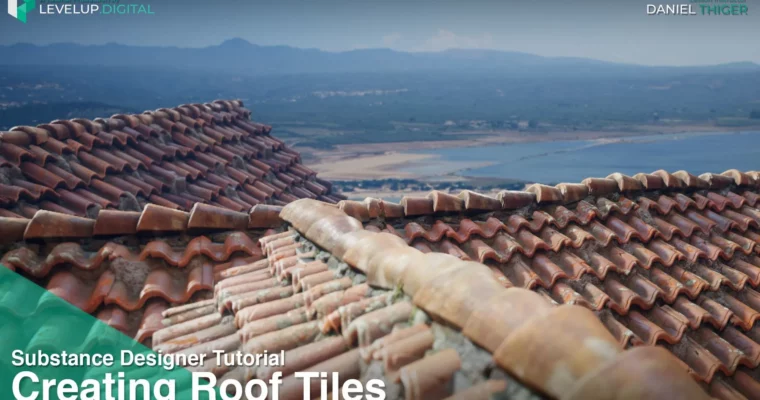
Creating Roof Tiles in Substance Designer by Daniel Thiger

Duration:2 hours
Actual Duration:2h 9m
Release date:2025
Publisher:ArtStation
Skill level:Intermediate
Language:English
Exercise files:Yes
Software:Substance Designer
Course URL:https://www.artstation.com/marketplace/p/d7Nx/creating-roof-tiles-in-substance-designer-daniel-thiger
Daniel Thiger walks you through building a roof tile material in Substance Designer, using the new nodes from version 2019.1. This is a fully narrated, step-by-step tutorial that covers everything from reference breakdown to final color and roughness.
🎯 What you’ll learn
- Create a procedural roof tile profile from scratch
- Add realistic cracks and surface damage
- Apply color blocking and roughness variation
- Use new Substance Designer 2019.1 nodes effectively
✅ Requirements
- Skills: Basic knowledge of Substance Designer interface and node workflow
- Tools: Substance Designer 2019.1 or later
- Hardware: Standard PC capable of running Substance Designer
📝 Description
This tutorial is all about practical, hands-on work. Daniel doesn’t waste time on theory—he jumps straight into Substance Designer and shows you exactly how to build a roof tile material using the 2019.1 update’s new nodes. You’ll see how he breaks down real-world references, then translates that into a fully procedural graph.
The focus is on adding believable detail: cracks, surface damage, and color variation that make the material feel lived-in. Daniel’s approach is methodical, so you can follow along even if you’re relatively new to the software. By the end, you’ll have a solid workflow for creating any type of roof tile, not just the one in the tutorial.
🧑🎓 Who this course is for
- Artists new to Substance Designer who want a structured, project-based introduction
- Experienced users looking to learn new nodes and techniques from a pro
- Game environment artists needing realistic, tileable materials
🧑🏫 About the Author
Daniel Thiger has 15 years of experience in the gaming industry, working at Dice and Bungie. He specializes in material, texture, and asset creation, with a passion for procedural workflows. He collaborated with Allegorithmic on their Signature Series project and spoke at GDC 2018. His work has been featured in 3D Artist, 80lvl, and Marmoset Toolbag.
🏁 Final Result
- A fully procedural, tileable roof tile material with realistic cracks, surface damage, and color variation, ready for use in game environments.
 Channel