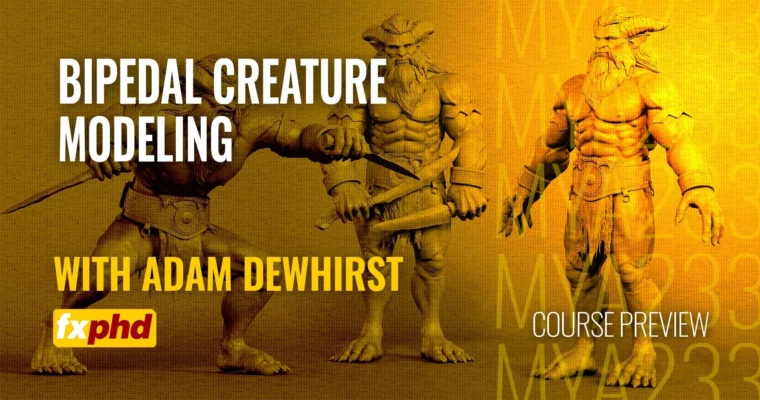
MYA233 – Bipedal Modeling for Production by Adam Dewhirst

Duration:7 hours 18 minutes
Actual Duration:7h 18m
Release date:2025, October
Publisher:FXPHD
Skill level:Intermediate
Language:English
Exercise files:Yes
Software:ZBrush, Maya, Redshift
Course URL:https://www.fxphd.com/details/705/
Ready to build creatures that look like they belong on the big screen? This course dives into the exact workflows used in major studios to take a basic mesh and turn it into a fully realized bipedal character. We’re talking clean topology, killer displacement maps, and presentation that’ll impress any supervisor. You’ll learn how to keep things efficient and consistent, all while adding tons of creative detail through sculpting, costume design, and even early grooming ideas.
🎯 What you’ll learn
- Organize and prepare production reference for creature modeling.
- Sculpt detailed body and facial features in ZBrush.
- Integrate eyes, teeth, and refine hands and feet for deformation.
- Model clean topology and UV layouts in Maya.
- Create costume elements and accessories.
- Develop hair sculpts for grooming reference.
- Set up scene organization and naming conventions for pipeline efficiency.
- Pose and render your final model for review using ZBrush and Maya.
- Utilize Redshift rendering directly within ZBrush for high-quality stills.
✅ Requirements
- Skills: Familiarity with basic 3D modeling concepts and character anatomy.
- Tools: A 3-button mouse is essential. A drawing tablet is highly recommended for sculpting.
- Hardware: A reasonably powerful computer capable of running ZBrush and Maya smoothly.
📝 Description
This course is all about getting your creature models ready for the real world of production. We’re not just sculpting; we’re building assets that fit into a larger pipeline. You’ll learn how to manage your reference like a pro, using tools like PureRef to keep everything organized. Then, it’s into ZBrush to nail down those proportions and sculpt all the juicy details, from the face to the extremities.
We’ll cover fitting eyes and teeth, making sure hands and feet deform correctly – crucial stuff for animators. The workflow then moves to Maya for clean topology, efficient UV layout, and building those essential costume pieces. You’ll even learn to create hair sculpts that guide the grooming team. Finally, we wrap it up with proper scene organization, posing, and rendering, including a look at Redshift rendering directly inside ZBrush, a technique Adam uses in professional settings.
🧑🎓 Who this course is for
- 3D modelers aiming to work in film, TV, or game development.
- Artists looking to refine their character modeling workflow for production standards.
- Anyone wanting to bridge the gap between artistic sculpting and technical asset creation.
🧑🏫 About the Author
Adam Dewhirst is a seasoned lead modeler with over 18 years of experience across film, TV, games, and commercials. He’s held significant roles like Head of Assets at UNIT TV & Film and The Mill, and was a lead modeler at ILM London. Adam’s impressive credits include blockbuster films like Tenet and Guardians of the Galaxy, alongside major campaigns for brands like Audi, Nike, and the BBC. As a member of the ZBrush beta testing team, he brings cutting-edge knowledge, especially regarding new features like Redshift integration.
🏁 Final Result
- A portfolio-ready, production-quality bipedal creature model, complete with clean topology, detailed sculpting, and presentation renders suitable for professional review.
 Channel