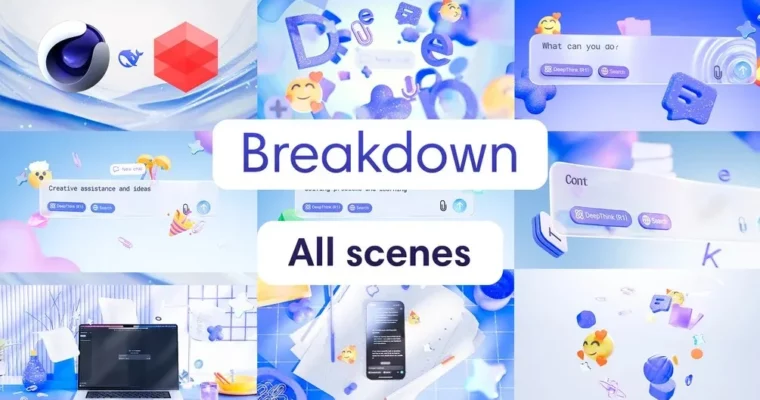
Full breakdown of the 3d motion video DeepSeek in Cinema 4D Redshift by Daniel Koltsiuk

Actual Duration:1h 47m
Release date:2025, March
Publisher:Gumroad
Skill level:Intermediate
Language:English
Exercise files:Yes
Software:Cinema 4D, Redshift
Course URL:https://danielemotion.gumroad.com/l/lgawm
Want to level up your 3D motion design game? This masterclass dives deep into creating a slick, animated video in the style of Microsoft’s DeepSeek. It’s not a beginner’s tutorial from zero, but a pro-level breakdown of a finished project, showing you exactly how the lighting, cameras, materials, and animation all come together. You’ll get a real look at a professional workflow.
🎯 What you’ll learn
- Master lighting techniques for realistic and atmospheric 3D scenes.
- Learn to animate cameras for smooth transitions and dynamic shots.
- Create and animate complex objects using splines, deformers, and tags.
- Implement advanced wave animations with Vertex Maps and Fields.
- Develop stylish materials with glass, plastic, and metallic effects.
- Optimize rendering settings and prepare passes for post-production.
✅ Requirements
- Skills: Familiarity with 3D concepts and animation principles.
- Tools: Cinema 4D, Redshift.
- Hardware: A capable computer for 3D rendering.
📝 Description
This masterclass offers a unique look into the creation of a professional 3D motion design video, specifically focusing on a “Microsoft style” aesthetic for DeepSeek. Instead of a typical step-by-step beginner course, Daniel Koltsiuk dissects a completed project, revealing the intricate details of his workflow. You’ll gain insights into advanced lighting setups, including the use of multiple light sources, HDRI maps, and animated lighting to build atmosphere and depth. The course emphasizes camera animation, teaching how to achieve natural, seamless transitions and avoid common pitfalls.
You’ll also explore practical techniques for object creation and animation, utilizing tools like splines, deformers, and tags within Cinema 4D. A significant portion is dedicated to advanced effects, such as creating realistic wave animations using Vertex Maps and Fields, a technique that adds organic movement to your scenes. Material creation is covered in detail, showing how to achieve polished glass, plastic, and metallic surfaces using Redshift and the Material Blender. Finally, the course guides you through final scene refinement, rendering settings, and preparing elements for post-production in After Effects, culminating in stunning logo animations.
🧑🎓 Who this course is for
- 3D designers aiming to elevate their animation and lighting skills.
- Motion designers looking to incorporate advanced techniques into their work.
- Anyone interested in learning professional workflows for creating high-quality 3D videos.
🧑🏫 About the Author
Daniel Koltsiuk is a seasoned 3D artist specializing in motion design. With a keen eye for detail and a passion for creating visually compelling animations, Daniel has developed a unique workflow that blends technical expertise with artistic flair. He aims to share practical, industry-relevant knowledge, helping other artists achieve professional results in their own projects.
🏁 Final Result
- A comprehensive understanding of how to construct a professional 3D motion design scene from start to finish.
- The ability to implement advanced lighting, camera animation, and material techniques in your own projects.
- A completed project file (Scene 2) to study and reference, featuring detailed setups for lighting, cameras, materials, and animation.
 Channel