Introduction to Houdini Fluids by David Silberbauer

Duration:4h 37m
Actual Duration:4h 37m
Release date:2026, February
Publisher:Gnomon
Skill level:Intermediate
Language:English
Exercise files:Yes
Software:Houdini, Solaris, Karma
Course URL:https://www.thegnomonworkshop.com/workshops/introduction-to-houdini-fluids
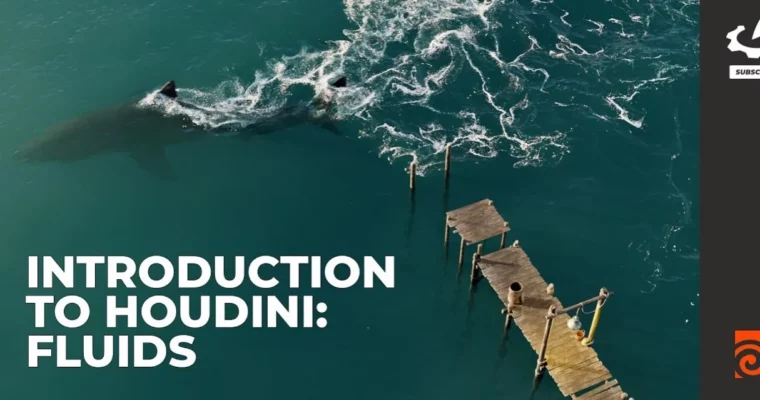
Ready to make some waves? This workshop dives into creating a dynamic fluid simulation featuring a shark in an ocean environment using Houdini. You’ll go from basic setups to a fully rendered shot, learning essential techniques for visual effects artists.
🎯 What you’ll learn
- Setting up FLIP fluid simulations from scratch.
- Understanding the differences between DOP and SOP workflows for fluids.
- Creating realistic white-water effects.
- Meshing and blending ocean spectrum simulations with FLIP fluids.
- Assembling and rendering scenes in Houdini Solaris.
- Lighting and rendering with Karma.
✅ Requirements
- Skills: Familiarity with 3D concepts and basic Houdini navigation.
- Tools: Houdini, Solaris, Karma.
- Hardware: A capable workstation for running simulations.
📝 Description
This workshop is your guide to creating a compelling fluid-interaction shot, specifically a shark swimming in the ocean, all within Houdini. We kick things off with some warm-up exercises using the built-in shelf tools to get you comfortable with FLIP fluids and the distinction between DOP and SOP setups. Understanding these core concepts is key, even though they’re fundamentally similar under the hood.
Next, we tackle white-water setups, further exploring the DOP vs. SOP workflows and why you’d pick one over the other. Then, it’s time for the main event: bringing in a shark animation and building a basic ocean tank. The setup here does a lot of the heavy lifting, connecting nodes and using default settings that just work. We’ll walk through all the critical settings so you can tweak them to get the exact look you want.
Once the basic sim is dialed in—which is crucial as it forms the foundation for everything else—we’ll build out a white-water system to mesh the fluids. You’ll also learn how to extend the ocean using the ocean spectrum and smoothly blend it with your FLIP simulation using volume masks.
The final stage involves assembling everything in Houdini Solaris. We’ll cover creating materials for the shark and other assets, and you’ll learn how to inspect and adapt Houdini ocean procedurals to control the water’s appearance. Finally, we’ll set up two distinct day and night lighting scenarios and fine-tune Karma render settings for that perfect final output.
🧑🎓 Who this course is for
- Aspiring Houdini artists looking to master fluid simulations.
- VFX artists wanting to create realistic ocean effects.
- Technical directors interested in procedural environment art.
- Anyone looking to integrate complex simulations into a final render.
🧑🏫 About the Author
David Silberbauer is a seasoned Visual Effects and Procedural Artist at Sunrise Animation Studios, bringing over nine years of industry experience. He excels at building flexible Houdini systems that encourage creative exploration and endless variations, often drawing inspiration from natural patterns. David has lent his talents to projects like Escape Room, Deep Blue Sea 3, and Star Wars: Visions, collaborating with studios such as Triggerfish Animation and BlackGinger. His passion lies in recreating the intricate complexity of nature through procedural effects.
🏁 Final Result
- A portfolio-ready shot featuring a realistic shark animation within a dynamic ocean fluid simulation, complete with white water and final lighting and rendering in Houdini Solaris and Karma.
 Channel