Generative AI for VFX with ComfyU & InvokeAI Taught by Eran Dinur

Actual Duration:4h 27m
Release date:2025, December
Publisher:FXPHD
Skill level:Intermediate
Language:English
Exercise files:Yes
Software:ComfyUI, InvokeAI, Stable Diffusion, Maya, Nuke, Photoshop
Course URL:https://www.fxphd.com/details/713/
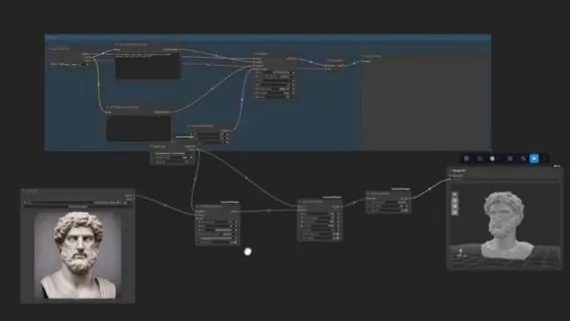
This course dives deep into Stable Diffusion for VFX and visualization artists, focusing on the powerful node-based applications ComfyUI and InvokeAI. You’ll learn to construct custom workflows for generating everything from seamless textures and matte painting elements to fully-textured 3D assets. We’ll break down the core components of the generative process, explore various models, and get hands-on with tools like ControlNets, IP Adapters, and advanced inpainting and upscaling techniques. By the end, you’ll have the skills to design your own generative AI pipelines and integrate them into your VFX workflow.
🎯 What you’ll learn
- Build custom generative AI workflows using ComfyUI and InvokeAI.
- Generate seamless, tileable textures for 3D applications.
- Create elements for matte painting and compositing.
- Produce fully-textured 3D assets using generative AI.
- Utilize ControlNets, IP Adapters, and Stable Diffusion models effectively.
- Master inpainting and upscaling techniques for VFX.
✅ Requirements
- Skills: Basic knowledge of Nuke, Maya, and Photoshop recommended.
- Tools: Computer capable of running ComfyUI and InvokeAI.
- Hardware: A dedicated GPU with sufficient VRAM is highly recommended for optimal performance.
📝 Description
This course offers a deep dive into the practical application of generative AI for VFX and visualization artists. You’ll gain hands-on experience with two of the most powerful node-based Stable Diffusion interfaces: ComfyUI and InvokeAI. We’ll systematically build custom workflows from the ground up, covering everything from generating photorealistic, seamless textures to creating fully-textured 3D assets. The curriculum explores the fundamental building blocks of the Stable Diffusion process, including various models, ControlNets, IP Adapters, and advanced techniques like inpainting and upscaling. By focusing on practical workflow construction, this course empowers you to leverage generative AI as a powerful assistant in your creative pipeline.
🧑🎓 Who this course is for
- VFX artists looking to integrate generative AI into their workflow.
- Visualization artists seeking to create assets and textures more efficiently.
- 3D artists interested in generating textured 3D models using AI.
- Anyone curious about building custom Stable Diffusion pipelines with ComfyUI and InvokeAI.
🧑🏫 About the Author
Eran Dinur is a seasoned VFX Supervisor with credits on major films like “Marty Supreme,” “Hereditary,” “The Wolf of Wall Street,” and “Uncut Gems.” He is also the author of “The Filmmaker’s Guide to Visual Effects” and “The Complete Guide to Photorealism,” establishing him as a leading voice in visual effects education and practice.
🏁 Final Result
By the end of this course, you will have a portfolio of custom-built generative AI workflows and the ability to create seamless textures, matte painting elements, and fully-textured 3D assets, ready to be integrated into professional VFX projects.
 Channel