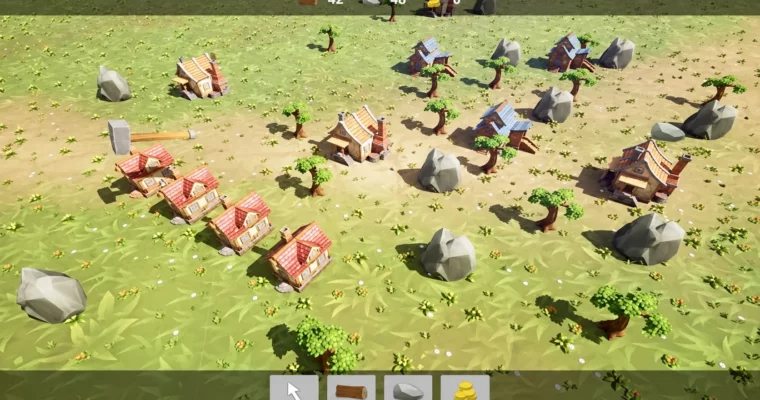
Unreal Engine 5 for Beginners Building a tiny Resource Game by Steffen Blass app affairs GmbH

Duration:4h 50m
Actual Duration:3h 20m
Release date:2023
Publisher:Udemy
Skill level:Beginner
Language:English
Exercise files:Yes
Software:Unreal Engine 5, Unreal Blueprints
Course URL:https://www.udemy.com/course/unreal-engine-5-for-beginners-building-a-tiny-resource-game
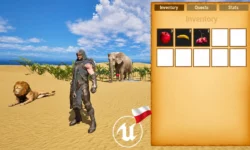
Forget another shooter tutorial. In this course you build a small Anno/Settlers-style resource gathering game in Unreal Engine 5 using only Blueprints — placement, workers, harvesting, and a working economy.
🎯 What you’ll learn
- Basic understanding of Unreal Engine 5 and the Editor workflow
- Implement custom behavior for game objects using Unreal Engine 5 Blueprints
- Use object-oriented concepts like inheritance and classes in Blueprints
- Import and use meshes and Mixamo animations in Unreal 5
- Handle collision and player input with the Enhanced Input System
- Build functional game UI — build menu and resource bar
✅ Requirements
- Skills: No prior Unreal or coding experience needed, basic idea of loops, if-branches and vectors helps
- Hardware: Modern Windows or macOS computer capable of running UE5, dedicated GPU and 16GB+ RAM recommended
📝 Description
This is a build-along, not a theory dump. You start with an empty Unreal Engine 5.1 project — all lessons tested on 5.2 too — and piece by piece you get a playable loop: place a building, spawn a worker, chop, haul, collect, spend.
The core system is kept clean and expandable. You set up Blueprint classes with inheritance for buildings, workers and resources, so adding a new resource or a multi-step production chain later doesn’t mean rewriting everything. Lumberjacks find trees, harvest, carry wood home. Masons do the same for stone. Houses generate citizens who pay gold taxes. Trees deplete and workers automatically look for the next one nearby.
For visuals you don’t model anything. You pull colorful stylized assets from the free section of the Epic Marketplace and grab free animations from Mixamo, then wire them up with proper collision and the new Enhanced Input System for camera pan, zoom and placement. UI is done natively in UMG — a clickable build menu and a live resource bar showing wood, stone and gold.
No C++. Everything is Blueprints from scratch, explained line by line. If you’ve bounced off UE before because tutorials jump straight to FPS mechanics, this is a nice reset: small scope, clear goal, and you finish with systems you can actually reuse.
🧑🎓 Who this course is for
- People that always wanted to get into Game Development with Unreal Engine but don’t want to write a first-person shooter game
- Complete beginners to UE5 and Blueprints who want a small finished strategy prototype for their portfolio
🧑🏫 About the Author
Steffen Blass (app affairs GmbH) teaches practical Unreal Engine development with a focus on Blueprint scripting for non-programmers. He breaks object-oriented ideas and gameplay systems into small, testable steps, and this course is built around that style — one working mechanic at a time until you have a full resource loop.
🏁 Final Result
- A playable tiny RTS prototype with building placement, lumber/stone harvesting with depletion, house taxes for gold, build costs, and polished UI — ready to expand or show as a portfolio piece.
 Channel