Unreal Cinematic Mastery – From Beginner To Cinematic Creator by Phillip Berg

Duration:4 hours on-demand video
Actual Duration:3h 50m
Release date:2025, February
Publisher:Udemy
Skill level:Beginner
Language:English
Exercise files:Yes
Software:Unreal Engine, Adobe Premiere Pro
Course URL:https://www.udemy.com/course/unreal-cinematic-mastery-from-beginner-to-cinematic-creator
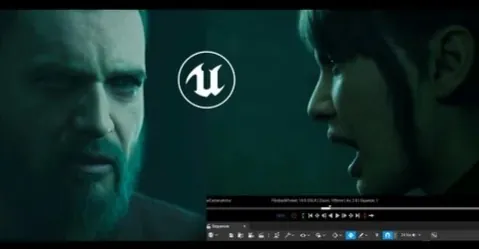
If you’ve watched a bunch of scattered Unreal tutorials and still can’t finish a shot, this one is for you. You install Unreal Engine 5.5, build Metahumans, light and animate a full scene, and render it out — all in one continuous, real-time process with nothing skipped.
🎯 What you’ll learn
- Install and navigate Unreal Engine 5.5 with zero prior experience
- Create and customize Metahuman characters for cinematics
- Retarget animations and layer animation in Sequencer
- Set up cinematic lighting, cameras, and depth of field for film-style shots
- Render high-quality shots with Movie Render Queue
- Build a complete cinematic from scratch with a repeatable workflow
- Edit and finalize your sequence in Premiere Pro
✅ Requirements
- Skills: No prior Unreal Engine experience needed, basic filmmaking or animation sense is helpful but optional
- Tools: Unreal Engine 5.5 installed, Adobe Premiere Pro optional for final edit
- Hardware: A PC capable of running Unreal Engine 5.5 with a dedicated GPU and at least 16GB RAM
📝 Description
This isn’t a highlight reel of tips. It’s one full build, start to finish. You watch Phillip set up Unreal Engine 5.5, pull in environments from FAB Marketplace, drop in Metahumans, and push all the way to final render — including the messy middle where shots don’t work and lighting needs fixing.
First you get the basics out of the way fast. Install, interface, projects, importing assets. Then you get into the good stuff: building a Metahuman, retargeting animations, layering performance in Sequencer, and setting up cinematic cameras with proper depth of field.
The core of the course is a real-time cinematic build. No jump cuts. You see scene setup, first camera pass, adding coverage, lighting refinement, LOD tweaks for Metahumans, lipsync with audio, and a full 1+ hour animation session. That’s rare. Most courses cut that part out, and that’s exactly where beginners get stuck.
Then you finish like a filmmaker. High-quality export with Movie Render Queue, cut together in Premiere Pro, plus a PDF workflow cheat sheet and a downloadable Unreal project scene to practice on. Note: Metahumans aren’t included in the project due to licensing, but you get instructions to add them yourself.
🧑🎓 Who this course is for
- Filmmakers and video creators who want to shoot stories in Unreal Engine
- Complete beginners who want a clear install-to-render path without gaps
- Game developers and artists who need better cutscenes and cinematic shots
- Content creators tired of fragmented YouTube tutorials
- Anyone who wants to learn real-time filmmaking by watching a full project get built
🧑🏫 About the Author
Phillip Berg is a real-time filmmaker and Unreal Engine creator focused on practical cinematic workflows. He teaches by building — showing full scenes in Sequencer from blocking to lighting to final output, rather than isolated features. His approach is built for beginners who want usable results fast: install, make characters move, light it well, render it clean.
🏁 Final Result
- A finished, portfolio-ready cinematic short built in Unreal Engine 5.5 with animated Metahumans, lit cinematic shots, and a Premiere Pro edit — plus a reusable workflow you can apply to your next film.
 Channel