The Complete SketchUp Pro Course for Beginners by CGwisdom Online courses

Duration:4h 30m
Release date:2026
Publisher:Udemy
Skill level:Beginner
Language:English
Exercise files:Yes
Software:SketchUp Pro
Course URL:https://www.udemy.com/course/the-complete-sketchup-pro-course-for-beginners/
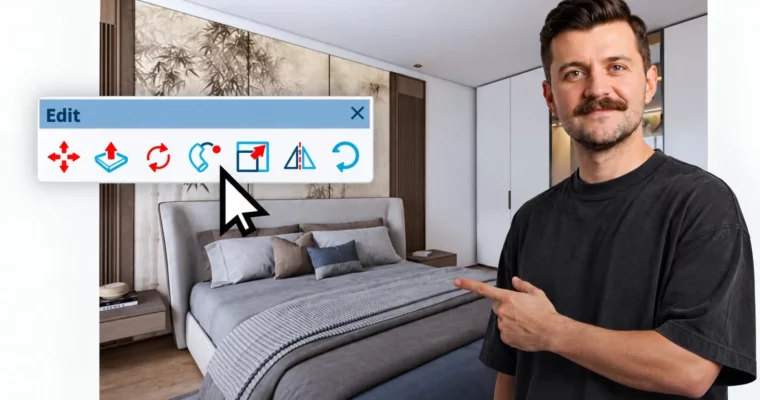
If you have never opened a 3D program, this is a solid place to start. You will go from installing SketchUp Pro 2026 to modeling rooms and buildings from floor plans, keeping everything organized with groups and components, and finishing with PBR materials and AI-powered visuals you can actually show a client.
🎯 What you’ll learn
- Navigate SketchUp Pro 2026 and model interiors, buildings and furniture from 2D floor plans
- Keep models clean with groups, components, tags and Outliner and avoid sticky geometry
- Create and position PBR materials with roughness, metalness and normal maps
- Generate unique textures with the built-in AI texture tool
- Use AI Assistant, image search in 3D Warehouse, and AI 3D mesh generation
- Set up sections, scenes, cameras, styles, shadows and environments
- Export 2D images, walkthrough animations and AI renders
✅ Requirements
- Skills: No prior 3D modeling experience needed, starts from zero and works for older SketchUp users too
- Tools: SketchUp Pro 2026 installed, free trial is enough, mouse with clickable wheel
- Hardware: Computer on Windows or macOS, dedicated graphics card recommended for smooth PBR previews
📝 Description
SketchUp looks easy. And it is — until your walls stick together, your file gets heavy, and you can’t figure out why. This course fixes that from day one. You learn how edges and faces actually behave, why there are no real curves in SketchUp, and how to orbit and model without breaking things.
You start with install, interface, and navigation, then draw with lines, rectangles, circles and arcs. After that you add guides, dimensions, and labels, and get comfortable with Move, Rotate, Scale, Flip, Offset and arrays. Short lessons, one idea at a time. You can practice alongside with the included files.
Then you turn flat plans into real geometry. Push/Pull for walls and furniture, Follow Me for moldings and profiles, plus lathed forms, spheres and 3D text. You also get into Solid Tools for booleans, Sandbox for terrain, and real site import when you need context for a building.
Organization gets its own focus, because that’s what keeps projects usable. You will use groups, components and Live Components, sort things with Outliner and Tags, and set up custom shortcuts. This is the model hygiene stuff that keeps files light and edits fast. If you learned an old version, this part alone will clean up a lot of bad habits.
Materials are native PBR now, no render engine required for good-looking surfaces. You start with colors and textures, then build full PBR materials with roughness, metalness and normal maps. You will learn where to get good textures, how to make them seamless, how to position them right, and how to generate new maps with the AI texture tool.
The 2026 AI workflow is covered in plain terms. Use the AI Assistant when you get stuck, find models by image in 3D Warehouse, pull in external libraries, and generate simple 3D meshes with AI. For presentation, you set up sections, scenes, Match Photo, styles, shadows, fog and environments so your views read well.
At the end you export images and simple animations, then turn a raw model into a finished visual with AI Render and tools like Raya design. No long render setup, just fast concepts for clients. You also get a clear map of what to learn next, from LayOut docs to full rendering engines.
🧑🎓 Who this course is for
- Architects and interior designers who want to turn floor plans into clear 3D models and visuals fast
- Students of architecture, interiors and spatial design who need a solid SketchUp foundation
- Complete beginners in 3D and users of older SketchUp versions who want a modern 2026 workflow
- Furniture designers, makers and enthusiasts who want to model, texture and present ideas with AI help
🧑🏫 About the Author
Piotr Kurpiewski is an architect, 3D artist and educator who runs a visualization studio focused on architecture, graphics and industrial design. He works on real client projects, so he teaches the workflow habits that hold up under deadlines, not just tool clicks.
His teaching style is calm and direct. He explains each SketchUp workflow step by step, which makes it easy to follow even if 3D is completely new to you.
🏁 Final Result
- A clean, organized SketchUp Pro interior / building model built from a 2D plan, with PBR materials, scenes and styles, plus exported 2D images, a simple animation and an AI-generated visualization ready for portfolio or client review.
 Channel