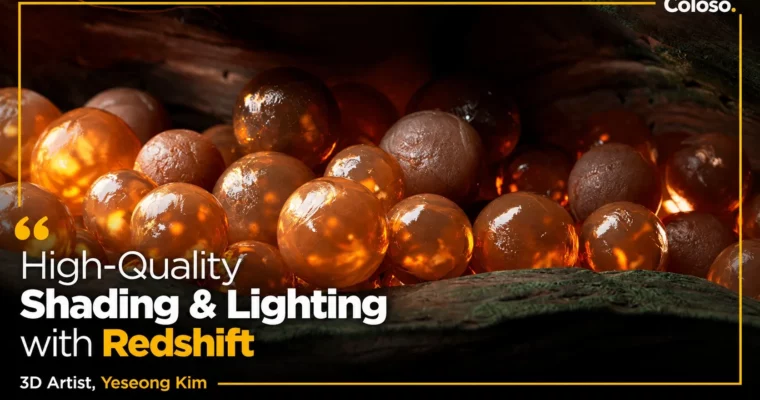
High-Quality Shading & Lighting with Redshift by Yeseong Kim

Duration:14 hours 10 minutes
Actual Duration:27h 29m
Release date:2023
Publisher:Coloso
Skill level:Advanced
Language:English
Exercise files:Yes
Software:Cinema 4D, Redshift, After Effects
Course URL:https://coloso.global/en/products/motiongraphic_kimyeseong_us
C4D + Redshift is the fastest way to render high-quality images — if you know how to shade and light them. 3D Artist Yeseong Kim (Tendril Studio — Microsoft, Adobe, ESPN) teaches the full intermediate Redshift class: node-based lookdev with 30+ shaders, lighting that carries the image, ACES workflow, render optimization and post-production. Across 31 videos / 14 hours 10 minutes you complete 3 design exercises with 15 different shots (Sandbox, Puzzle, Light and Shadow) and learn the study and scene-organization methods used in a major motion-design studio.
🎯 What you’ll learn
- Use Redshift fundamentals correctly — UI, lights, camera, sampling — and switch from sRGB to the industry-standard ACES workflow
- Build and organize your own visual library and a clean C4D scene layout for look development
- Master 30+ shaders: diffuse, reflection, refraction, texture maps, bump, sheen, emission, coating, Multi SSS / single SSS, anisotropy, dispersion, thin-film iridescence
- Combine nodes like a pro: User Data, Fresnel, State, Camera Projection, Math, curvature + AO blending, MSSS blending for depth without modeling
- Add detail fast: logos with camera projection, masking with State, efficient workflows with User Data, C4D Volume Builder + Redshift Volume for fog
- Light for quality: HDRI + basic lights, object shadows, studio setups with depth, dim mesmerizing environments (GOBO, fog, backgrounds), bright environments, animated lighting switches
- Render efficiently: noise-reduction optimization, ACES output settings, AOVs, Motion Blur, Bokeh, tokens, C4D render queue
- Finish in After Effects: post-production of ACES images, color correction, glow and simple FX
- Study like a studio artist: building design resources, organizing complex scenes, developing the look from ideation to final
✅ Requirements
- Skills: General C4D workflow basics (UI, modeling, scene files). Course level: Advanced — for those who grasp the general workflow but are stuck on result quality.
- Tools: Cinema 4D R23, Redshift 3.0.57, After Effects for post-production (programs not included). Quixel Megascans / Quixel Scans used in Exercise 3.
- Hardware: Standard 3D PC capable of GPU rendering with Redshift, minimum 16GB RAM recommended, Redshift-compatible Nvidia GPU for practical render optimization.
📝 Description
Most artists learn Redshift buttons but never learn lookdev: how a shader is built, why a light sits where it sits, and how sampling, color space and post decide the final image. Yeseong Kim — self-taught, now 3D Artist at Tendril Studio in charge of design, look development and lighting — teaches the class he wished existed when he learned Redshift alone.
You start with fundamentals that are easy to miss: a personal visual library, a tidy C4D scene, Redshift UI, basic lights and camera, then the ACES workflow that has replaced sRGB as the industry standard. Exercise 1 (Sandbox) is pure shader school: plastic, wall, metal, fabric, lightbulb, glass, marble, rubber — diffuse, reflection, refraction, bump, sheen, emission, coating, Multi SSS — closed by HDRI lighting and layout.
Exercise 2 (Puzzle) is about feeling. Tactile rock / plastic / wood with curvature + AO blending, imperfect car paint and anisotropic metal, soft jelly / chocolate / wax with MSSS, transparent glass / ice with single SSS and dispersion, special gloss and iridescent thin film, then the advanced nodes that separate juniors from pros — Camera Projection, State, User Data, Math, Fresnel — plus C4D volumes + Redshift volume fog and the full lighting breakdown.
Exercise 3 (Light and Shadow) is a production run: ideation, Quixel-based environment modeling, C4D hair + Redshift hair shader, procedural bubbles, then three complete lighting scenarios — deep studio with light volume, dim / mesmerizing with GOBO + fog, bright without losing focus including animated lighting switches — followed by sampling and noise-reduction optimization, AOV / Motion Blur / Bokeh, tokens, render queue, and After Effects post of ACES renders.
Total: 31 videos, 14 hours 10 minutes. Audio Korean, subtitles English + ZH-TW (Auto), English class materials included. Required: Cinema 4D R23 + Redshift 3.0.57.
🧑🎓 Who this course is for
- Junior / aspiring motion designers who know the general C4D workflow but are unhappy with final render quality
- Artists who cannot pinpoint which technical area holds them back — shaders, nodes, lighting or render settings
- Anyone aiming for industry-ready Redshift renders and a lookdev / lighting portfolio for a major motion-design studio
🧑🏫 About the Author
Yeseong Kim (김예성) is a self-taught 3D Artist at Tendril Studio, a well-known motion-design company, where he handles design, look development and lighting. During his time at Tendril he worked with Microsoft (Windows 365 Cloud PC, Office 365, Icons), Adobe Creative Cloud, ESPN CFP, Huawei Wisdom, Maxon Logo, Vizio PX/P9, Cybin x Kernel and others. His Instagram is. He teaches practical Redshift techniques from personal experience — nodes, optimization, ACES — rather than manual theory.
🏁 Final Result
- Three finished lookdev exercises with 15 different shots: Sandbox material studies, Puzzle tactile / imperfect / soft / transparent / special material set, Light and Shadow cinematic lighting series
- A personal visual library + organized C4D / Redshift scene template and an ACES-ready render + After Effects post workflow reusable on client work
📢 Guys, this is a Group Buy campaign, check the GBC forum thread to get access
You can find the course preview in the download section below.
 Channel