Substance Basics by Martin Teichmann

Duration:4 weeks
Actual Duration:18h 50m
Release date:2022, January 24
Publisher:CGMA
Skill level:Beginner
Language:English
Exercise files:Yes
Software:Substance Painter, Substance Designer
Course URL:https://www.gameart.cgmasteracademy.com/courses/substance-basics
Get comfortable with the Substance suite from day one. You’ll learn to navigate the interface, troubleshoot common issues, and build a reliable workflow for generating your very first PBR materials and texture maps.
🎯 What you’ll learn
- Navigating the Substance Painter and Designer interfaces
- Troubleshooting common texturing and baking errors
- Creating custom materials from scratch or using scan data
- Building a reliable workflow for texturing 3D assets
✅ Requirements
- Skills: Basic understanding of 3D space and UV mapping
- Tools: 3-button mouse, drawing tablet
- Hardware: Minimum 16GB RAM, dedicated GPU
📝 Description
This four-week bootcamp is built strictly for absolute beginners looking to grasp the Substance tools without feeling overwhelmed. We skip the fluff and focus directly on core navigation, essential equipment setups, and practical troubleshooting techniques. You get a clear breakdown of both Painter and Designer, learning exactly where each software excels in a modern production environment.
Expect to push through basic exercises that build muscle memory for 3D texturing. By the end of the course, you will know exactly how to prep your meshes, bake necessary data, and output high-quality texture maps ready for any real-time engine or offline renderer. We focus on giving you the exact steps needed to go from a blank canvas to a fully textured asset.
🧑🎓 Who this course is for
- Absolute beginners wanting to learn texturing for games and film
- 3D artists looking to transition to a modern PBR workflow
- Hobbyists aiming to improve their material creation skills
🧑🏫 About the Author
Martin Teichmann is a seasoned Environment Artist currently shaping worlds as a Lead at The Walt Disney Company. With a heavy-hitting background in AAA games, he previously crafted environments for massive titles like Uncharted 4 at Naughty Dog and Crysis 2 at Crytek. His practical production experience ensures you learn workflows that actually hold up in a professional 3D pipeline.
🏁 Final Result
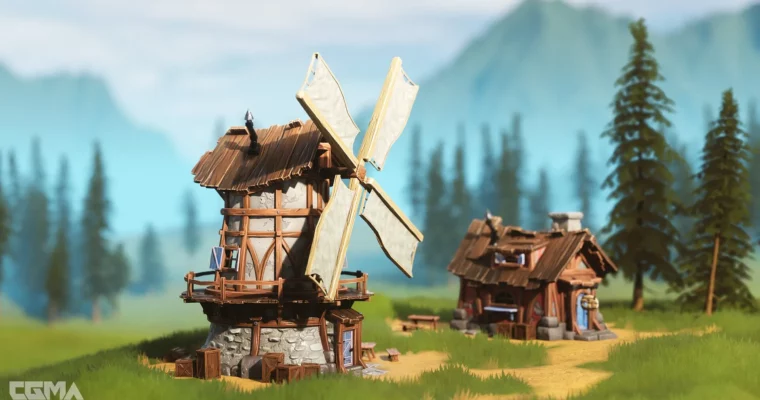
- A fully textured 3D prop or small environment piece, complete with exported texture maps ready for engine integration.
📢 Guys, this is a Group Buy campaign, check the GBC forum thread to get access
You can find the course preview in the download section below.
 Channel