Ad Clicks : Ad Views : Ad Clicks : Ad Views : Ad Clicks : Ad Views : Ad Clicks : Ad Views :
Oh Snap!

It looks like you're using an adblocker. Adblockers make us sad. We use ads to keep our content happy and free. If you like what we are doing please consider supporting us by whitelisting our website. You can report badly-behaved ads by clicking/tapping the nearby 'Advertisement' X text.

Solidworks Mastery – 500 Examples 500 Q&A-20 Project-10 Test by Roy Academy

Solidworks Mastery – 500 Examples 500 Q&A-20 Project-10 Test by Roy Academy

/

Author:Roy Academy

Duration:77 hours on-demand video

Actual Duration:58h 24m

Release date:2026

Publisher:Udemy

Skill level:Beginner

Language:English

Exercise files:Yes

Software:SOLIDWORKS

Course URL:https://www.udemy.com/course/solidworks-mastery

Go from zero to job-ready in SOLIDWORKS with 500 hands-on examples, 20 assembly projects, and full CSWA exam prep.

This is the heavyweight SOLIDWORKS course for people who want reps, not just theory. You get 77 hours of video, 500 step-by-step examples, 20 full assembly projects, and 500 Q&A to get you ready for the CSWA and real job interviews.

🎯 What you’ll learn

  • Work independently in any version of SOLIDWORKS with a pro design engineer mindset
  • Build fully constrained sketches fast using lines, arcs, splines, slots, and patterns
  • Model complex parts with extrude, revolve, sweep, loft, fillet, chamfer, shell, and rib
  • Build and constrain assemblies with standard and advanced mates
  • Create production-ready drawings with dimensions, tolerances, sections, and detail views
  • Design sheet metal parts with flanges, hems, bends, gussets, and flat patterns
  • Run basic FE Analysis for brackets, cantilevers, and supports
  • Pass the Certified SOLIDWORKS Associate (CSWA) exam and machine-test interviews

✅ Requirements

  • Skills: No prior CAD experience needed, basic computer literacy and ability to read simple technical drawings helps
  • Tools: Computer with any version of SOLIDWORKS installed, 3-button mouse recommended
  • Hardware: Windows PC capable of running SOLIDWORKS, dedicated GPU recommended for large assemblies and simulation

📝 Description

This course is built for volume. You don’t watch one demo and hope you got it. You model along through SOLIDWORKS, Sketcher, and parametric modeling until the tools feel automatic. Each tool is shown, then used right away in a short example. Then you repeat it in practice files until you stop thinking about clicks.

You start with interface, units, and sketch constraints. That DOF stuff matters – if your sketch isn’t fully defined, everything downstream breaks. From there you move into Extrude, Revolve, and Hole Wizard workflows, then into the stuff that gets you hired: sweep, loft, helix, patterns, planes, and multi-body logic. Drawings are included for download, so you can model without pausing to screenshot.

The middle of the course is where it gets serious. You build real industrial parts like a 5th-stage compressor blade and 2nd-stage turbine blade with aerofoil sections, dovetail and firtree roots, and shrouds. Then you switch to assemblies – valve assembly, shaft support, screw jack, crane hook, gate valve – with standard mates, width, path, symmetric, and mechanical mates for cams, hinges, and universal joints. You finish those with motion studies and exploded animations you can actually show in a review.

You also cover the full documentation side: drafting, GD&T, orthographic and auxiliary views, sections, and sheet metal with flanges, hems, jogs, and flat patterns. Plus a starter block in FE Analysis for cantilevers and brackets so you understand how design decisions affect stress. At the end, the 500 examples, 20 projects, and 500 interview questions are your grind set for CSWA and machine tests.

🧑‍🎓 Who this course is for

  • Students with zero experience in any modeling software who want a structured start
  • Beginners in SOLIDWORKS who want to learn fast with lots of examples
  • People who learned SOLIDWORKS before and need a quick, practical refresh
  • Mechanical engineering and diploma students who need practical CAD skills for jobs
  • Working professionals and manufacturing engineers moving into design roles
  • Anyone who communicates through technical drawings as part of study or work

🧑‍🏫 About the Author

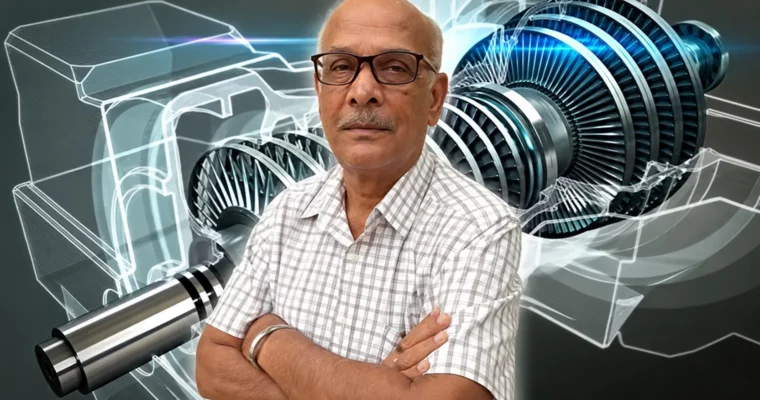
Roy Academy is a professional training team led by Chief Course Designer Mr. S. N. S. Roy. He brings almost 50 years of experience in engineering design and product development, with a teaching method tested on thousands of students in live sessions. The focus is practical: learn a tool, apply it immediately, and build the mindset of a pro design engineer. That background in real industrial projects – from turbine blades to assemblies and manufacturing drawings – is why the course leans so hard on examples, downloadable drawings, and interview prep.

🏁 Final Result

  • Complete portfolio with modeled parts, 20 assembly projects including valve, turbine blade, crane hook and shaft support systems, plus detailed 2D drawings, sheet metal flat patterns, and animation videos ready to show for CSWA and job interviews.
Curriculum

📋 Course content

  1. Getting Started:  Interface and Learning Path
    • How to Use this course – Course Design and Learning Path3:33
    • Introduction to Course4:46
    • File Handling & SOLIDWORKS User Interface3:55
    • Various Applications in SOLIDWORKS3:10
    • Setting working Units4:43
  2. Sketcher Basics:  Constraints and Drawing Tools
    • Creating Lines using line tool. Visual tools7:55
    • Concept of DOF in 2D, Constraining DOFs & Types of constraints12:19
    • Example-110:18
    • Removing a Constraint and about Colours during constraining6:18
    • Trim Objects2:54
    • Example-211:55
    • Creating Circles (Circle and perimeter circle)3:46
    • Creating Fillets1:57
    • Creating Chamfers2:41
  3. Sketcher Advanced:  Entities, Modify Tools and Patterns

    • Creating Rectangles3:38
    • Slots2:50
    • Creating Conics – Ellipse, Partial Ellipse, Parabola, Conic3:04
    • Creating Splines – Spline, Style Spline3:51
    • Mirror Entities2:24
    • Offset Entities3:28
    • Linear Sketch Pattern4:28
    • Circular Sketch Pattern3:00
    • Example-1417:25
  4. Part Design Core:  Extrude, Revolve and Holes
    • Intro to Extruded Boss and Extruded cut5:56
    • Example-1811:47
    • Extruded Boss in Details5:17
    • Extruded cut in Details6:06
    • Creating Holes10:29
    • Instant 3D5:36
    • Fillet7:31
    • Chamfer9:14
    • Revolved boss and Revolved cut11:24
  5. Part Design Pro:  Planes, Patterns, Sweep and Loft
    • Creating Planes6:54
    • Mirror2:49
    • Linear Pattern2:58
    • Circular Pattern3:50
    • Draft3:02
    • Rib4:04
    • Shell2:31
    • Curves – Helix and Spiral7:36
    • Swept Boss/Base6:00
    • Lofted Boss/Base & Offset Plane8:26
    • Example-3311:17
    • Project-1 : Central Link35:20
  6. Industrial Project:  Gas Turbine Blade Modeling
    • What is a Gas Turbine Engine and its Use2:10
    • Aerofoil Geometry7:09
    • Drawing Aerofoil from given data16:00
    • Sketching Aerofoil Section I-I12:08
    • Development of Aerofoil Body1:19
    • Development of the Axial Dovetail Root9:47
    • Sketching the Fir tree cross-section of root18:48
    • Generating Firtree Root19:01
    • Sketching the Shroud13:27
    • Generating the Shroud16:02
  7. Assembly Design Basics:  Valve Assembly
    • Introduction to Assembly3:14
    • Assembly workbench interface, Concept of Degrees of freedom & Constraining DOFs11:59
    • Valve Assembly – T-bolt8:26
    • Valve Assembly – Cover2:47
    • Valve Assembly – Plate4:52
    • Valve Assembly – Bolt4:06
  8. Assembly Advanced:  Mates and Mechanisms
    • Tangent Mate8:07
    • Width Mate4:31
    • Path Mate9:56
    • Limit Angle4:12
    • Cam Follower Mechanism9:40
    • Slot Mechanism9:09
    • Hinge Joint Mechanism4:07
    • Universal Joint Mechanism5:39
  9. Motion Study and Animation:  Exploded Views and Video
    • Introduction to Motion Study3:55
    • Animation using Motor4:50
    • Motor Properties9:44
    • Creating an Animation Video for presentation1:58
    • Basic Motion9:05
    • Animation Wizard – Creating Explosions7:17
  10. Drafting:  Views, Dimensions and Tolerances
    • Introduction to Drafting module & Setting the environment4:43
    • Generating Orthographic projection views & standard views5:32
    • Section views8:54
    • Detail view3:22
    • Generating Dimensions13:00
    • Inserting Geometric Tolerance, Datum feature & Symbols7:02
    • Parametric Vs Non Parametric Modelling & Auto Dimensioning of Parametric Designs7:43
  11. Sheet Metal Design:  Flanges, Bends and Forming
    • SOLIDWORKS Sheet Metal Environment Overview1:22
    • Creating a Base Flange3:41
    • Adding Edge Flanges5:38
    • Creating a Hem5:10
    • Flatten, Fold & Unfold Features3:01
    • Lofted Bend5:24
    • Forming Tools – Louvers, Emboss, Extrude Forms10:02
    • Sheet Metal Example-416:31
  12. FE Analysis:  Simulation for Product Design
    • Product Design using CAE9:47
    • Introduction to FEA in Solidworks8:07
    • Solidworks Analysis Interface3:15
    • Project-1- Cantilever12:11
    • Project-2- ANGULAR SUPPORT6:12
    • Project-3- BRACKET5:33
  13. Engineering Drawing Theory:  Projections and Standards
    • Layout of Drawing Sheets4:00
    • Rules of Dimensioning12:42
    • First and Third Angle Projection8:32
    • Projection of a Cuboid10:35
    • Principles of Isometric Projection5:23
  14. Practice Lab:  500 Basic to Advanced Examples
    • Basic-Practice-02-PE-25:45
    • Basic-Practice-10-PE-107:09
    • Intermediate-Practice-01-PE-518:33
    • Intermediate-Practice-61-PE-17318:42
    • Advanced-Practice-01-PE-6812:18
    • Advanced-Practice-24-PE-17020:07
    • Advanced-Practice-43-PE-354 PA-15 Body20:55
  15. Project Lab:  20 Assembly Projects Start to Finish
    • PE-272 PA-1 Base Assembly of SHAFT SUPPORT SYSTEM7:16
    • PE-279 PA-3 Base plate3:04
    • PE-284 PA-4 Body4:19
    • Assembly of Screw Jack with Tommy bar10:06
    • Assembly of Crane Hook System17:36
    • Assembly of Gate Valve Body and Cover14:49
    • PE-401 PA-20 Outlet Housing-111:32
  16. Test Prep:  Quizzes, Interview Q&A and CSWA
    • Sketcher Quiz
    • Solid 3D Modeling Quiz
    • Assembly Quiz
    • Drafting Quiz
    • Interview Quiz Questions (1-100)
    • Interview Quiz Questions (401-500)
Watch online or Download for Free
Solidworks Mastery – 500 Examples 500 Q&A-20 Project-10 Test by Roy Academy
NAME
SIZEDURATION
9 – 500 Practice Examples and Exercises
2.2 GB41h 5m
11 – Project BRIDGE ROPE SUPPORT
15.4 MB16m
14 – Project SHAFT FORK CONNECTION
27.1 MB27m
15 – Project PA-6-TOOL REST HOLDER FOR WOOD LATHE_edited
24.8 MB26m
16 – Project PA-7-V BLOCK_edited
16.3 MB17m
17 – Project PA-8-KNUCKLE JOINT_edited
19.7 MB19m

Download all Videos (600)
3.2 GB58h 24m


Download all

Join us on
  Channel    and      Group

Leave a Comment

Your email address will not be published. Required fields are marked *