


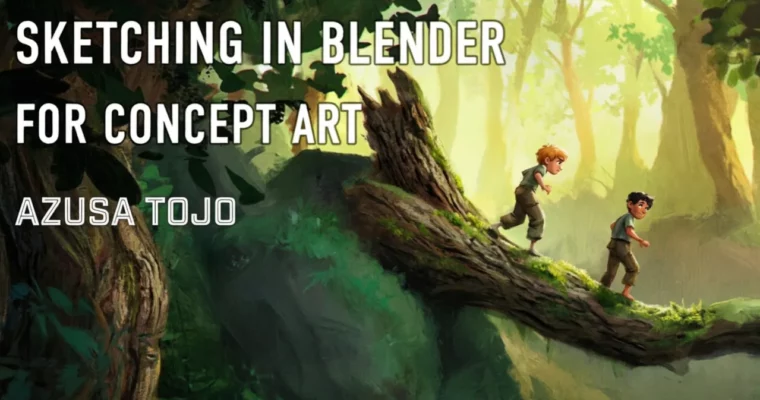
Sketching in Blender by Azusa Tojo

Duration:9+1 Weeks
Actual Duration:74h 5m
Release date:2025
Publisher:Azusa Tojo
Skill level:Intermediate
Language:English
Exercise files:Yes
Software:Blender, Photoshop
Course URL:https://www.azusatojo.com/blender-class
Ready to inject some serious 3D magic into your art? This Sketching in Blender class, taught by Azusa Tojo, is your ticket to unlocking a whole new level of design and illustration. Forget just looking at 3D models; you’ll be creating them, turning your ideas into tangible digital assets faster than you thought possible. It’s intense, it’s engaging, and it’s designed to make your artistic life way more fun.
🎯 What you’ll learn
- Master fundamental Blender modeling tools and workflows.
- Develop skills in 3D sketching for characters, environments, and props.
- Understand lighting, materials, and camera setup for compelling visuals.
- Integrate Blender into your existing 2D art pipeline for faster concepting.
- Create portfolio-ready keyframes and character designs.
✅ Requirements
- Skills: Basic design skills, anatomy knowledge, experience with Adobe Photoshop.
- Tools: Three-button mouse, microphone, drawing tablet or second monitor recommended.
- Hardware: A computer powerful enough to run Blender (check system requirements online).
📝 Description
This isn’t just another Blender tutorial; it’s a deep dive into Azusa Tojo’s personal workflow for sketching and concepting in 3D. Designed for intermediate-to-advanced 2D artists, this course bridges the gap between traditional digital art and the power of 3D. You’ll learn to leverage Blender not just as a modeling tool, but as an extension of your creative process, enabling you to visualize and iterate on ideas with unprecedented speed and efficiency.
The class structure emphasizes hands-on learning with weekly assignments, live Zoom sessions, and optional mid-week office hours for personalized feedback. Whether you opt for the feedback-intensive or self-guided track, the goal is to build practical skills and confidence. You’ll gain a solid understanding of Blender’s interface and core functionalities, specifically tailored for design and illustration tasks.
🧑🎓 Who this course is for
- 2D artists looking to incorporate 3D sketching into their workflow for faster concepting and design.
- Artists who want to improve their understanding of lighting, materials, and composition in a 3D environment.
- Individuals seeking to create portfolio-ready assets like characters, environments, and keyframes using Blender.
- Anyone who wants to make their digital art process more dynamic and fun.
🧑🏫 About the Author
Azusa Tojo is an artist with a passion for sharing her unique workflow. Having developed her skills through extensive personal practice and professional experience, she aims to demystify the process of using Blender for concept and visual development. Her approach focuses on practical application, making complex software accessible and enjoyable for artists. Azusa is dedicated to helping students build confidence and expand their creative toolkit.
🏁 Final Result
By the end of this course, you’ll have a collection of over 10 awesome artworks created in Blender, demonstrating your ability to sketch and design characters, environments, and props. You’ll be comfortable creating keyframes, posing characters, and even dabbling in basic animation and stylized rendering, significantly enhancing your visual development skills.
 Channel



welcome baaaaaaaaaaaaack!!!