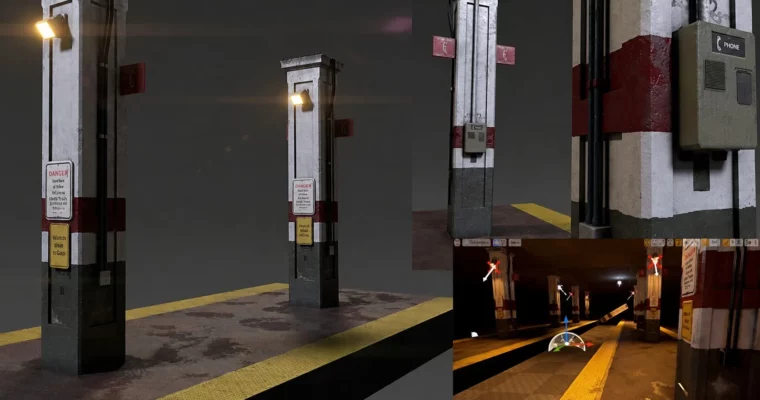
Scratch to Substance V1 – Substance Painter-Designer Pipeline Learn the Substance Painter Pipeline by Matt Skonicki

Duration:16 hours
Actual Duration:16h 6m
Release date:2018, June
Publisher:Udemy
Skill level:Intermediate
Language:English
Exercise files:Yes
Software:Autodesk Maya, Substance Painter, Substance Designer, Unreal Engine 4, Arnold
Course URL:https://www.udemy.com/course/scratch-to-substance-v1-substance-painterdesigner-pipeline
This course walks you through a complete PBR texturing pipeline, starting with a photo reference in Autodesk Maya and ending with a fully realized VR scene in Unreal Engine 4. You’ll learn how to build custom materials in Substance Designer, paint them in Substance Painter, and set up a real-time environment. It’s a practical, no-fluff look at how a professional asset moves from modeling to final render.
🎯 What you’ll learn
- Build a complete PBR texturing workflow from modeling to final render.
- Create custom materials in Substance Designer from photo references.
- Set up a VR level in Unreal Engine 4 with your own textured assets.
- Use advanced projection decals, stencils, and material stamps in Substance Painter.
✅ Requirements
- Skills: Basic familiarity with Maya and Substance Painter interface.
- Tools: Substance Painter, Substance Designer, Autodesk Maya.
- Hardware: Minimum 16GB RAM, dedicated GPU for Unreal Engine.
📝 Description
This isn’t a series of isolated tutorials. It’s one continuous project where you build a single, complex scene from start to finish. You begin by modeling a phone booth and platform from a photograph in Maya, focusing on clean topology and proper UVs for game engines. Then you jump into Substance Painter to set up your base materials.
The real meat is in Substance Designer. You’ll learn to build custom materials from your reference photos, creating unique dirt, cracks, and wear patterns that make your asset look grounded and real. The course covers everything from normal map diagnostics to advanced projection decals. Once the texturing is done, you export your maps into Unreal Engine 4 and set up a VR level to see your work in a real-time environment. You’ll also get a bonus look at rendering the final scene in Arnold for Maya.
🧑🎓 Who this course is for
- 3D artists who want to learn a complete PBR texturing pipeline.
- Game developers looking to integrate Substance tools with Unreal Engine.
- Modelers who want to understand how their assets will be textured and rendered.
🧑🏫 About the Author
Matt Skonicki is a seasoned 3D artist with years of experience in game development and visual effects. He focuses on practical, production-ready workflows, teaching artists how to bridge the gap between modeling and real-time rendering. His courses are known for their hands-on, project-based approach.
🏁 Final Result
- A fully textured, game-ready phone booth and platform scene.
- Custom Substance Designer materials built from photo reference.
- A VR level in Unreal Engine 4 showcasing your final asset.
 Channel