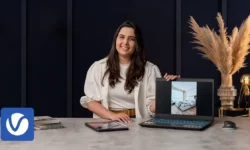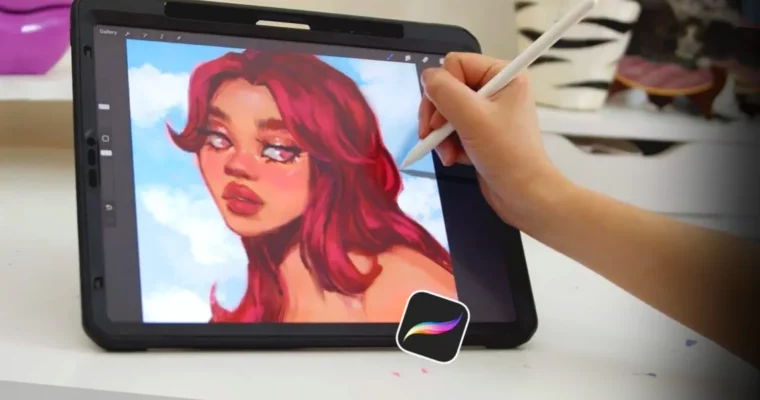
Procreate Made Easy by Isabelle Staub

Duration:1+ Hours
Actual Duration:1h 58m
Release date:2024, February
Publisher:21-Draw
Skill level:Beginner
Language:English
Exercise files:Yes
Software:Procreate, Photoshop
Course URL:https://www.21-draw.com/course/procreate-made-easy/
Tired of digital art taking ages? This course cuts through the confusion, showing you how to paint faster and enjoy the process in Procreate. You’ll learn practical tricks used by pros to speed up your workflow and avoid common beginner roadblocks, making digital illustration a joy instead of a chore.
🎯 What you’ll learn
- Get comfortable with Procreate basics for a smooth digital art journey.
- Dodge common beginner mistakes that slow down your creative flow.
- Pick up time-saving tricks used by experienced artists.
- Explore five different blending methods for varied paint effects.
- Develop an intentional workflow to enjoy painting more.
- Easily make adjustments to your art without tedious redrawing.
- Understand how to effectively use reference images.
- Learn to merge colors cohesively for polished illustrations.
- Create your own custom brushes for specific needs.
- Add realistic lighting effects like sunrays and glows.
- Incorporate organic textures for visual interest.
- Boost your creativity with fun practice exercises.
✅ Requirements
- Skills: A good grasp of sketching.
- Tools: Digital drawing software such as Procreate or similar.
- Hardware: You’ll learn more if you have a drawing tablet.
📝 Description
Feeling like your digital illustrations take forever? Without a clear plan, digital drawing can feel like navigating a maze, leaving you frustrated. This course is your shortcut to amazing painting secrets that will speed up your creative process.
Artist Isabelle Staub shares common beginner pitfalls that slow you down, explains blending and shading, and breaks everything into simple steps. You’ll go from mastering blending techniques and using clipping masks to tweaking your artwork. This course is packed with knowledge to make your art journey smoother and more enjoyable. You’ll finish feeling confident and intentional in your painting, ready to create stunning illustrations with ease.
🧑🎓 Who this course is for
- Anyone new to digital art.
- Artists looking to learn new techniques for a quicker, smoother workflow.
🧑🏫 About the Author
Isabelle Staub is a freelance artist based in the US, known for her vibrant digital portraits. She’s famous for her unique style of reimagining Disney animals as human characters. Her expertise lies in creating eye-catching digital art with a focus on color and character.
🏁 Final Result
- Students will complete a portfolio-ready illustration, having learned to paint more efficiently and confidently in Procreate. They will have a better understanding of workflow, brush creation, texture application, and lighting.
 Channel