It looks like you're using an adblocker.
Adblockers make us sad. We use ads to keep our content happy and free. If you like what we are doing please consider supporting us by whitelisting our website. You can report badly-behaved ads by clicking/tapping the nearby 'Advertisement' X text.
Learn the fundamentals of 2D animation and bring your drawings to life with practical, hands-on exercises.
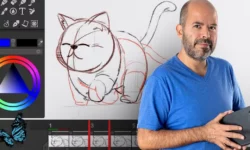
Ready to make your artwork dance? This course cuts straight to the fun part of 2D animation, showing you how to quickly bring your drawings to life with practical skills. Forget endless theory; we’re learning by doing, animating sketches from the get-go and mastering essential principles like timing, spacing, and squash and stretch to create lively, personality-filled characters.
🎯 What you’ll learn
Animate sketches with confidence using animation software.
Design characters that are full of personality and easy to animate.
Create expressive movements using timing and spacing.
Apply squash and stretch to give characters human-like qualities.
Animate a character walking, rolling, and bouncing.
Master fluid motion and dynamic character movements.
Understand and use key poses, breakdowns, and in-betweens.
Draw striking silhouettes, poses, and expressions.
Add color, lighting, and shadows for depth.
Incorporate fun special effects to enhance animations.
✅ Requirements
Skills: Some drawing experience recommended.
Tools: You’ll learn more if you have a drawing tablet.
Hardware: Animation software, such as Callipeg (or similar).
📝 Description
This course is all about making 2D animation accessible and fun, especially for beginners. Instead of getting bogged down in theory, you’ll jump straight into animating your own sketches. Instructor Benjamin Cerbai breaks down complex animation principles like timing, spacing, and the iconic squash and stretch into easy-to-follow steps. You’ll learn to design characters with personality, animate them walking, bouncing, and rolling, and even add color and effects to make them shine. The course uses Callipeg, a dedicated animation app, but the principles apply broadly. It’s a hands-on approach designed to build your confidence and skills quickly, turning your artwork into dynamic, lively animations.
🧑🎓 Who this course is for
Beginners who want to start animating their drawings.
Anyone interested in learning core 2D animation concepts.
Animators looking to refresh their fundamental skills.
🧑🏫 About the Author
Benjamin Cerbai is a French 2D animator, illustrator, and video creator. He’s also a co-creator of the Callipeg animation app. His approach focuses on practical learning and infusing personality into artwork, making him well-equipped to guide beginners through the animation process.
🏁 Final Result
A completed, animated character project, showcasing skills in character design, movement, and basic effects, ready to be added to your portfolio.
Curriculum
📋 Course content
Introduction
Benjamin is thrilled to be your instructor today, sharing the joy of 2D animation with you! Get ready for a fun adventure in this exciting course!2:56
Understanding and Practicing Essential Principles
No need to sit through a ton of theory before getting your hands dirty! In this course, you’ll start animating right off the bat and learn key concepts as you progress along. Awesome, right!? Benjamin gives a quick tour of the animation software, explaining how it works, and then dives into animating basic fun shapes. Follow along with easy exercises as you master principles like timing, spacing, squash, and stretch to create lively movements. Then apply everything you’ve learned in a cute bouncing ball animation with comical expressions. (30:33)
The Basics of Callipeg and Digital Animation3:42
Your First Animation4:02
Make it Bounce2:31
Squash & Stretch + How to Show Weight6:18
Create a Character6:20
Export your Animation2:46
More Ideas to Experiment With4:54
Design a Character for Animation
Now it’s time to design a human character that we can animate together! Benjamin shows you how to simplify the process by working with simple shapes and drawing different poses to understand volume and movement. He shares tips on creating striking silhouettes, poses, expressions, and color palettes to enhance your animation. Additionally, you’ll get insight into choosing what to animate and why, to set a clear direction for your project. (26:41)
Use Simple Shapes9:36
Create a Character Sheet7:36
Choose the Colors6:11
What we will Animate and Why1:45
Background Questions1:33
Character walk cycle: Rough Animation
Now that we have our character design planned out, let’s jump into animating her! Did you know that you can start animating a rough sketch and finalize the artwork as you go? A drawing doesn’t need to be finished to start animating it! In this lesson, we’ll work on animating some sketches and then progress to the tie-down stage. You’ll discover which angles are best to start with and work with breakdowns and in-betweens to achieve fluid motion. Benjamin shows you how to maintain consistency in volume and design for a polished result. (33:24)
Rough Animation: Legs9:57
Rough Animation: Arms and Head9:33
Tie Down – Part 17:54
Tie Down – Part 26:00
Character walk cycle: Clean Lines and Colors
In this lesson, have fun discovering how to color and render your animated character, for a professional look! Benjamin shares his process for refining sketches easily and pro techniques for coloring quickly to give beautifully clean results. You’ll also learn about advanced features like alpha lock and blending modes for enhanced visual effects. Enjoy the thrill of seeing your animation come to life in stunning detail! (10:32)
Clean Up Stage4:14
Colors3:07
Light and Shadow3:11
Final Touches
Let’s put the finishing touches on the adorable animation you’ve made! You’ll find out how to create lovely backgrounds, enchanting fireflies, and captivating noise animations to bring it all together! Also, discover a magical tool to create quick effects like raindrops, snowflakes, buzzing insects and more. Plus, learn the art of crafting seamless loop cycles and discover valuable tips for sharing your work online. You’ll dazzle your audience with your lively creations! (10:47)
Adding Fireflies2:57
Simple Background and Noise Animation4:49
Export your Final Animation3:01
Conclusion
Congratulations on creating your first complete animation! Benjamin gives advice on the next steps you can take on your animation journey. It’s just the beginning! Happy animating! (1:26)
What to do Next!1:26
Watch online or Download for Free
The Basics of 2D Animation by Benjamin Cerbai
NAME
SIZEDURATION
1. Understanding and Practicing Essential Principles




 Channel