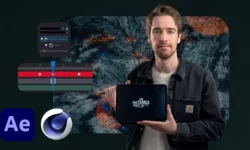
Mastering Text Animations in After Effects by REQUIRES UPDATE

Duration:4h 6m
Actual Duration:4h 57m
Release date:2023, August
Publisher:Udemy
Skill level:Beginner
Language:English
Exercise files:Yes
Software:Adobe After Effects
Course URL:https://www.udemy.com/course/mastering-text-animations-in-after-effects/
If your text just fades in and out, this course fixes that. You will learn how to make type move with intent in After Effects — from simple presets to custom kinetic typography and looping setups you can reuse on client work.
🎯 What you’ll learn
- How text animators, range selectors, and keyframes work in After Effects
- How to build minimal and elegant text animations with presets and Animation Composer
- How to create clean lower thirds for YouTube, interviews, and corporate videos
- How to make title animations using shape layers, Saber plugin, glitch and cartoon styles
- Advanced techniques such as looping text animations
- How to build creative, abstract, and kinetic typography compositions
- Where to find references and inspiration for your own animation projects
✅ Requirements
- Skills: Basic knowledge of After Effects, familiarity with timeline and keyframes
- Tools: Adobe After Effects installed, Animation Composer and Saber plugin (free) for specific lessons
- Hardware: Computer capable of running After Effects, 16GB RAM recommended
📝 Description
This is a hands-on, project-first course. No long theory lectures. You watch a build, then you build it yourself. We start with the logic — how text animators, opacity, position, and range selectors actually work — so you stop guessing and start controlling the movement.
Then we get into the stuff you will use daily. Clean minimal titles, elegant reveals, text animation presets, and a quick workflow with Animation Composer. After that we move to client staples: lower thirds that look sharp on any footage, plus four different title styles built with shape layers, glow, glitch, and cartoon bounce.
The second half is where it gets fun. Creative and abstract pieces where you mix type with shapes, textures, and rhythm. And a full kinetic typography block where you sync words to audio, play with scale and tracking, and build looping compositions for reels and intros. By the end you have repeatable setups, not just one-off effects.
🧑🎓 Who this course is for
- Beginners in After Effects who want to get good at type fast without getting lost in menus
- YouTubers, freelancers, and motion designers who need better titles, lower thirds, and kinetic type for real projects
🧑🏫 About the Author
Author information was not provided in the source material.
🏁 Final Result
- A set of finished text animation projects including lower thirds, custom titles, abstract loops, and a kinetic typography piece ready to cut into your showreel.
 Channel