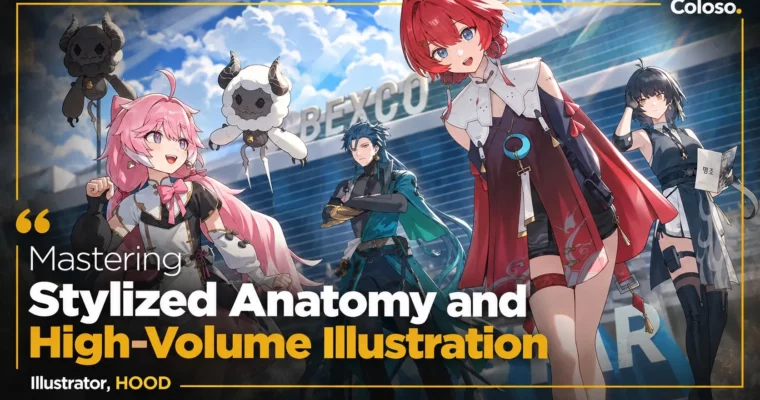
Mastering Stylized Anatomy and High-Volume Illustration by HOOD

Duration:36Hours 11Minutes
Actual Duration:75h 15m
Release date:2025
Publisher:Coloso
Skill level:Advanced
Language:English
Exercise files:Yes
Software:Clip Studio Paint
Course URL:https://coloso.global/en/products/illustrator-hood-us
If you can draw but your characters still feel stiff, flat, or take forever to finish, this is the fix. HOOD — 590K followers, 80+ client jobs a year — breaks down how he draws sharp female characters, fixes tricky stylized anatomy, and colors with light and shadow that actually sells volume in Clip Studio Paint.
🎯 What you’ll learn
- Build HOOD’s fast, high-output workflow for finishing polished illustrations on deadline
- Draw difficult body parts: face, neck, collarbone, chest, hands, arms, back, waist, legs, knees, and feet
- Use soft/hard brushes, outline layers, and layer management to clean up lines fast
- Control light, shadow, saturation, and brightness for tidy, non-muddy color
- Render hair, skin, sheer shirts, thick clothes, stockings, latex, and natural textures like water, metal, and fur
- Design thumbnails and full compositions for single and multiple characters using 3D materials
✅ Requirements
- Skills: Intermediate drawing fundamentals, basic familiarity with human anatomy and digital illustration workflow
- Tools: Clip Studio Paint
- Hardware: Drawing tablet, PC capable of running Clip Studio Paint with 3D features
📝 Description
This isn’t theory-only anatomy. HOOD teaches what actually trips people up — collarbones that don’t connect, chests that look pasted on, hands, armpits, knees, scapulas — and shows how to fix them with simple structure checks. You’ll get 21+ hands-on drills on stylized anatomy, half-line faces, and side/back poses, plus straight talk on common mistakes that make bodies look stiff.
Then comes speed. HOOD finishes around 80 projects a year, and his system is built around Clip Studio Paint tricks most people ignore. You’ll learn his 14-brush setup, when to use soft vs. hard brushes, how to use outline layers for line weight and color touches, and how to block big backgrounds and multi-character layouts with 3D materials. Less fiddling with layers, more finished art.
Color is where it clicks. You’ll practice warm vs. cool vs. white light, second light sources, backlight, and big shadow shapes that give form without muddying everything. HOOD covers light and shadow, line saturation, and how to push contrast and key-point saturation so bright illustrations stay clean and dark ones stay readable. Includes full demos for a bright-atmosphere character and a heavy-shadow piece.
Last part is all about making it look pro. Thumbnails, canvas ratios, pose angles, perspective flow, props, and storytelling. You’ll render sheer shirts, thick fabric, stockings and latex, plus wood, water, fire, lightning, metal, and fur — then put it together in a single-character hero shot and a multi-character scene.
🧑🎓 Who this course is for
- Artists who get stuck on detailed body parts and want softer, better-balanced figures
- Colorists whose work looks dull or flat and want better control of light, shadow, and texture
- Illustrators who take too long to finish and want a faster, more streamlined work process
🧑🏫 About the Author
HOOD is a Korean freelance illustrator known for trendy, sharp female characters and super clean color. He teaches character illustration at Raum Academy and works with major game clients — including PR art for Wuthering Waves, celebratory art for Blue Archive, Goddess of Victory: Nikke x NieR:Automata, Brown Dust 2, and Omega Strikers. With 590K+ followers, he’s known for fast output without losing polish, and this class is his full production workflow with nothing held back.
🏁 Final Result
- A finished single-character illustration with full thumbnail-to-final workflow, clean anatomy, and polished light and color — plus a multi-character composition using 3D layout, ready for portfolio or client work.
📢 Guys, this is a Group Buy campaign, check the GBC forum thread to get access
You can find the course preview in the download section below.
 Channel