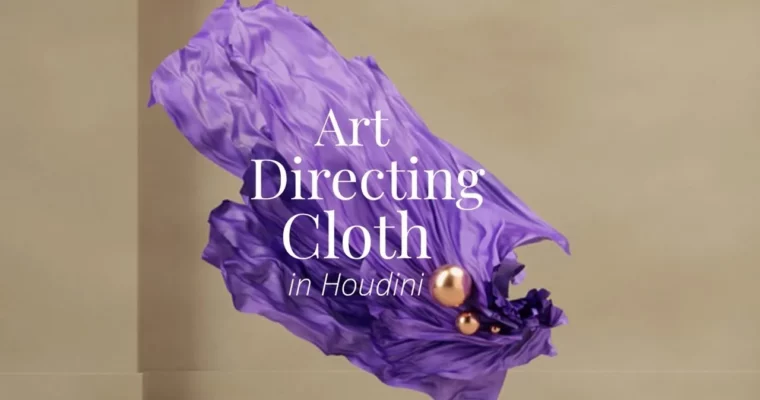
HS-221 – Art Directing Cloth in Houdini by Paul Esteves

Duration:5 hours
Actual Duration:4h 42m
Release date:2023, June
Publisher:Houdini.School
Skill level:Intermediate
Language:English
Exercise files:Yes
Software:Houdini, Redshift
Course URL:https://www.houdini.school/courses/hs-221-art-directing-cloth-in-houdini
This course is all about taking control of cloth in Houdini. Instead of just hitting simulate and hoping for the best, you’ll learn the specific nodes and techniques to direct your cloth exactly how you want it. From wind forces to pin constraints and even using pyro for cloth effects, you’ll build a practical toolkit for art-directed simulations.
🎯 What you’ll learn
- Direct cloth using POP Wind, POP Axis Force, and POP Curve Force nodes.
- Master the Pin To Target constraint with multiple types: Permanent, Stopped, By Mask, and By Attribute.
- Use Pop Advect by Volume and Pyro Solver to drive cloth with fire and shockwaves.
- Set up and render cloth scenes in Redshift with custom materials, lighting, and displacement.
✅ Requirements
- Skills: Basic familiarity with Houdini’s interface and node-based workflow.
- Tools: A 3-button mouse is recommended.
- Hardware: A computer meeting SideFX system requirements for Houdini. A second monitor is recommended.
📝 Description
This course skips the fluff and gets straight to the point: how to art direct cloth in Houdini. Instructor Paul Esteves walks you through a series of focused projects, each targeting a specific node or technique. You’ll start with the basics of POP Wind and POP Axis Force, learning how to tweak parameters for subtle motion or dramatic effects.
Then, things get interesting. You’ll dive deep into the Pin To Target constraint, exploring its many flavors—Permanent, Stopped, By Mask, By Attribute, and more. Each type gives you a different level of control, from pinning cloth to a moving object to releasing it at a specific frame. Paul also covers using Pop Advect by Volume and the Pyro Solver to drive cloth with fire and shockwaves, opening up creative possibilities for destruction and fantasy effects.
The final section focuses on rendering. You’ll build a complete scene in Redshift, from lighting with HDRI and gobos to creating materials with patterns, bump textures, and Fresnel. The course is packed with Q&A segments that address common pitfalls, like caching, UV transfer, and working with low-to-high poly setups. By the end, you’ll have a solid workflow for directing cloth that you can apply to any project.
🧑🎓 Who this course is for
- Houdini artists who want to move beyond basic cloth simulations and gain precise control.
- Motion designers and 3D generalists looking to add art-directed cloth effects to their toolkit.
- Anyone comfortable with Houdini basics who wants to learn practical, project-based techniques for Vellum and POP forces.
🧑🏫 About the Author
Paul Esteves is a self-taught Motion Designer turned 3D Generalist. He specializes in Houdini simulations, particularly finding cool, looping effects. His practical, no-nonsense teaching style focuses on real-world application, making complex topics like cloth direction accessible to intermediate artists.
🏁 Final Result
- A portfolio-ready cloth simulation scene, complete with custom materials, lighting, and rendering in Redshift.
- A deep understanding of multiple cloth direction techniques, from POP forces to Pin To Target constraints.
- The ability to choose the right node for any cloth effect you want to achieve.
 Channel