Ad Clicks : Ad Views : Ad Clicks : Ad Views : Ad Clicks : Ad Views : Ad Clicks : Ad Views :
Oh Snap!

It looks like you're using an adblocker. Adblockers make us sad. We use ads to keep our content happy and free. If you like what we are doing please consider supporting us by whitelisting our website. You can report badly-behaved ads by clicking/tapping the nearby 'Advertisement' X text.

Houdini FLIP Masterclass by Ed Ferrysienanda

Houdini FLIP Masterclass by Ed Ferrysienanda

/

Author:Ed Ferrysienanda

Duration:14+ hrs of content

Actual Duration:5h 3m

Release date:2025, December

Publisher:CGCircuit

Skill level:Advanced

Language:English

Exercise files:Yes

Software:Houdini, Houdini 19.5, Houdini 21, Arnold, NUKE

Course URL:https://www.cgcircuit.com/tutorial/houdini-flip-masterclass

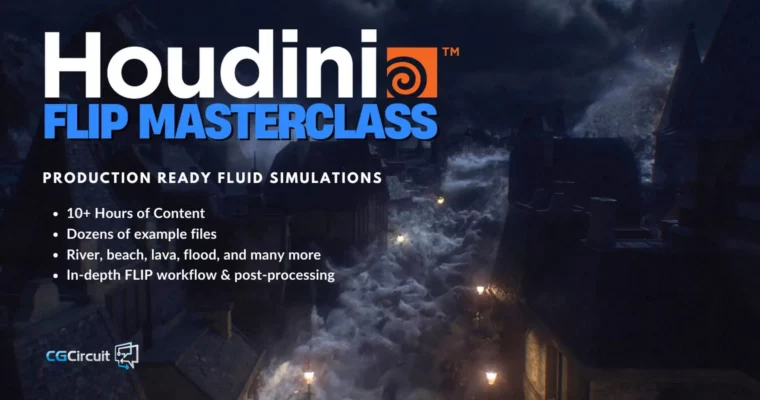
Master high-end water FX for film and games using Houdini's FLIP solver.

Ready to create jaw-dropping water effects that look like they came straight out of a Hollywood blockbuster? This Houdini FLIP Masterclass dives deep into the FLIP solver, teaching you everything from the core theories to full-blown production workflows. You’ll go from understanding the basics to building complex scenes like a village flood FX, all guided by an industry veteran.

🎯 What you’ll learn

  • Master the FLIP solver and its underlying fluid simulation theories.
  • Create a variety of realistic water effects, including fire hydrants, beach setups, boat wakes, and creature splashes.
  • Implement best practices and production-ready workflows for high-end VFX.
  • Develop skills in meshing, optimization, and post-processing for fluid simulations.
  • Build a portfolio-ready scene, such as a village flood FX.

✅ Requirements

  • Skills: Familiarity with Houdini interface and basic 3D concepts.
  • Tools: Houdini (version 19.5 or later recommended).
  • Hardware: A capable workstation for running complex simulations.

📝 Description

This course is a deep dive into creating high-end water effects using Houdini’s FLIP solver. It was originally designed as an 8-week guided program, offering comprehensive modules, practical homework assignments, and example files. You’ll explore various simulation types, from simple splashes to complex scenes like a village flood. While the course was created on Houdini 19.5, the fundamental principles and workflows taught remain highly relevant for current versions. The content focuses on practical application and production-ready techniques, ensuring you can tackle demanding VFX projects.

🧑‍🎓 Who this course is for

  • VFX artists looking to specialize in fluid simulations.
  • Houdini users wanting to master the FLIP solver for realistic water effects.
  • Students and professionals aiming to build a strong portfolio with advanced fluid FX.
  • Anyone interested in the technical and artistic aspects of creating water for film, TV, and games.

🧑‍🏫 About the Author

Ed Ferrysienanda is an FX Supervisor at Framestore, with over 12 years of experience delivering visual effects for more than 20 movies and TV series. His extensive background provides a deep understanding of VFX development, efficient production pipelines, and collaborative processes necessary for achieving top-tier visual quality. This course leverages his practical, real-world expertise.

🏁 Final Result

  • A completed portfolio piece showcasing a complex village flood FX scene, demonstrating mastery of Houdini’s FLIP solver and production-level water simulation techniques.
Curriculum

📋 Course content

  1. Week 1 – FLIP Fundamentals
    • Intro – Welcome to the Course (3m 26s)
    • Course Outline (7m 44s)
    • Flip Fundamentals (6m 7s)
    • Flip Warmup (13m 18s)
    • Emissive Sim (14m 38s)
    • Tank Sim (20m 27s)
    • Fire Hydrant (25m 34s)
    • Refining Fire Hydrant (16m 21s)
    • Krag Tank (22m 50s)
    • Assignments (3m 16s)
  2. Week 2 – FLIP Solver
    • Week 2 Introduction (2m 38s)
    • Flip Object (11m 48s)
    • Flip Solver – part 1 (22m 14s)
    • Flip Solver – part 2 (11m 54s)
    • Viscosity (27m 41s)
    • Density (9m 11s)
    • Air (7m 48s)
    • Divergence (2m 43s)
    • Collisions (20m 44s)
    • Assignments (2m 54s)
  3. Week 3 – Waterfall & Splashes
    • Week 3 Introduction (2m 42s)
    • Beach Setup (9m 42s)
    • Fluid Compress (6m 0s)
    • Whitewater Basics (15m 51s)
    • The Importance of Scale (7m 1s)
    • Waterfall (30m 11s)
    • Waterfall – Airfield (10m 46s)
    • Waterfall Secondaries (10m 41s)
    • Roof Splash (25m 27s)
    • Assignments (2m 54s)
  4. Week 4 – Pumps, Sinks, Velocities
    • Week 4 Introduction (2m 35s)
    • Boat Trails (19m 26s)
    • River Setup (27m 34s)
    • River Velocity Injection (26m 44s)
    • Wave Crash Demo (22m 35s)
    • Pop Fluid (5m 9s)
    • FLIP Tips & Tricks (8m 8s)
    • Assignments (8m 26s)
  5. Week 5 – Shot Building Part 1
    • Week 5 Introduction (2m 8s)
    • Preproduction (3m 33s)
    • Setup Build (32m 31s)
    • Flow Injection (14m 59s)
    • Meshing (10m 25s)
    • Optimisation (7m 39s)
    • Assignments (1m 33s)
  6. Week 6 – Shot Building Part 2; Secondaries & Meshing
    • Week 6 Introduction (2m 12s)
    • Whitewater (31m 9s)
    • Extra Spray (9m 18s)
    • Camera Culling (15m 33s)
    • Mist (8m 38s)
    • Flip Post-Process (30m 46s)
    • Post Processing & Cleanup (17m 34s)
    • Assignments (2m 4s)
  7. Week 7 – Post Processing
    • Week 7 Introduction (1m 52s)
    • Roof Splashes (6m 6s)
    • Floating Debris (21m 43s)
    • Floating Debris – part 2 (6m 39s)
    • Prop Debris (17m 4s)
    • Extra Destruction (7m 50s)
    • Assignments (2m 55s)
  8. Week 8 – Lighting & Rendering by Phillip Engstrom
    • Week 8 Intro – Phillip Engstrom (1m 53s)
    • Building Shaders & Lighting (46m 5s)
Watch online or Download for Free
Houdini FLIP Masterclass by Ed Ferrysienanda
NAME
SIZEDURATION
project files
57.1 MB4m
VillageFlood
9.8 MB0m
video
9.8 MB0m
Week1
47.2 MB3m
Assignments
2.9 MB0m
Crag
1.3 MB0m
video
1.3 MB0m
krag
1.3 MB0m
fireHydrant
43 MB2m
video
43 MB2m
Week1-FLIP Fundamentals
144.2 MB41m
Week2-FLIP Solver
104.5 MB39m
2-Flip Object
28.4 MB11m
4-Viscosity
76.1 MB27m
Week3-Waterfall and Saplashes
113.5 MB32m
Week4-Pumps and Sinks and Velocities
183.5 MB52m
Week5-Shot Building Part 1
166.9 MB32m
3-Setup Build
166.9 MB32m
Week6-Shot Building Part 2
65.3 MB30m
Week7-Post Processing
70.8 MB21m
Week8-Lighting and Rendering
137.2 MB47m


Join us on
  Channel    and      Group

Leave a Comment

Your email address will not be published. Required fields are marked *