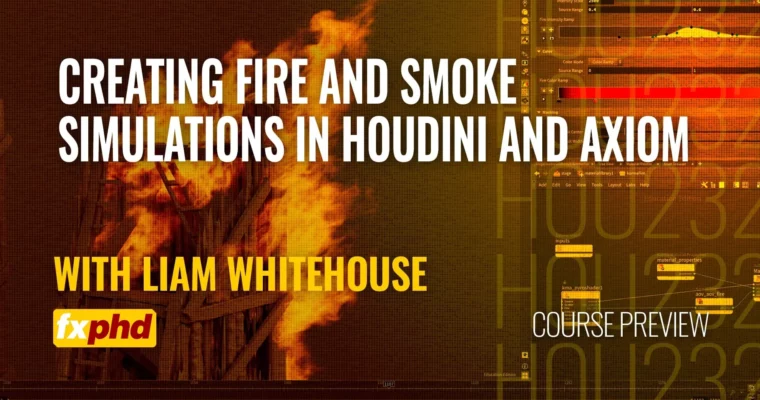
HOU232 – Creating Fire and Smoke Simulations in Houdini and Axiom by Liam Whitehouse

Duration:6 hours 9 minutes
Actual Duration:6h 9m
Release date:2024, June
Publisher:FXPHD
Skill level:Intermediate
Language:English
Exercise files:Yes
Software:Houdini, Axiom, Karma XPU
Course URL:https://www.fxphd.com/details/676/
Ready to make your destruction scenes truly epic? This course dives deep into creating incredibly realistic fire and smoke simulations, perfect for that gritty medieval warfare vibe. We’re not just talking basic effects; we’re talking about building a destroyed wooden siege tower that looks like it’s actually burning and smoking. You’ll get hands-on with Houdini’s powerful Pyro workflow and then supercharge your simulations with the blazing-fast Axiom GPU solver.
🎯 What you’ll learn
- Craft detailed fire and smoke simulations from scratch.
- Master Houdini’s Pyro workflow for sourcing, attributes, and simulation adjustments.
- Utilize the Axiom GPU solver for dramatically faster and more efficient simulations.
- Implement influence fields and procedural noise for realistic sourcing and movement.
- Set up Karma XPU materials and render stunning pyro effects.
- Understand OpenColorIO (ACES) for proper color management.
✅ Requirements
- Skills: Familiarity with 3D concepts and basic Houdini navigation.
- Tools: Houdini (version 20 recommended), Axiom GPU solver, Labs tools.
- Hardware: A capable GPU is highly recommended for the Axiom solver.
📝 Description
This course is your ticket to creating jaw-dropping fire and smoke effects that look absolutely real. We’ll walk you through the entire process, starting with setting up your software correctly using Houdini and the cutting-edge Axiom GPU solver. You’ll learn the ins and outs of Houdini’s Pyro system, from how to source your simulations and manipulate attributes to fine-tuning the solver for incredible detail.
But we don’t stop there. We’ll show you how to make your fire move fast and look sharp, avoiding that common “slow-motion CGI” look. You’ll also get to grips with Axiom, a game-changer for simulation speed, and learn how to use influence fields to sculpt your effects precisely. Finally, we’ll cover material setup and rendering in Karma XPU, ensuring your simulations look stunning in the final render. This is all about practical, industry-level techniques for high-end VFX.
🧑🎓 Who this course is for
- VFX artists looking to enhance their simulation skills.
- Houdini users wanting to master pyro effects.
- Technical directors and generalists aiming to create realistic destruction elements.
- Anyone interested in leveraging GPU acceleration for faster VFX workflows.
🧑🏫 About the Author
Liam Whitehouse is a seasoned Senior VFX Artist hailing from Australia, with an impressive career spanning over two decades since 2003. His recent credits include breathtaking environments for major productions like The Fall Guy, Aquaman 2, and The Rings Of Power. Liam’s expertise lies in creating photorealistic environments and complex visual effects, making him perfectly suited to guide you through advanced simulation techniques.
🏁 Final Result
- A portfolio-ready destroyed wooden siege tower featuring highly realistic, dynamic fire and smoke simulations, rendered using Karma XPU.
 Channel