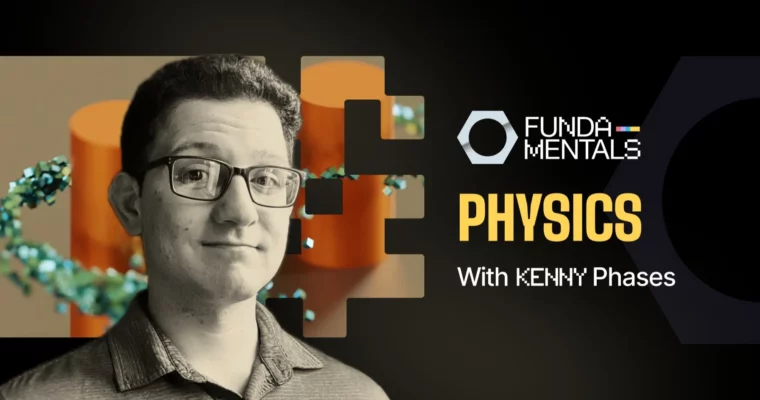
CORE – Fundamentals of Physics in Blender by Kenny Phases

Actual Duration:5h 17m
Release date:2024, October
Publisher:CGCookie
Skill level:Beginner
Language:English
Exercise files:Yes
Software:Blender
Course URL:https://www.cgcookie.com/courses/core-fundamentals-of-physics-in-blender
If your Blender physics experience is Quick Smoke plus crossed fingers, this course fixes that. You will work through rigid body, cloth, fluid, fire, and particles with real projects, so you actually understand what the solver is doing.
🎯 What you’ll learn
- Set up stable rigid body sims with active vs passive bodies and correct collision shapes
- Build and tune constraints including fixed, hinge, and generic spring rigs
- Create jelly-like soft body motion and cloth with pin groups and self-collision
- Set up fluid domains, flow objects, and smoke and fire with resolution control
- Build particle systems including Boids flocking for crowds and swarms
- Use dynamic paint with wave, displace, paint, and weight surfaces
- Art-direct sims with all seven force fields, keyframes, and curve guides
✅ Requirements
- Skills: Basic Blender navigation and understanding of objects and modifiers
- Tools: Blender installed, 3-button mouse
- Hardware: Multi-core CPU and 16GB RAM recommended for baking simulations
📝 Description
Most people treat physics like a button. Kenny starts by showing why that breaks: Blender does not know what a hit is until you give it rigid bodies, collision shapes, and a solver to work with. You will learn active vs passive, why convex hull falls different than mesh, and how to pick settings that stay stable instead of jittering through the floor.
Then it gets hands-on. You will make jelly cubes with soft body settings, get cloth to hang right with pin groups and self-collision, and stop the classic exploding-cape problem. It is all small, testable setups — change one value, rebake, see what happens. That is how you build intuition fast.
Fluids and smoke are next. You will set up fluid domains and flow objects, bake smoke and fire at low res first, then crank resolution for the final look. Same idea for particle systems and Boids: start simple, then push it into fireworks and flocking. Dynamic paint and force fields close the loop, so you can leave trails, push particles along curves, and spin up a tornado without keyframing everything by hand.
Last part is the one you will rewatch. Kenny covers the stuff that actually kills sims — overlapping geometry, unapplied scale, cache folders pointed at the wrong place. Short fixes, plain talk, no theory dump.
🧑🎓 Who this course is for
- Blender artists who have only used the quick effects menu and want to know what is under it
- Anyone whose cloth sim exploded once and never touched physics again
- 3D generalists who want fire, fluid, and rigid body sims for their own shots
🧑🏫 About the Author
Kenny Phases is a 3D artist, graphic designer, and self-described expert brainstormer. He started teaching at Code Ninjas and now focuses on Blender, 3D design, and cinema-style physics instruction. His thing is breaking technical solvers into plain, project-based lessons you can reuse right away.
🏁 Final Result
- A set of finished simulation shots including a Rube Goldberg machine, Galton board, waving flag, volcanic eruption, fireworks display, and tornado — ready to cut into a reel or reuse in your own scenes.
 Channel