

3D Animation Basics in Blender Use the Pose to Pose Workflow by Sir Wade Neistadt
Duration:46m
Actual Duration:46m
Release date:2024
Publisher:Skillshare
Skill level:Beginner
Language:English
Exercise files:Yes
Software:Blender
Course URL:https://www.skillshare.com/en/classes/3d-animation-basics-in-blender-use-the-pose-to-pose-workflow/1980944041
If your Blender animations feel floaty or messy, it’s usually the planning, not the splines. This quick class shows you how to break down reference video, map out your key poses, and block a clean shot with a pose-to-pose workflow.
🎯 What you’ll learn
- The five stages of animation and how blocking fits into the pipeline
- The twelve principles of animation applied to practical 3D work
- How to analyze reference video like an animator
- How to translate shots onto an Animation Planning Worksheet
- How to set up your shot and bring a rig into Blender
- How to block out key poses using the Milestone Technique
✅ Requirements
- Skills: No prior animation experience required, beginner-friendly
- Tools: Computer with Blender installed, Animation Planning Worksheet from class resources
- Hardware: Standard computer capable of running Blender
📝 Description
Most beginners jump straight into the Graph Editor and start pushing keys. That’s why shots fall apart. Sir Wade flips it around and starts with planning first. You get the five stages of animation explained in plain terms, then you learn what actually matters during blocking and what can wait for polish.
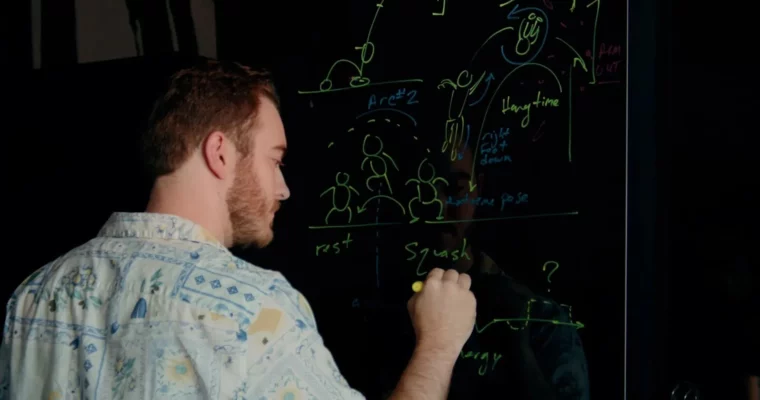
The core of the class is reference. You’ll learn how to pick the right reference video, spot timing beats, weight shifts, and storytelling poses, and then transfer all of that onto a worksheet. It’s a loose guide for key poses and pose types, so you’re not staring at a blank timeline wondering what goes where.
Then you take it into Blender. Shot setup, bringing in your rig, camera framing, and then blocking with the Milestone Technique. You focus on big, readable poses first and leave the in-betweens alone. Short, direct, and built for repeat use on any shot you tackle next.
🧑🎓 Who this course is for
- Complete beginners who have never animated in 3D and want a clear starting point
- Blender users who get stuck or lost during blocking and want a repeatable process
🧑🏫 About the Author
Sir Wade Neistadt is a freelance Character Animator, VFX Artist, and full-time creator with almost a decade in the industry. After his short film screened at the Cannes Film Festival in 2014, he trained in character animation and was hired at DreamWorks Animation as a Technical Trainer and Educator.
At DreamWorks he worked as an artist trainer and lead videographer, acting as education liaison for animation, surfacing, and modeling. Since leaving the studio in 2018, he has built one of YouTube’s most-watched animation channels with over 230K subscribers and collaborations with brands like Adobe and LG.
🏁 Final Result
- A planned and blocked-out 3D animation shot in Blender, built from analyzed reference footage and a completed Animation Planning Worksheet, ready for spline and polish.
 Channel