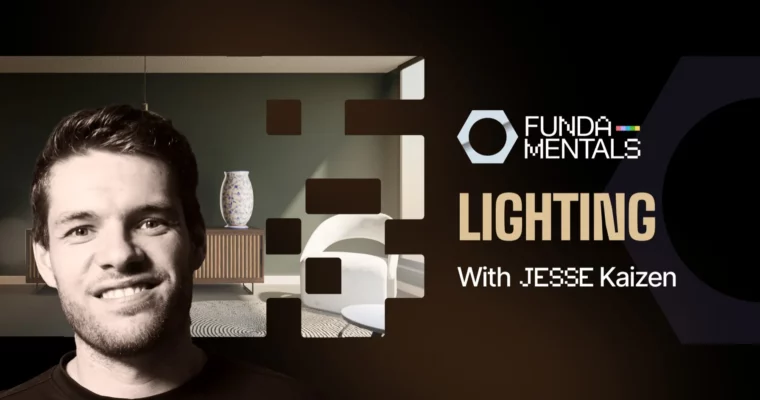
CORE – Fundamentals of Lighting in Blender by Jesse Kaizen

Actual Duration:2h 45m
Release date:2024, October
Publisher:CGCookie
Skill level:Beginner
Language:English
Exercise files:Yes
Software:Blender
Course URL:https://www.cgcookie.com/courses/core-fundamentals-of-lighting-in-blender
Jesse Kaizen cuts through the theory noise and shows you how to actually light in Blender. You’ll work in both Cycles and EEVEE, learn why your renders look flat, and fix it with practical setups you can reuse on any project.
🎯 What you’ll learn
- Use all seven Blender light types with confidence and know when each one makes sense
- Light for both Cycles and EEVEE Next without guessing exposure or blown highlights
- Control mood with three-point lighting, high key vs low key, ambient, and silhouette setups
- Build classic portrait patterns like Rembrandt, split, butterfly, and loop lighting
- Light a full interior from scratch using linking, groups, volumetrics, and node-shaped lights
✅ Requirements
- Skills: Basic familiarity with Blender interface and viewport navigation
- Tools: Recent version of Blender with EEVEE Next support installed
- Hardware: Computer capable of running Blender, dedicated GPU recommended for Cycles rendering
📝 Description
Jesse’s rule is simple: forget matching real-world watts. If the image looks right, the lighting is right. This course is built to get you to that point fast, with straight talk and a lot of side-by-side examples in Cycles and EEVEE Next.
First you get the technical floor. You’ll go through the seven lights, how path tracing differs from rasterization, and how to read exposure with false color instead of eyeballing it. Then the fun tools: light linking, shadow linking, light groups in the compositor, shadow caustics, volumetrics, and using nodes to shape light with IES files or even video footage. Got older hardware? There’s a fallback lesson on baked probes and irradiance volumes.
Then it flips to expressive stuff. Three-point lighting, high key vs low key, ambient fill, silhouettes. You’ll run through full portrait patterns – Rembrandt, split, butterfly, loop – and see exactly where to place each light and why. The best part is the room light-through. Jesse lights an entire interior on camera, adds and names a dozen lights one by one, and talks through every call. Then you get the same file to try it yourself.
🧑🎓 Who this course is for
- Blender users who can add a light but still end up with flat, boring renders
- Portfolio and product artists who want lighting to carry more story and mood
- Anyone stuck using one area light for everything and wondering why it never pops
🧑🏫 About the Author
Jesse Kaizen is a former Art Director who runs the Kaizen Tutorials YouTube channel. He teaches Blender full-time, with a focus on practical workflows over textbook theory and breaking down renders into decisions you can actually repeat.
🏁 Final Result
- A fully lit interior room scene built from scratch, with named lights, controlled exposure, and a clear mood – ready to drop into your portfolio.
 Channel