Ad Clicks : Ad Views : Ad Clicks : Ad Views : Ad Clicks : Ad Views : Ad Clicks : Ad Views :
Oh Snap!

It looks like you're using an adblocker. Adblockers make us sad. We use ads to keep our content happy and free. If you like what we are doing please consider supporting us by whitelisting our website. You can report badly-behaved ads by clicking/tapping the nearby 'Advertisement' X text.

Complete C# Unity 3D Game Development in Unity 6 by Rick Davidson, Stephen Hubbard

Complete C# Unity 3D Game Development in Unity 6 by Rick Davidson, Stephen Hubbard

/

Author:Rick Davidson, Stephen Hubbard

Duration:27 hours

Release date:2026, April

Publisher:Udemy

Skill level:Beginner

Language:English

Exercise files:Yes

Software:Unity 6, Visual Studio Code

Course URL:https://www.udemy.com/course/unitycourse2

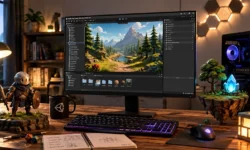
Build 5 playable 3D games from scratch in Unity 6, learning real C# coding skills through a proven project-based approach.

Build five complete, playable 3D games in Unity 6, even if you’ve never written a line of code. This course skips the fluff and gets you making real games from day one, teaching you C# programming and core game development techniques through hands-on projects.

🎯 What you’ll learn

  • Code in C# from scratch by building real Unity 3D games
  • Build 5 fully playable games: a rail shooter, endless runner, FPS, and more
  • Master essential coding skills: variables, loops, conditionals, functions, and classes
  • Create polished game mechanics like player movement, collisions, and enemy AI
  • Use Unity tools like Timeline, Terrain, and ProBuilder to design game worlds
  • Implement key systems like raycasting, weapon switching, and object pooling
  • Explore advanced gameplay features like procedural generation and post-processing

✅ Requirements

  • Skills: No prior programming or Unity experience required
  • Tools: A PC or Mac capable of running Unity 6 or later
  • Hardware: Regular internet access for course updates, Q&A, and community access

📝 Description

This isn’t your typical “watch me click buttons” tutorial. It’s a project-based course where you build five distinct games, each teaching you a new set of C# and Unity skills. You’ll start with a simple obstacle dodger to learn variables and collisions, then move to a physics-based rocket game to mess with forces and classes. By the time you’re building a rail shooter, you’ll be comfortable with Unity’s Timeline and Terrain tools, arrays, and coroutines.

The endless runner project introduces procedural generation and lists, while the final FPS section tackles NavMesh agents, raycasting, weapon switching, and level prototyping with ProBuilder. Each game follows a consistent pattern: you’re challenged to build it yourself first, then guided step-by-step, then asked to apply what you’ve learned. It’s a proven method that sticks.

The course is taught by Rick Davidson and Stephen Hubbard, who have already taught over 2 million students. They know how to explain complex concepts clearly without dumbing things down. You get access to a community of nearly 20k students on Facebook, a TA-curated community, and a Discord chat for when you get stuck.

🧑‍🎓 Who this course is for

  • Anyone who wants to learn to code the fun way – by making games
  • Beginners who want to start learning C# programming and Unity 3D from scratch
  • People who learn best by building real projects instead of just watching tutorials
  • Aspiring indie game developers looking for a practical, project-based learning path
  • Anyone curious about game development with no prior coding or Unity experience

🧑‍🏫 About the Author

Rick Davidson and Stephen Hubbard are veteran game developers and educators who have taught over 2 million students through their online courses. They are the creators of the original “Complete Unity Developer” series, one of the most popular e-learning courses on the internet. Their teaching approach focuses on project-based learning, breaking down complex topics into manageable, hands-on challenges. Many of their students have gone on to ship commercial games.

🏁 Final Result

  • Five complete, playable 3D games: an obstacle dodger, a physics-based rocket game, a rail shooter, an endless runner, and a first-person shooter
  • A solid foundation in C# programming and Unity 6 game development
  • Practical experience with key Unity tools like Timeline, Terrain, ProBuilder, and Cinemachine
  • A portfolio of projects demonstrating your ability to build games from scratch
Curriculum

📋 Course content

  1. Module 1: Welcome & Obstacle Dodge
    • Welcome To The Course1:44
    • Content Now in Unity 6!0:21
    • Download Unity & VS Code5:25
    • IMPORTANT: Unity Security Update0:23
    • Introducing Unity12:59
    • Set Up VS Code4:24
    • Community & Support1:33
    • Accessing Our Projects4:38
    • Section Intro – Obstacle Dodge1:59
    • Start() & Update()12:21
    • Introducing Variables6:35
    • Using SerializeField6:29
    • C# Formatting6:10
    • Using Input.GetAxis()7:43
    • Time.deltaTime6:36
    • Introducing Cinemachine10:02
    • Basic Collisions11:52
    • Understanding Methods8:28
    • Practicing With Methods6:36
    • Using OnCollisionEnter()6:15
    • Using GetComponent()4:30
    • Incrementing a Score7:18
    • Using Time.time7:53
    • If Statements5:19
    • Caching A Reference8:45
    • Using Tags8:46
    • Rotate An Object9:16
    • Fly At Player12:14
    • Destroy Object6:15
    • Trigger Projectile9:44
    • Introducing Prefabs13:21
    • Unity Order of Execution7:28
    • Level Layout8:37
    • Add Hazards To Level10:47
    • Wrap Up – Obstacle Dodge4:40
  2. Module 2: Rocket Boost
    • Section Intro – Rocket Boost1:57
    • Importing Assets12:00
    • Namespaces & Classes8:52
    • Using Input Actions10:03
    • Using AddRelativeForce()14:44
    • Rotation Input9:06
    • Rotate The Rocket13:40
    • Cinemachine Follow Camera6:04
    • Rigidbody Tuning12:54
    • Unity Audio Introduction7:47
    • Play AudioSource SFX6:55
    • Switch Statements10:16
    • Respawn Using SceneManager7:38
    • Load Next Scene10:43
    • Using Invoke()11:57
    • Code Layout3:01
    • Multiple Audio Clips8:50
    • Bool Variable For State10:59
    • Intro To Particles14:45
    • Trigger Booster Particles12:30
    • Refactor Our Methods6:02
    • Respond To Debug Keys10:13
    • Assets & Colliders10:53
    • Create A Level Layout11:08
    • Quick Game Tuning6:34
    • Set Dressing Your Level12:22
    • Intro To Post Processing6:25
    • How To Add Lights In Unity14:54
    • A Quick Note About Prefabbing9:10
    • Oscillating Object Script14:55
    • Quit Application Script3:20
    • Design Ideas6:33
    • How To Build & Share Your Game7:28
    • Wrap Up – Rocket Boost3:57
  3. Module 3: Galaxy Strike
    • Section Intro – Galaxy Strike2:33
    • Using Terrain Tools9:16
    • Additional Terrain Features8:49
    • Texturing Terrain11:19
    • Master Timeline14:09
    • Animation Curves7:52
    • Animate Enemy Using Timeline3:58
    • Input Action Map11:23
    • Player Ship Movement7:00
    • Mathf.Clamp() Ship Movement6:04
    • Roll Our Ship6:01
    • Lerping Ship Rotation3:05
    • Rotating Pitch3:07
    • Particle System Ship Laser13:26
    • Laser Fire Input10:24
    • C# Arrays & Foreach Loops7:45
    • Crosshair Rect Transform5:19
    • ScreenToWorldPoint Target6:02
    • Vector Arithmetic6:44
    • Collision & Triggers6:24
    • Particle Collision2:26
    • Instantiate at Runtime10:02
    • Nested Prefabs & Prefab Variants16:00
    • Enemy Ship Variants11:14
    • Tune & Tweak6:55
    • Enemy Hit Points6:13
    • Public Methods C#12:17
    • Scoreboard UI9:25
    • Enemy Waves Using Control Tracks10:59
    • Timeline Audio5:44
    • Displaying Dialogue Using Signals13:05
    • Portrait Camera Render Texture16:03
    • Paint Trees on Terrain16:42
    • Rendering, Lighting, & Shadows7:19
    • Skybox3:19
    • Post Processing5:48
    • Layers & Multiple Volume Profiles7:11
    • Reload Level Using Coroutines7:28
    • Music Singleton6:12
    • Your Vertical Slice4:39
    • Wrap Up – Galaxy Strike4:22
  4. Module 4: Royal Run
    • Section Intro – Royal Run1:37
    • Project Setup & Import Assets4:19
    • Level Generation Using For Loops12:20
    • Chunk Movement9:52
    • C# Lists9:13
    • Player Movement13:57
    • Restrain Player Using Clamp7:33
    • Obstacles Using While Loops8:54
    • Physics Materials10:51
    • Obstacle Prefab Variants10:54
    • Fence Chunk Hazard9:26
    • Lane Detection8:09
    • Lane Pickups15:34
    • Physics Collision Setup10:31
    • Destroy Obstacles4:59
    • Player Hit Animation12:06
    • Trigger Animation Through Code4:34
    • Inheritance13:08
    • Modifying Physics8:40
    • Cinemachine Camera Controller14:17
    • Speed Up Particle System7:15
    • Inspector Tooltips & Headers6:54
    • Score Manager6:03
    • Dependency Injection8:39
    • Time Lose Condition11:37
    • Properties8:06
    • Modulus Operator12:22
    • Checkpoint Increase Time5:22
    • Beautify Checkpoint Prefab2:02
    • Lighting & Post Processing pt. 111:17
    • Lighting & Post Processing pt. 28:44
    • Cinemachine Composer6:27
    • Fog Particle System12:48
    • Cinemachine Screen Shake12:57
    • Rock Collision FX12:28
    • Music & Camera Noise5:34
    • Tune, Tweak, & Balance10:55
    • Wrap Up – Royal Run5:40
  5. Module 5: Sharp Shooter
    • Section Intro – Sharp Shooter1:27
    • First Person Starter Asset10:41
    • Nav Mesh Agent12:22
    • Agent Jump & Drop Height6:20
    • Equip a Gun8:12
    • Raycasting8:48
    • Shoot Input9:06
    • Enemy Health6:28
    • Muzzle Flash13:33
    • Weapon Animation8:37
    • Hit VFX6:14
    • Robot Animator & Animation4:49
    • Intro to Probuilder8:42
    • ProBuilder Level Blockout12:39
    • ProBuilder Tips & Tricks15:40
    • New Scene Prep7:44
    • Scriptable Objects9:09
    • Shoot Cooldown10:17
    • Machine Gun7:04
    • Weapon Pickup8:36
    • Switching Weapons5:13
    • Sniper Rifle11:34
    • Weapon Zoom10:35
    • Base Pickup Using Inheritance7:41
    • Raycast Overloads4:43
    • Ammo13:44
    • Ammo Pickup5:13
    • Weapon Viewport6:27
    • Gun Recoil Screenshake7:13
    • Robot Explosion VFX11:12
    • Explosion OnDrawGizmos()8:06
    • Physics.OverlapSphere()8:47
    • Death Camera Transition5:52
    • Player Shield UI9:38
    • Enemy Spawn Gate12:03
    • Turret14:52
    • Projectile12:29
    • TMP Font Asset Creator8:24
    • Ternary Operator5:58
    • Event System8:18
    • Win Condition7:09
    • Polish9:18
    • Wrap Up – Sharp Shooter3:45
    • Bonus Lecture: Something Just for You0:48
Watch online or Download for Free
Complete C# Unity 3D Game Development in Unity 6 by Rick Davidson, Stephen Hubbard
NAME
SIZEDURATION
06 – Bonus One Last Thing…
18.5 MB

Download all Videos (130)
11.6 GB


Download all

Join us on
  Channel    and      Group

Leave a Comment

Your email address will not be published. Required fields are marked *