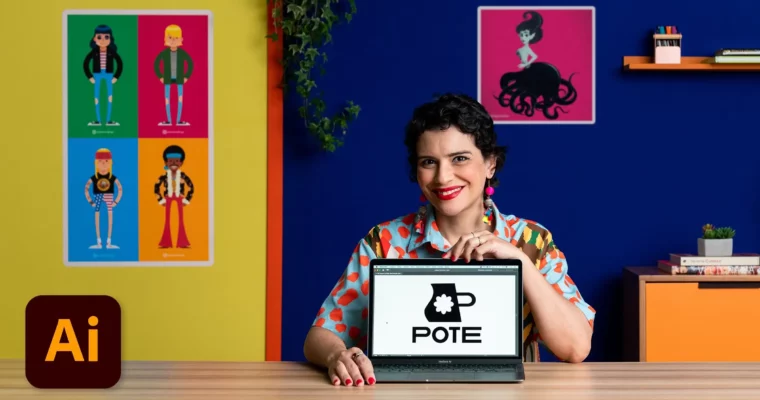
Boost Productivity Adobe Illustrator Tips and Tricks by Gabi Ferraz

Actual Duration:6h 27m
Release date:2024
Publisher:Domestika
Skill level:Intermediate
Language:English
Exercise files:Yes
Software:Adobe Illustrator
Course URL:https://www.domestika.org/en/courses/5154-boost-productivity-with-adobe-illustrator-tips-and-tricks
Stop wasting time clicking around. This course is all about getting faster and more precise in Adobe Illustrator. Gabi Ferraz, a seasoned designer, shares the exact tips and tricks she uses daily to cut down on repetitive tasks and focus on the creative stuff. You’ll learn to structure projects properly, use shortcuts like a pro, and build a visual identity from scratch without the usual headaches.
🎯 What you’ll learn
- Structure a design project from briefing to final delivery.
- Master essential Illustrator tools for faster vectorization.
- Create a cohesive visual identity including logos, labels, and stickers.
- Use mood boards and references to guide your creative direction.
- Prepare professional mockups and presentations for your portfolio.
✅ Requirements
- Skills: Basic familiarity with Adobe Illustrator’s interface.
- Tools: Adobe Illustrator installed.
- Hardware: A graphics tablet is recommended but not required.
📝 Description
This isn’t a “learn the pen tool” course. It’s about building a real-world workflow. Gabi starts with the boring but essential stuff—how to read a briefing and turn it into a clear plan. From there, you’ll jump straight into vectorization, learning her personal techniques for turning rough sketches into clean, scalable artwork.
The real value is in the details. She covers how to set up typography and run color studies efficiently, so you’re not guessing. You’ll also see how to expand a single logo into a full system of tags, stickers, and social media assets. Finally, she shows you how to present your work using mockups and build a portfolio page that actually gets you hired. It’s practical, no-fluff advice from someone who’s been in the trenches.
🧑🎓 Who this course is for
- Graphic designers and illustrators who want to speed up their Illustrator workflow.
- Digital creatives looking to move from random projects to a structured design process.
- Anyone who feels like they spend more time fighting the software than designing.
🧑🏫 About the Author
Gabi Ferraz is a Brazilian designer and illustrator who has worked with global brands like Adobe and Pfizer. She’s the co-founder of the creative studio Pictorama and runs the popular YouTube channel Vetoriza.ai!, where she shares practical Illustrator tutorials. Her teaching style is direct and focused on real-world application, making complex techniques accessible for designers at any level.
🏁 Final Result
- A complete visual identity package, including a logo, labels, stickers, and social media graphics, ready for your portfolio.
 Channel