


Ad Clicks : Ad Views : Ad Clicks : Ad Views : Ad Clicks : Ad Views : Ad Clicks : Ad Views :
Oh Snap!

It looks like you're using an adblocker. Adblockers make us sad. We use ads to keep our content happy and free. If you like what we are doing please consider supporting us by whitelisting our website. You can report badly-behaved ads by clicking/tapping the nearby 'Advertisement' X text.

Mastering Maxon Cinema 4D 2024 Complete Tutorial Series by CADCIM Technologies

Mastering Maxon Cinema 4D 2024 Complete Tutorial Series by CADCIM Technologies

/

Author:CADCIM Technologies

Duration:6.5 hours on-demand video

Actual Duration:6h 22m

Release date:2024

Publisher:Udemy

Skill level:Intermediate

Language:English

Exercise files:Yes

Software:Maxon Cinema 4D 2024

Course URL:https://www.udemy.com/course/mastering-maxon-cinema-4d-2024-complete-tutorial-series

Learn Cinema 4D 2024 from zero by modeling, texturing, rigging, and animating real projects.

A straight-to-the-point walkthrough of Cinema 4D 2024 β€” you model real props with splines and polygons, add materials and lights, then rig, animate, and render them for actual production use.

🎯 What you’ll learn

  • Model hard-surface props with splines, generators, and polygon modeling techniques
  • Apply materials and textures, set up lighting, and work with UV mapping for clean shading
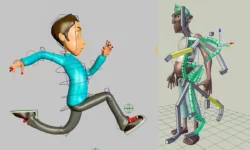
  • Rig props and characters and create keyframe and path animations
  • Use MoGraph tools, MoSpline, and XPresso for motion graphics and procedural control
  • Composite 3D objects into photos with Camera Calibrator and render with caustics

βœ… Requirements

  • Skills: Fundamental working knowledge of Windows, no prior 3D experience required
  • Tools: Maxon Cinema 4D 2024 installed, 3-button mouse
  • Hardware: 64-bit Windows PC with dedicated GPU and at least 16GB RAM

πŸ“ Description

This isn’t theory-first training. You open Cinema 4D 2024 and start building β€” a door lock with splines, a handbag with generators, a table lamp with polygons. Each project teaches you where the tools actually live and when to use them. Short lessons, clear files, no fluff.

You’ll get comfortable with the full pipeline. Polygon modeling and sculpting for shapes, then materials, UV mapping, and lighting to make them look right. The texturing section covers practical stuff like dice, a dining set, and an exterior scene, so you see how settings change between props and environments.

Then it gets fun. You rig a hand and a lamp, animate a logo, a basketball, and a cart on a path. After that you hit MoGraph for cloners, shattering, disco lights, and MoSpline abstracts, plus XPresso for node-based logic like driving traffic lights. It ends with camera-matched compositing and rendering with caustics, so you know how to get shots out the door.

πŸ§‘β€πŸŽ“ Who this course is for

  • Beginners in 3D who want a hands-on intro to modeling, materials, lighting, and animation in Cinema 4D 2024
  • Graphic designers, video editors, and motion designers who need MoGraph, UVs, and rendering for client work

πŸ§‘β€πŸ« About the Author

CADCIM Technologies is a long-running training studio focused on CAD, 3D, and design software. They’ve published dozens of textbooks and video courses on tools like AutoCAD, 3ds Max, Maya, Blender, and Cinema 4D, used by students and professionals worldwide. Their style is practical and exercise-driven β€” lots of step-by-step projects built for classroom and self-paced learning.

🏁 Final Result

  • A set of finished Cinema 4D projects β€” modeled, textured, lit, rigged, and animated props and MoGraph shots β€” including a composited render ready for your portfolio.
Curriculum

πŸ“‹ Course content

  1. Module 1:  Introduction to CINEMA 4D 2024 Interface
    • Overview of CINEMA 4D 2024 Interface13:59
  2. Module 2:  Working with Splines
    • Creating 3D model of a door lock system with the help of splines and generators16:09
    • Creating a handbag with the help of splines and generators14:39
    • Creating a cigar pipe with the help of splines and the Loft generator9:39
  3. Module 3:  Introduction to Polygon Modeling
    • Creating 3D model of a table lamp using polygon modeling techniques14:39
    • Creating the model of a computer table using polygon modeling techniques21:50
    • Creating the model of a vase using Cloner, Volume Builder, & Volume Mesher tools12:46
  4. Module 4:  Sculpting
    • Creating the model of a candle using Sculpting tools11:52
    • Creating the model of an Ice cream cone using Sculpting tools9:59
  5. Module 5:  Texturing
    • Applying texture to the model of a dice9:37
    • Applying texture to a dining table set22:19
    • Applying material to the exterior scene12:22
  6. Module 6:  Lighting
    • Illuminating a scene using the torch light8:40
    • Illuminating a night scene9:59
    • Illuminate the scene using lights in the light house11:10
  7. Module 7:  Rigging
    • Rigging a hand13:27
    • Rigging a table lamp11:24
  8. Module 8:  Animation
    • Creating an animated logo11:56
    • Creating a basketball animation14:55
    • Animating the cart using the path animation and key animation9:55
  9. Module 9:  Introduction to UV Mapping
    • Texturing a 3D model of pencil and eraser using UV mapping20:10
    • Painting texture on a 3D model using the Paint Setup Wizard tool7:00
  10. Module 10:  Compositing 3D Objects
    • Compositing 3D objects in a 2D image using the Camera Calibrator tag13:32
  11. Module 11:  Rendering
    • Creating caustics and render the beer mug11:41
  12. Module 12:  MoGraph
    • Creating an abstract model by using the MoGraph toolset7:10
    • Creating disco light effect using the MoGraph toolset12:23
    • Applying the shattering effect using MoGraph toolset7:44
    • Creating an abstract animation using the MoSpline object11:32
  13. Module 13:  Working with XPresso
    • Controlling the lights of a traffic signal using the XPresso Editor19:56
    • Creating custom parameters to deform an object10:03
Watch online or Download for Free
Mastering Maxon Cinema 4D 2024 Complete Tutorial Series by CADCIM Technologies
NAME
SIZEDURATION
Chapter_1-Introduction
8.8 MB13m
Chapter_7-Rigging
15.8 MB24m
Chapter_10-Compositing_3D_Objects
9.3 MB13m
Chapter_11-Rendering
7.6 MB11m

Download all Videos (30)
251.3 MB6h 22m


Download all

Join us on
  Channel    and      Group

Leave a Comment

Your email address will not be published. Required fields are marked *