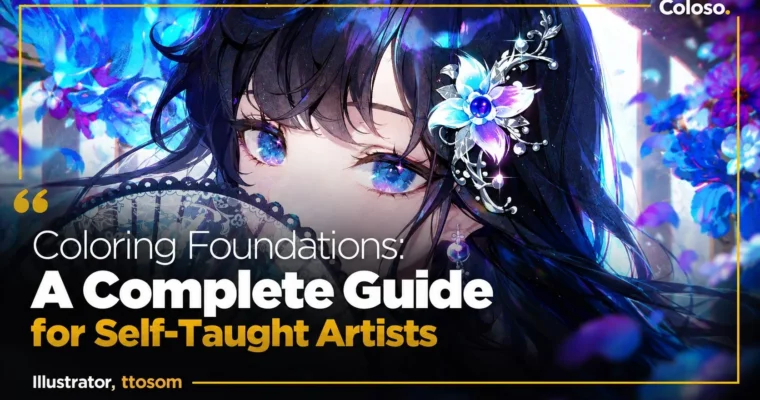
Coloring Foundations A Complete Guide for Self-Taught Artists by ttosom

Actual Duration:39h 8m
Release date:2026
Publisher:Coloso
Skill level:Intermediate
Language:English
Exercise files:Yes
Software:Photoshop
Course URL:https://coloso.global/en/products/illustrator-ttosom-us
If your work still looks muddy, flat, or unfinished after hours of rendering, this class is built for you. ttosom gives you a practical system for coloring, value control, and self-diagnosis so you can stop guessing and start fixing things on purpose.
🎯 What you’ll learn
- Diagnose why your colors turn muddy, flat, or visually unclear
- Control value structure to add depth without over-rendering
- Pick shadow colors and palettes with theory instead of intuition
- Use brushes, layers, and blending modes for cleaner strokes
- Render eyes, hair, and skin by style with proper blending
- Unify characters and backgrounds with ambient light
- Design concept-based lighting for different moods and atmospheres
- Build a full illustration from thumbnails to final polish
- Use checklists and error notes to keep improving on your own
✅ Requirements
- Skills: Basic drawing ability, familiarity with digital illustration workflow
- Tools: Drawing tablet, digital painting software with layers and blending modes
- Hardware: PC or tablet capable of running modern painting software smoothly
📝 Description
You put in the hours, but the result still feels off. Colors get dirty when you blend. The character looks pasted on the background. You add detail and it still reads as unfinished. ttosom starts there — not with pretty demos, but with how to test your own weaknesses and name the problem. You get three skill tests, observation methods, and a clear way to tell if your issue is overall composition, color theory, or execution.
Then he rebuilds the basics in a way you can actually use. Not textbook definitions, but shop talk: how value structure decides if a piece reads from far away, how light direction builds form, how to pick shadow colors that don’t kill saturation, and why zooming in too early wrecks your priorities. You’ll also get his everyday setup — brush settings, airbrush vs. opacity brushes, tone curves, color balance, and the few blending modes that do most of the work.
The middle of the course is the part most classes skip. Six real problems, each with a fix: muddy color from overused airbrush and hesitant strokes, flat look from weak form understanding, disconnect between character and background from ignoring ambient light, and that never-finished feeling from bad density distribution. Each one comes with checklists and correction demos so you can run the same QA on your own files.
After that it’s hands-on rendering. Eyes in cel, detailed, and emphasis styles. Hair simplified into readable clumps with texture. Skin with dimensional blending that doesn’t look chalky. Then mood work — grand, dreamlike, intense, refreshing — where you design lighting to match the concept instead of just rendering harder. You finish by taking one piece from thumbnails to color roughs to midtones, core shadows, and final polish, plus a straight-talk section on freelance and how to keep a personal error note for self-study.
🧑🎓 Who this course is for
- Self-taught illustrators who draw a lot but keep getting muddy colors, flat forms, or unfinished-looking pieces
- Intermediate artists stuck on a plateau who want a repeatable system for checking and fixing their own work
🧑🏫 About the Author
Hello, I’m illustrator ttosom. I’ve spent years working in game illustration and the virtual YouTuber scene, and I currently teach illustration at ArtRooms. My thing isn’t just “paint like me” — it’s showing you how to observe, analyze failure, and build your own problem-solving routine. That’s what I use in client work and in class every day, and that’s what I’ll walk you through here so you can keep leveling up after the course ends.
🏁 Final Result
- A finished high-density character illustration with intentional lighting and mood, built from thumbnails through color roughs to final polish, plus your own skill-test results and error note system for future work.
📢 Guys, this is a Group Buy campaign, check the GBC forum thread to get access
You can find the course preview in the download section below.
 Channel