Ad Clicks : Ad Views : Ad Clicks : Ad Views : Ad Clicks : Ad Views : Ad Clicks : Ad Views :
Oh Snap!

It looks like you're using an adblocker. Adblockers make us sad. We use ads to keep our content happy and free. If you like what we are doing please consider supporting us by whitelisting our website. You can report badly-behaved ads by clicking/tapping the nearby 'Advertisement' X text.

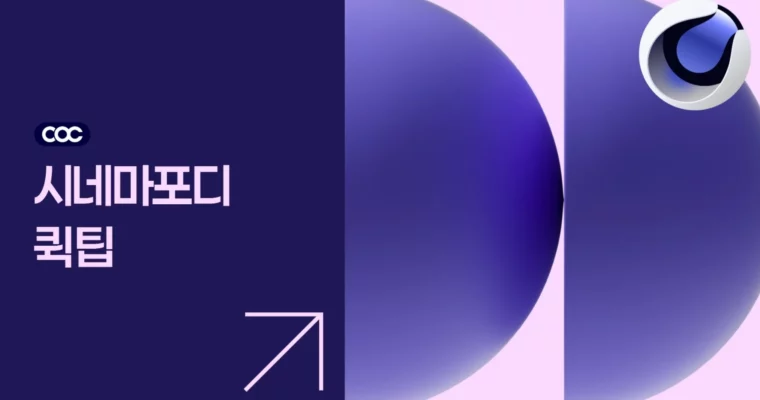
Cinema4D Quick Tips by Core of Creative

Cinema4D Quick Tips by Core of Creative

/

Author:Core of Creative

Duration:1 hour 3 minutes

Actual Duration:48m

Release date:2025, May 13

Publisher:Core of Creative

Skill level:Intermediate

Language:Korean

Exercise files:Yes

Software:Cinema 4D, Octane Render, Redshift

Course URL:https://coreofcreative.com/classes/213726

47 bite-size Cinema 4D fixes that solve real modeling, material, and simulation headaches in about a minute each.

Short, punchy, no fluff. This is a growing pack of 47 one-minute Cinema 4D lessons built to fix the stuff that slows you down every day — broken axes, ugly Booleans, tiling textures, flat materials.

🎯 What you’ll learn

  • Fix common modeling problems like holes, thickness, and broken subdivisions fast
  • Use deformers like Camera Deformer, Correction, and MoExtrude for flexible edits
  • Build procedural materials for car paint, pearl, glitter, and glass without stock textures
  • Solve renderer-specific issues in Octane Render and Redshift
  • Set up quick simulations for balloons, water, cables, and inflation effects
  • Apply stickers and decals cleanly on curved surfaces
  • Speed up workflow with Set Driven, file organization habits, and generative AI textures

✅ Requirements

  • Skills: Basic familiarity with Cinema 4D interface and polygonal modeling
  • Tools: Cinema 4D (recent version), Octane Render and Redshift for renderer-specific lessons
  • Hardware: PC or Mac capable of running Cinema 4D, dedicated GPU recommended for Octane / Redshift

📝 Description

This isn’t a start-to-finish course. It’s a toolbox. Each clip is around a minute long and answers one specific question you actually run into on a deadline. How do I punch a clean hole? Why is my Volume Builder all stair-steppy? How do I stick a label on a curved bottle without it stretching?

The format works because it’s straight to the point. No 20-minute intro. You watch the fix, you copy it, you move on. Topics jump between hard-surface modeling, UV editing, deformers, and shading, which makes it perfect to check in on when you’re stuck.

A big chunk is about lookdev on a budget. You’ll get procedural setups for car paint, pearl, glitter, and frosty condensation, plus workarounds for transparent materials that render faster than straight transmission. There are also renderer notes for Octane Render — tiling, double-sided materials, Distorted UVW, Gaussian Splats — and a quick Gobo light setup in Redshift.

Then there’s the fun stuff: floating rubber duck, balloon bouquet, cable sim, vacuum packaging, chewy morphing lines. All done with simple Cloth, soft-body tricks, and fields, so you can reuse them for idents and product shots. New lessons are still dropping with a goal of 50, so the library keeps growing.

🧑‍🎓 Who this course is for

  • Cinema 4D users who know the basics and want faster daily workflows
  • Motion designers and 3D generalists doing product, background, and styleframe work
  • Students of Core of Creative simulation and background design classes who get this pack free

🧑‍🏫 About the Author

Core of Creative is a Korea-based motion and 3D training studio focused on practical Cinema 4D simulation and background design. They run regular Basic / Advanced simulation tracks and a Background Design Master Class covering layout to lighting. This Quick Tips series is their ongoing side feed — short problem-solvers pulled straight from production questions and class Q&A.

🏁 Final Result

  • A personal library of 47 reusable mini-setups — clean holes, decal projections, procedural car paint / pearl / glitter shaders, and lightweight balloon, water, and cable simulations you can drop into client work.
Curriculum

📋 Course content

  1. Module 1:  Modeling Shortcuts and Mesh Fixes
    • How to Make a Perfect Hole00:53
    • Cutting in One Go Along a Spline Shape00:26
    • A New Way to Add Thickness to Objects (More Options!)00:57
    • 2 Methods to Remove Staircase Effects in Volume Builder00:52
    • Quickly Modify UVs of Only Desired Parts00:39
    • Aligning a Completely Broken Axis00:46
    • Reverting an Already Broken Subdivision00:54
    • 3 Formulas for Good Modeling01:15
    • Resetting the Scales of Multiple Objects at Once01:02
    • Recovering if Corrupted by C4D Set Flow Function00:37
  2. Module 2:  Deformers and No-Rig Animation
    • 3 Ways to Use the Camera Deformer01:00
    • Freely Without Breaking – C4D Correction Deformer00:58
    • Easily Move in 10-F Increments in C4D Just Like After Effects00:54
    • Utilizing Set Driver Driven (Absolute)01:12
    • Where is C4D Set Driven (Relative Value) Used?01:19
    • Creating Chewy Morphing Line Artwork01:30
    • MoExtrude Deformer, Where to Use It?01:25
    • Making a Fan Without Any Rigging02:44
    • Super Simple Cable Simulation01:42
  3. Module 3:  Decals, UVs and Everyday Texturing
    • Applying Stickers Easily and Neatly to Curved Surfaces00:48
    • Applying Multiple Colors with a Single Material01:20
    • Solving the Octane Tiling Texture Effect00:58
    • 2nd Method for Attaching Stickers to Curved Surfaces Using a Projection Deformer01:30
    • When Creating Transparent Materials, Try Using This Instead of Transmission01:28
    • Creating Glitter Material Without Image Texture01:41
    • Creating High-Quality Textures with Nano Bananas01:32
    • Creating Pearl Texture in Octane01:46
    • Principle of Making Car Paint Material01:27
    • The New Octane Feature You Absolutely Needed: Distorted UVW01:18
    • Creating Textures with Generative AI Instead of Paid Textures01:33
  4. Module 4:  Lighting, Renderers and Stylized Looks
    • Using Gobo Lights in Redshift01:01
    • Applying Different Materials to the Front and Back in Octane01:08
    • Rendering Stylized Sketch Textures01:30
    • Creating X-Ray Style Images Feat. Fresnel00:58
    • Creating a Cold Surface with Water Droplets01:49
    • Creating Seongsu-dong Hipster Vibe Graphics with C4D02:40
    • Creating Cartoon Style Afterimage Effects01:07
    • New Octane Feature – What is Gaussian Splat?01:56
    • Creating the Trending 3D Text Optical Illusion01:17
  5. Module 5:  Simulations and Fun Mini-Projects
    • How to Make Balloons in C4D01:01
    • Creating a Real-Time Responsive Wave Simulation02:21
    • File Organization Habits of Collaborative Designers01:12
    • Let’s Float a Rubber Duck on Water01:42
    • Leaving Traces Where Objects Pass01:44
    • Balloon Bouquet Simulation01:53
    • Inflating Anything Full01:58
    • Vacuum Packaging with C4D01:25
Watch online or Download for Free
Cinema4D Quick Tips by Core of Creative
NAME
SIZEDURATION

Download all Videos (37)
193.3 MB48m

Project Files (Assets, Resources)
23.5 KB

Download all

Join us on
  Channel    and      Group

Leave a Comment

Your email address will not be published. Required fields are marked *