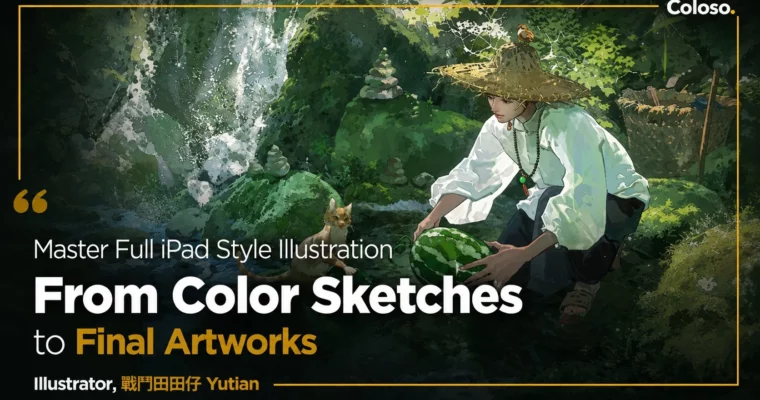
Master Full iPad Style Illustration, From Color Sketches to Final Artworks by 戰鬥田田仔 Yutian

Duration:21 hours 32 minutes
Actual Duration:21h 31m
Release date:2026, June
Publisher:Coloso
Skill level:Beginner
Language:Chinese
Exercise files:Yes
Software:Procreate
Course URL:https://coloso.global/en/products/illustrator-yutian-zh
This course is a full pipeline for creating original illustrations on the iPad. It is built for beginners who want to skip the aimless tutorials and build a real, repeatable workflow. You will learn how to gather inspiration, sketch with confidence, control color and light, and finish with polished, professional-grade artwork. The focus is on building creative independence, not just learning buttons.
🎯 What you’ll learn
- Build a personal photo reference library to fuel original ideas.
- Master the complete Procreate workflow, from custom brushes to final post-processing.
- Use color croquis exercises to develop strong color intuition.
- Paint five essential lighting setups: sunlight, cloudy, indoor, spotlight, and backlight.
- Add storytelling elements to a static canvas through composition, character motion, and texture.
✅ Requirements
- Skills: No prior drawing experience needed. This course is designed for absolute beginners.
- Tools: iPad with the Procreate app (version 5.3 or later; 5.4 or above is strongly recommended).
- Hardware: An iPad that supports the Procreate app and an Apple Pencil or compatible stylus.
📝 Description
This is not a button-by-button Procreate manual. It is a structured system for thinking, planning, and executing an illustration from start to finish. The instructor, Yutian, breaks down his professional workflow into digestible stages: inspiration, black-and-white sketching, color practice, lighting, and storytelling. You will learn to treat your iPad as a portable studio, capable of producing work that feels hand-drawn and personal.
The curriculum is heavy on demonstration. You will watch Yutian paint, not just talk about painting. He covers five distinct lighting scenarios—from golden sunlight to moody backlighting—and shows you how to use color croquis to build speed and intuition. The course also includes dedicated lessons on creating your own custom brushes in Procreate, which is a game-changer for developing a unique style.
Beyond the technical skills, the course pushes you to think like an independent artist. You will learn how to build a personal inspiration library from your own photos and how to make deliberate creative choices that add narrative depth to your work. The final section walks through two complete illustration demos, showing the entire process from a blank canvas to a finished, portfolio-ready piece.
🧑🎓 Who this course is for
- Illustrators who want to create original artwork independently, without relying on imitation.
- Art students and hobbyists who are new to digital illustration and want a structured start with the iPad and Procreate.
- Beginners who want to improve the atmosphere and storytelling in their artwork.
🧑🏫 About the Author
戰鬥田田仔 Yutian is a freelance illustrator with over eight years of experience specializing in atmospheric storytelling through Procreate. He has worked with major companies like Tencent and NetEase, contributing to projects such as the 5th-anniversary poster for Onmyoji and promotional art for Light and Night. His portfolio also includes book covers, promotional posters for games like JX3 Online: Origins, and a personal artbook titled Kong Li. He has conducted multiple online digital painting courses and is known for his ability to blend commercial demands with a distinct personal style.
🏁 Final Result
- Two complete, polished illustrations: one vertical character-focused piece and one horizontal landscape-oriented piece.
- A personal library of custom Procreate brushes tailored to your style.
- A repeatable workflow for taking an idea from a photo reference to a finished, story-driven artwork.
- A portfolio-ready piece that demonstrates your ability to control light, color, and composition.
📢 Guys, this is a Group Buy campaign, check the GBC forum thread to get access
You can find the course preview in the download section below.
 Channel