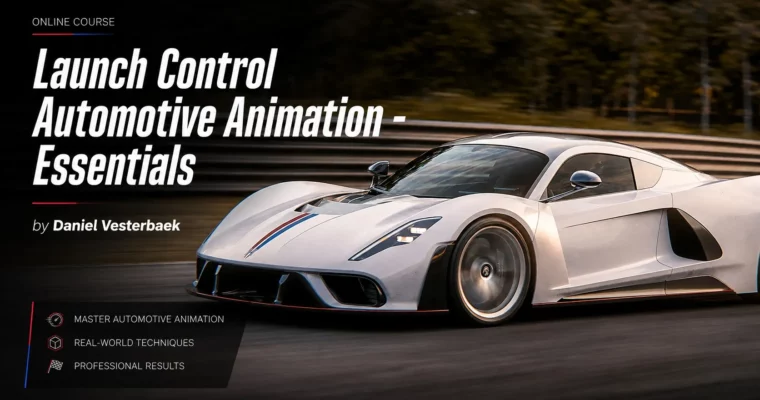
Launch Control Automotive Animation – Essentials by Daniel Vesterbaek

Duration:3h 30m
Actual Duration:3h 32m
Release date:2025, June 13
Publisher:Launch Control
Skill level:Beginner
Language:English
Exercise files:Yes
Software:Blender, Launch Control
Course URL:https://launch-control.org/course/automotive-animation-essentials/
This course breaks down the entire process of animating vehicles for advertising and film. You will move past simple keyframes and learn how to use real-world physics, suspension dynamics, and cinematic camera work to make cars feel alive. The focus is on a professional previz workflow that lets you plan, iterate, and lock down your shots before committing to final details.
🎯 What you’ll learn
- Build a professional previz workflow for automotive shots
- Understand vehicle suspension and how different car types react to motion
- Use physics-based animation to reduce manual keyframing
- Apply cinematography principles to vehicle camera work
- Read real-world reference footage to improve animation realism
- Use the Launch Control toolset inside Blender for visual animation
✅ Requirements
- Skills: Basic familiarity with Blender’s interface and navigation
- Tools: Blender 4.1+, Launch Control 1.8+
- Hardware: A computer capable of running Blender smoothly
📝 Description
Animating a car is not just about moving four wheels along a road. Realistic motion depends on understanding how suspension compresses under braking, how weight shifts through a corner, and how the chassis reacts to acceleration. This course walks you through those physical principles and shows you how to translate them into convincing animation.
The core of the course is built around the Launch Control toolset. Instead of fighting with dozens of keyframes, you will learn a visual approach where animation is driven by real-world values like speed and G-forces. This method gives you full control while keeping the motion grounded in reality. You will also spend serious time on the camera. A great vehicle shot can be ruined by a lazy camera move, so the course treats the camera as a character in the scene and shows you how to set up moves that sell the speed and weight of the vehicle.
A major part of the workflow is previz. You will learn how to plan, block out, and iterate on your animation before committing to final details. This is the same approach used in professional studios where decisions need to be approved before heavy production begins. The course also includes real-world reference footage of cars on track, so you can train your eye to spot the subtle details that make motion believable.
🧑🎓 Who this course is for
- Blender artists who want to move into automotive animation
- Animators looking for a more efficient, physics-based workflow
- CG generalists interested in learning professional previz techniques
- Anyone creating car animations for advertising or personal projects
🧑🏫 About the Author
Daniel Vesterbaek is the creator of Launch Control, an animation tool used by studios and manufacturers worldwide. His work has supported projects for brands like Skoda, Nissan, Lucid, and Mercedes-Benz. The course was developed with guidance from the team at The Experience Studio, who specialize in automotive advertising.
🏁 Final Result
- A complete race track animation featuring one of the included HQ vehicle models
- A solid understanding of the previz workflow from planning to final animation
- Project files including three vehicle models and a low-poly track asset based on Barber Motorsports Park
 Channel