Ad Clicks : Ad Views : Ad Clicks : Ad Views : Ad Clicks : Ad Views : Ad Clicks : Ad Views :
Oh Snap!

It looks like you're using an adblocker. Adblockers make us sad. We use ads to keep our content happy and free. If you like what we are doing please consider supporting us by whitelisting our website. You can report badly-behaved ads by clicking/tapping the nearby 'Advertisement' X text.

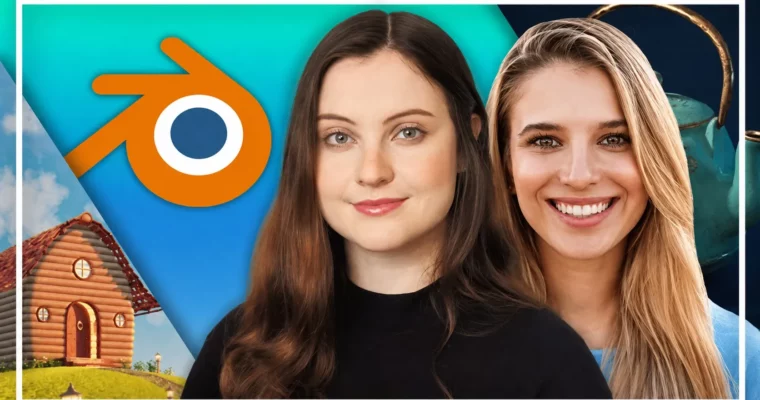
Complete Blender Megacourse- Beginner to Expert 3D Artist by Skillademia Academy

Complete Blender Megacourse- Beginner to Expert 3D Artist by Skillademia Academy

Author:Skillademia Academy

Duration:134.5 hours

Actual Duration:34h 4m

Release date:2026, June

Publisher:Udemy

Skill level:Beginner

Language:English

Exercise files:Yes

Software:Blender

Course URL:https://www.udemy.com/course/complete-blender-megacourse-beginner-to-expert

Go from absolute beginner to confident 3D artist with this massive Blender course covering modeling, sculpting, character creation, and environment art.

This isn’t just another Blender tutorial. It’s a massive, structured journey from clicking your first cube to building a full character and a detailed environment. You’ll learn from multiple pros, each bringing their own workflow to the table, so you don’t just learn one way of doing things—you learn the right way for the job.

🎯 What you’ll learn

  • Use Blender confidently from a complete beginner level
  • Model objects using vertices, edges, faces, and modifiers
  • Sculpt high-resolution organic models and perform retopology
  • Create realistic and stylized materials with UV mapping and texture painting
  • Set up professional lighting, camera compositions, and final renders
  • Model, texture, rig, pose, and render complete 3D characters
  • Build detailed 3D environments using professional art workflows

✅ Requirements

  • Skills: No previous knowledge of Blender required.
  • Tools: A desire to learn and a positive attitude.
  • Hardware: A computer capable of running Blender (dedicated GPU recommended for complex scenes).

📝 Description

This course is built differently. Instead of one instructor’s opinion, you get a team of working artists showing you their actual pipelines. The structure is simple: start with the new Blender 5 foundations, build a fantasy cabin, then dive into the deep end.

The first major block is all about sculpting and retopology. You’ll learn to push polygons around with brushes, then clean it all up for production. No shortcuts—just solid techniques for getting clean, animatable geometry from a high-poly sculpt.

Then comes the character section. This is where things get serious. You’ll block out a full character from head to toe, sculpt the details, retopologize the whole thing, and then texture it using UV mapping and texture painting. You’ll even rig it with the Riggify add-on and pose it for a final render. It’s a complete character pipeline in one place.

The environment section is equally thorough. You’ll learn to break down a scene, block it out, and then add detail using modifiers, curves, and instancing. You’ll texture it, light it, and even add some destruction animation. The focus is on practical, efficient workflows that save you time without sacrificing quality.

The whole thing is taught by multiple instructors, so you get exposed to different ways of thinking. One might prefer a certain modifier stack, another might use a different sculpting brush. You get to pick what works for you.

🧑‍🎓 Who this course is for

  • Complete beginners who want to learn 3D from scratch.
  • Artists and game developers who want to add Blender to their toolkit.
  • Anyone who has started with Blender but wants to level up their character and environment skills.

🧑‍🏫 About the Author

Skillademia Academy is a team of experienced instructors focused on practical, hands-on learning. With over 398,000 students and 83 courses, they specialize in breaking down complex creative and technical skills into clear, actionable steps. Their courses are designed to take you from solid foundations to advanced expertise, with a focus on real-world application.

🏁 Final Result

  • A complete, portfolio-ready fantasy cabin scene.
  • A fully modeled, textured, rigged, and posed 3D character.
  • A detailed 3D environment scene with advanced texturing and lighting.
  • A strong understanding of the entire 3D asset creation pipeline.
Curriculum

📋 Course content

  1. Module 1: Welcome & Blender Foundations
    • Welcome!1:57
    • Downloading Blender & First Look6:28
    • Understanding Workspaces and Viewport Navigation13:22
    • Understanding and Transforming Objects11:29
    • Understanding Objects, Vertices, Edges & Faces13:51
    • Texture Mapping & Basic Modeling Tools22:36
    • Hard Surface Modeling: Lantern40:48
    • Using Modifiers (Non-destructive Modeling)29:40
    • Project Lesson: 3D Model0:28
    • Creating the Cabin, Doors and Windows55:29
    • Modeling the Roof (Curves and Array)23:42
    • Environment and Scene Structure26:55
    • Creating Simple Materials and Colors33:22
    • Basic Lighting Setup25:29
    • Camera Composition & Final Render14:59
    • Project: Create Your Own Stylized 3D Scene0:47
    • What’s Next?0:58
  2. Module 2: Blender 5 Foundations (New)
    • Course Introduction1:19
    • Blender Settings and Preferences18:54
    • Adding and Transforming Mesh Objects Pt. 120:36
    • Adding and Transforming Mesh Objects Pt. 216:49
    • Create an Object with Blender Primitive Objects DEMO1:57:59
    • Editing Mesh Objects44:39
    • Create an Object by Pushing/Pulling Vertices of a Primitive Object DEMO1:41:24
    • Extrude19:17
    • Extrude DEMO7:32
    • Delete/Fill/Join10:20
    • Loop Cut/Subdivide10:54
    • Loop Cuts and Delete/Fill/Join DEMO12:14
    • Bevel and Inset9:54
    • Create an Object with These Operations Pt. 1 DEMO40:07
    • Create an Object with These Operations Pt. 2 DEMO19:17
    • Create an Object with These Operations Pt. 3 DEMO36:43
    • Subdivision Surface Modifier13:23
    • Mirror Modifier12:32
    • Create a Symmetrical Object DEMO27:53
    • Boolean10:18
    • Array13:00
    • Most Common Modifiers: DEMO40:32
    • Orthographic Reference20:03
    • Model an Object Based on a Reference Image Pt. 1 DEMO21:21
    • Model an Object Based on a Reference Image Pt. 2 DEMO39:33
    • Knife and Bisect15:01
    • Spin/Smooth/Shrink17:04
    • Bridge Edge Loops14:30
    • Model an Object with These Operations Pt. 1 DEMO29:18
    • Model an Object with These Operations Pt. 2 DEMO32:23
    • Introduction to Mesh Sculpting4:28
    • Sculpting Workspace7:59
    • Sculpting Brushes15:01
    • Non-sculpting Brushes13:03
    • MultiResolution Modifier12:35
    • Dynamic Topology17:15
    • Sculpt an Organic Form Pt. 1 DEMO43:06
    • Sculpt an Organic Form Pt. 2 DEMO19:31
    • Symmetry Settings13:25
    • Sculpt a symmetrical Organic Mesh Pt. 1 DEMO55:37
    • Sculpt a symmetrical Organic Mesh Pt. 2 DEMO29:47
    • Introduction to Retopology22:39
    • Retopologize Sculpt Pt.1 DEMO39:27
    • Retopologize Sculpt Pt.2 DEMO45:57
    • Retopologize Sculpt Pt.3 DEMO42:18
    • Sculpting Cleanup22:33
    • Sculpting with Alphas18:16
    • Introduction to Materials9:16
    • Coloring a Model with Materials DEMO32:08
    • Shading and Textures Pt. 117:47
    • Shading and Textures Pt. 218:45
    • Create a Tiling Texture DEMO27:31
    • Introduction to UV Space and Coordinates19:46
    • UV Unwrapping a Complex Object DEMO41:39
    • Texel Density16:44
    • Texture Painting: Color Maps Pt. 114:18
    • Texture Painting: Color Maps Pt. 225:51
    • Texture Painting: Non-Color Maps28:32
    • Color a Model in the 3D Texture Painter Pt. 1 DEMO1:06:00
    • Color a Model in the 3D Texture Painter Pt. 2 DEMO16:05
    • Normal Maps25:02
    • Lights11:20
    • Camera8:02
    • Engines and Settings24:38
    • Final Project Overview18:46
  3. Module 3: Character Creation
    • Introduction0:24
    • Preferences12:18
    • Blender UI2:18:11
    • Object Menu Pt. 111:51
    • Object Menu Pt. 27:47
    • Object Menu Pt. 34:09
    • Object Menu Pt. 49:11
    • Object Menu Pt. 517:46
    • Object Menu Pt. 66:34
    • Edit Menu24:06
    • Material and Shading29:24
    • Vertex Painting36:00
    • Texture Painting54:48
    • Face Pt. 134:15
    • Face Pt. 228:27
    • Body23:02
    • Clothes Pt. 113:55
    • Clothes Pt. 220:52
    • Shoes Pt. 114:16
    • Shoes Pt. 223:30
    • Material Pt. 129:23
    • Material Pt. 229:15
    • Vertex Painting the Eye and Making the Eyelid Pt. 110:38
    • Vertex Painting the Eye and Making the Eyelid Pt. 236:38
    • Vertex Painting the Face32:07
    • Rigging the Character with Riggify Add-on Pt. 137:34
    • Rigging the Character with Riggify Add-on Pt. 229:28
    • Posing50:37
    • Lighting Techniques52:24
    • Particles8:01
    • Compositing19:40
    • Mouse or Pen11:55
    • Introduction to Sculpt Menu Pt. 130:48
    • Introduction to Sculpt Menu Pt. 226:58
    • Brushes Pt. 112:54
    • Brushes Pt. 25:33
    • Brushes Pt. 328:47
    • Brushes Pt. 414:01
    • Brushes Pt. 538:28
    • Workflows of Sculpting4:43
    • Dyntopo11:25
    • Remesh and How to Combine it with Multires Modifier28:50
    • The Three Phases of Sculpting Anything17:58
    • Workflows to Make a Base Mesh Pt. 114:49
    • Workflows to Make a Base Mesh Pt. 24:13
    • Workflows to Make a Base Mesh Pt. 310:09
    • Workflows to Make a Base Mesh Pt. 47:53
    • Workflows to Make a Base Mesh Pt. 58:24
    • Workflows to Make a Base Mesh Pt. 618:17
    • Workflows to Make a Base Mesh Pt. 77:58
    • Using References in Blender and Pureref16:55
    • Blockout of the Head12:04
    • Blockout of the Body and Limbs1:03:38
    • Primary Forms of the Body53:21
    • Blockout of the Clothes1:10:25
    • Shoes1:26:53
    • Last Polishes Before Retopology57:06
    • Retopology of The Head46:19
    • Retopology of The Torso19:21
    • Retopology of The Lower Limbs21:57
    • Retopology of The Upper Limbs1:16:36
    • Multiresolution and Shrinkwrap11:39
    • Quadriflow Remesh5:29
    • QuadRemesher25:15
    • Detailing The Shoe1:19:29
    • Detailing the Rest of The Character2:16:06
    • Making The Zipper and Doing Some Adjustments1:26:45
    • UV Unwrapping The Character1:20:22
    • Texturing The Body Pt. 11:27:26
    • Texturing The Body Pt. 21:15:31
    • Texturing The Jacket1:03:06
    • Texturing the Hoody, Belt, Eyes, and Zipper1:19:06
    • Texturing the Shorts37:10
    • Texturing the Shoe2:21:29
    • Lighting the Scene56:32
    • Rigging50:07
    • Posing1:41:55
    • Goodbye2:10
  4. Module 4: 3D Environments
    • Introduction0:22
    • Quick Overview1:27
    • Pipeline2:14
    • Key Principles and Techniques59:48
    • Interface2:37
    • Pie Menus3:12
    • Thumbnails38:53
    • Collecting Resources31:50
    • Blocking30:43
    • Continue Blocking17:45
    • Asset Browser23:01
    • Adding Simple Textures31:25
    • Breaking Texture Tiling32:24
    • More Tiles Breaking Tips26:03
    • Blender Shader Approach Pt. 118:30
    • Blender Approach Pt. 21:02:00
    • Mixing Two Textures28:28
    • Blending Different Objects44:04
    • Texture Painting25:27
    • Wet Surface Painting28:40
    • Manipulating a Single Texture41:34
    • Before We Start19:33
    • Blocking25:00
    • Continue Blocking32:46
    • Starting with Details44:04
    • Array, Shear & Instancing1:00:53
    • More Details1:20:09
    • Curves and Curves from Objects1:01:41
    • Starting with Stairs1:52:59
    • Rails from Curves32:29
    • More Rails27:36
    • Rails Adjustments30:31
    • More Rails Adjustments20:12
    • Making Final Adjustments19:21
    • Vertical Stairs40:44
    • Creating Platform Boundary23:18
    • Optimizing Geometry23:28
    • More Details35:40
    • Drawing Curves21:08
    • Adding Cable Details31:24
    • Details with Boolean18:18
    • Some Adjustments26:58
    • More Cables25:59
    • Last Touches21:58
    • Starting with Texturing29:35
    • Color Coding Diferent Objects18:13
    • Separating Bolts and Adding UV Grid24:42
    • More UV Grids9:59
    • Organizing The Model16:26
    • Adding Textures37:39
    • Starting with Ambient Occlusion17:17
    • Adding Ambient Occlusion37:52
    • Quick Destruction8:47
    • Animating Destruction38:17
    • Animating Cables44:39
    • Combining Objects for Better Results21:38
    • Manual Approach32:19
    • Manual Approach (Continue)1:00:51
    • Quick Introduction14:41
    • Making Our First Asset45:45
    • Creating Variations14:43
    • Creating Assets From Existing Assets41:26
    • Texturing Rocks19:41
    • Preparing Assets20:47
    • Main Scene32:25
    • Exploring Better Compositions37:11
    • HDRIs42:11
    • Lighting and More Details42:05
    • Using Images as Environments24:01
    • Render Settings – Test Rendering41:56
    • Scene Settings – Quick Compositing1:03:47
    • Basics Pt. 11:03:37
    • Basics Pt. 21:19:59
    • Basics Pt. 31:10:31
    • 3D Environments Pt. 11:19:19
    • 3D Environments Pt. 21:10:02
    • 3D Environments Pt. 31:11:07
    • 3D Environments Pt. 41:01:39
    • 3D Environments Pt. 51:19:30
    • 3D Environments Pt. 61:33:07
    • Character Creation Pt. 11:08:54
    • Character Creation Pt. 248:42
    • Character Creation Pt. 31:15:11
    • Character Creation Pt. 41:13:43
    • Character Creation Pt. 51:09:59
    • Character Creation Pt. 61:12:06
    • Last Words0:31
Watch online or Download for Free
Complete Blender Megacourse- Beginner to Expert 3D Artist by Skillademia Academy
NAME
SIZEDURATION
05 – Basics Introduction to Blender
26.6 MB20m
08 – Basics Most Common Modifiers
209.9 MB1h 57m
12 – Basics Methods of Subdivision for Sculpting
160.3 MB1h 32m
13 – Basics Sculpting with Symmetry
162.5 MB1h 38m
15 – Basics High-Res Sculpting
66.1 MB40m
16 – Basics Introduction to Textures and Materials
193.4 MB1h 45m
19 – Basics Normal Maps
53.5 MB25m
20 – Basics Rendering
53.5 MB44m
21 – Basics Final Project
33.5 MB18m
26 – 3D Environments Introduction and Overview
46.3 MB
27 – 3D Environments Quick Design Principles
1.4 GB
28 – 3D Environments Important Tips and Shortcuts
38.1 MB
29 – 3D Environments Starting
2.5 GB
34 – 3D Environments Lighting and Camera Settings
3.8 GB
35 – 3D Environments Rendering and Composting
2.1 GB
Archive
1.3 GB

Download all Videos (256)
149.5 GB34h 4m


Download all

Join us on
  Channel    and      Group

Leave a Comment

Your email address will not be published. Required fields are marked *