Unreal Engine 5 – Complete Architectural Environment Creation by Linus Kuhlmann

Duration:12 hours on-demand video
Actual Duration:12h 4m
Release date:2026, July
Publisher:Udemy
Skill level:Intermediate
Language:English
Exercise files:Yes
Software:Unreal Engine 5, Maya, Blender, 3ds Max
Course URL:https://www.udemy.com/course/unreal-engine-5-complete-architectural-environment-creation/
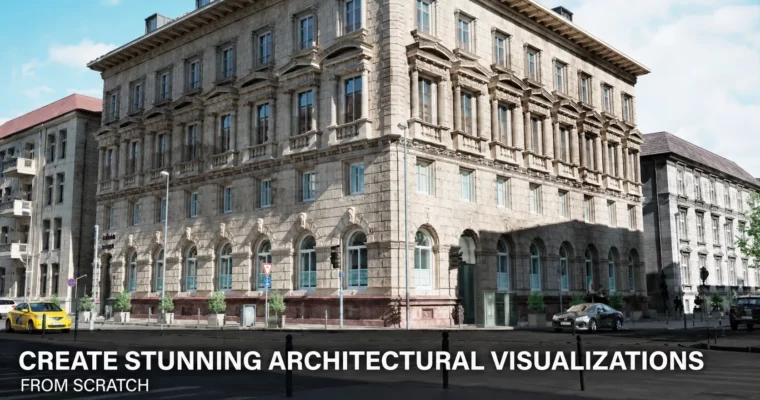
This course is a straight shot into building a complete architectural environment in Unreal Engine 5. You’ll start from a blank project and end with a polished, portfolio-ready scene. No fluff, just the practical workflows you need for real projects.
🎯 What you’ll learn
- Plan and organize an architectural visualization project from start to finish.
- Create modular building kits and import them into Unreal Engine 5.
- Build master materials and material instances for efficient texturing.
- Set up realistic HDRI lighting and cinematic cameras.
- Produce high-quality still renders using Unreal Engine 5’s Path Tracing.
✅ Requirements
- Skills: Basic 3D artist skills, including modeling, UV mapping, texturing, shading, and rendering.
- Tools: Basic familiarity with a 3D modeling application such as Maya, Blender, or 3ds Max.
- Hardware: A graphics card (GPU) with at least 8 GB of VRAM. 12 GB or 16 GB is preferred for the best experience.
📝 Description
This course skips the theory and gets you building. You’ll start by planning your project and creating a modular building kit in your preferred 3D app. Then, you’ll bring everything into Unreal Engine 5 and learn how to set up a professional project structure.
The material workflow is a major focus. You’ll build master materials from scratch, create instances for efficiency, and learn how to integrate assets from both the Unreal Marketplace and external sources. The course also covers HDRI lighting, camera setup, and Path Tracing for high-quality still renders.
The instructor uses a professional AI voice-over for narration. The scripts and all content were created by the instructor, but the audio is AI-generated. Some repetitive tasks may have periods with less commentary to keep the course focused.
🧑🎓 Who this course is for
- 3D artists with general 3D experience who want to learn Unreal Engine 5 for professional projects.
- Architectural designers and visualization artists looking to create high-quality architectural renders.
- Environment artists and game developers who want to build realistic environments in Unreal Engine 5.
🧑🏫 About the Author
Linus Kuhlmann is a 3D Artist specializing in Unreal Engine and real-time visualization. He started with an apprenticeship in product design and later completed a distance learning program in 3D design. He worked for several years at a product communication agency on automotive projects, creating visualizations and real-time 3D experiences. He has also trained vocational school teachers in 3D graphics and Unreal Engine 5.
🏁 Final Result
- A complete, portfolio-ready architectural environment scene rendered in Unreal Engine 5.
- A strong foundation in Unreal Engine 5 workflows for environment creation, materials, and lighting.
 Channel