Ad Clicks : Ad Views : Ad Clicks : Ad Views : Ad Clicks : Ad Views : Ad Clicks : Ad Views :
Oh Snap!

It looks like you're using an adblocker. Adblockers make us sad. We use ads to keep our content happy and free. If you like what we are doing please consider supporting us by whitelisting our website. You can report badly-behaved ads by clicking/tapping the nearby 'Advertisement' X text.

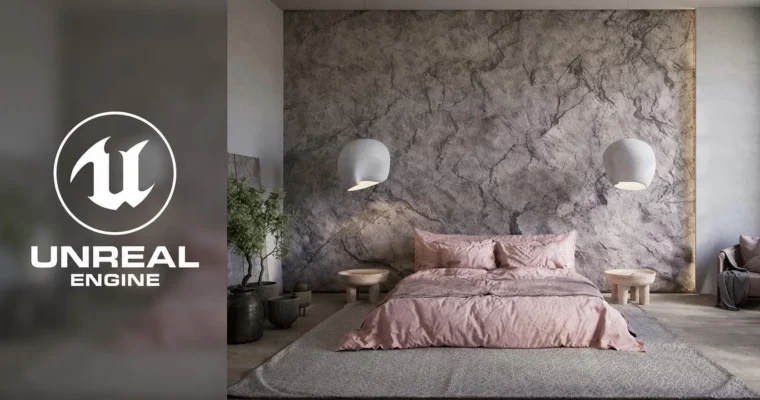
Unreal Engine 5 Interior Visualization (PRO) by Farrukh Gulamzhanov

Unreal Engine 5 Interior Visualization (PRO) by Farrukh Gulamzhanov

Author:Farrukh Gulamzhanov

Duration:8h 48m

Actual Duration:4h 22m

Release date:2025

Publisher:Udemy

Skill level:Intermediate

Language:English

Exercise files:Yes

Software:Unreal Engine 5, 3ds Max, Rizom UV, DaVinci Resolve

Course URL:https://www.udemy.com/course/unreal-engine-5-interior-visualization

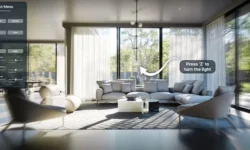
Learn to transfer your 3ds Max interiors into Unreal Engine 5, master baked lighting, and create photorealistic renders with a professional pipeline.

This course is for 3ds Max artists who want to jump into Unreal Engine 5 for interior visualization. It focuses on a practical, step-by-step pipeline: cleaning up your scene, setting up Lightmaps, baking lighting, and creating materials. You’ll end up with a portfolio-ready render without the fluff.

🎯 What you’ll learn

  • Transfer a complete interior scene from 3ds Max to Unreal Engine 5.
  • Master Lightmap UV creation and optimization for baked lighting.
  • Set up and configure lighting using UE5’s native tools and GPULightmass.
  • Create realistic materials for glass, metal, wood, and fabric.
  • Render high-quality videos using the Movie Render Queue and edit them in DaVinci Resolve.

βœ… Requirements

  • Skills: Experience with 3ds Max and Corona/V-Ray. Understanding of interior lighting, camera angles, and artistic composition.
  • Tools: 3ds Max, Rizom UV (trial or full), DaVinci Resolve (free).
  • Hardware: Nvidia GPU with RTX and CUDA support (minimum 6GB VRAM). 32GB RAM minimum.

πŸ“ Description

This course skips the theory and gets straight to the point. You’ll take a finished interior scene from 3ds Max and bring it into Unreal Engine 5 for real-time rendering. The focus is on baked lightingβ€”a technique that gives you high-quality, static lighting that looks great and runs fast.

The workflow is practical. First, you’ll clean up your 3ds Max scene, optimize the geometry, and set up Lightmap UVs using Rizom UV. Then, you’ll import everything into UE5, set up your lighting with tools like Directional Light and Sky Light, and bake it all using GPULightmass. The course also covers fixing common issues like light leaks and flipped normals.

You’ll also build a material library from scratchβ€”glass, chrome, wood, fabric, and more. Finally, you’ll render a cinematic video using the Movie Render Queue and do a quick edit in DaVinci Resolve. It’s a complete, no-nonsense pipeline for archviz pros.

πŸ§‘β€πŸŽ“ Who this course is for

  • 3ds Max artists who want to add Unreal Engine 5 to their skillset.
  • Interior designers and architects looking for a faster, more interactive visualization workflow.
  • Anyone who wants to achieve photorealism in real-time without relying on Lumen.

πŸ§‘β€πŸ« About the Author

Farrukh Gulamzhanov is an architect-designer with years of experience in 3D visualization. He works with clients worldwide, creating interiors and exteriors using Unreal Engine, 3ds Max, V-Ray, and Corona. He holds multiple certifications and has taught over 100 students.

🏁 Final Result

  • A fully baked, photorealistic interior scene in Unreal Engine 5.
  • A rendered cinematic video of the scene, edited in DaVinci Resolve.
  • A solid understanding of the Lightmap UV and baked lighting pipeline.
Curriculum

πŸ“‹ Course content

  1. Module 1: Scene Preparation in 3ds Max
    • Setting Up Units of Measurement in 3Ds Max4:03
    • Removing Excess and Cleaning Up the Scene3:55
    • Structure. Layer Distribution4:01
    • Preparing the Box, Correcting Normals2:31
    • Polygonal Optimization9:05
    • Lightmass-Lightmap What It Is and Why It Matters9:23
    • Lightmass-Lightmap Optimization9:09
    • Structure. Renaming4:11
    • SteamRoller Simple Automatic Unwrapping Method3:52
  2. Module 2: UV Unwrapping with Rizom UV
    • Rizom UV Installation11:34
    • Rizom UV Program Interface Overview12:54
    • Walls Creating UVs on the 2nd Channel (Lightmap)17:09
    • Rock Creating UVs on the 2nd Channel (Lightmap)3:22
    • FIX Correcting UV Splitting3:52
    • Window Frame Creating UVs on the 2nd Channel (Lightmap)12:20
    • Ceiling Creating UVs on the 2nd Channel (Lightmap)8:57
    • Baseboard Creating UVs on the 2nd Channel (Lightmap)3:22
    • Windows Creating UVs on the 2nd Channel (Lightmap)26:15
    • Doors Creating UVs on the 2nd Channel (Lightmap)28:54
    • Curtains Creating UVs on the 2nd Channel (Lightmap)3:22
    • Soft Furniture Creating UVs on the 2nd Channel (Lightmap)6:54
    • Plant Creating UVs on the 2nd Channel (Lightmap)23:30
    • Structure Renaming4:26
    • Geometry Export8:29
  3. Module 3: Unreal Engine 5 Setup & Import
    • Installing Unreal Engine3:10
    • UE. Creating a new project3:55
    • UE. Introduction to the interface20:14
    • UE. Geometry import10:05
  4. Module 4: Lighting Fundamentals
    • Directional Light. Overview of Lighting Tools8:05
    • Point Light. Overview of Lighting Tools4:32
    • Spot Light. Overview of Lighting Tools3:37
    • Rect Light. Overview of Lighting Tools3:09
    • Sky Light. Overview of Lighting Tools7:50
    • HDRI Backdrop. Overview of Lighting Tools4:04
    • Sun and Sky. Overview of Lighting Tools1:56
    • Implementing Backlighting (2 Methods)14:19
    • PostProcess. Detailed Configuration22:04
    • Lumen Settings8:52
  5. Module 5: Baked Lighting Workflow
    • Fixing Flipped Normals. Reimport4:17
    • Baking Light with Native Baker (GPULightmass)4:44
    • Baking Light with Luoshuang’s GPULightmass Plugin3:50
    • Setting Lightmap Resolution9:43
    • Resolving UV Mapping Issues. Reimport13:48
    • Fixing Light Leaks10:24
    • Background Outside the Window (360Β°)5:31
    • Lighting Scenarios6:33
    • Switching Furniture5:46
    • Everything About Reflections13:55
    • Texture Baking (Diffuse)11:40
  6. Module 6: Material Creation
    • Chrome-Gold Material4:38
    • Glass Material5:30
    • Parquet Material20:02
    • Tulle Material6:57
    • Fabric Material18:09
    • Blend MTL. Mixing Materials Using a Mask13:26
  7. Module 7: Rendering & Post-Production
    • Movie Render Queue. Settings and Rendering10:42
    • Editing in DaVinci Resolve12:53
    • Demo Project4:16
Watch online or Download for Free
Unreal Engine 5 Interior Visualization (PRO) by Farrukh Gulamzhanov
NAME
SIZEDURATION
3. Step 3. Getting to know the Unreal Engine
34.5 MB37m

Download all Videos (28)
261.3 MB4h 22m

Project Files (Assets, Resources)
163.9 KB

Download all

Join us on
  Channel    and      Group

Leave a Comment

Your email address will not be published. Required fields are marked *