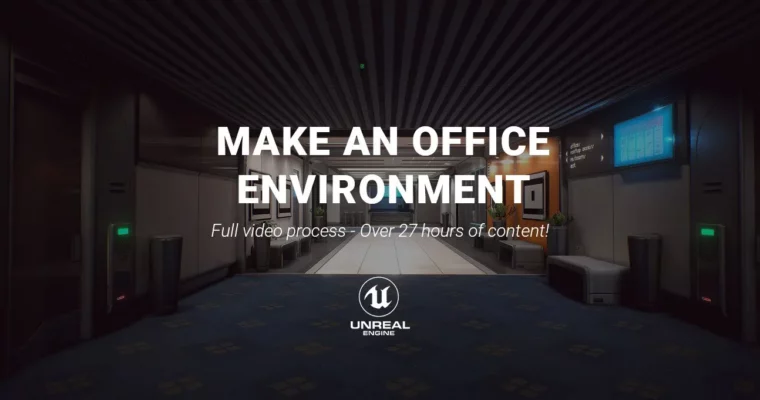
Make an Office in Unreal 4 – Video Process by Thiago Klafke

Duration:27 hours
Actual Duration:32h 31m
Release date:2020, April
Publisher:Gumroad
Skill level:Intermediate
Language:English
Exercise files:Yes
Software:Autodesk Maya, Adobe Photoshop, Unreal Engine 4, XNormal
Course URL:https://thiagoklafke.gumroad.com/l/WSRTQ
This course is a full, uncut walkthrough of building a complete office environment in Unreal Engine 4. Thiago Klafke records every click, every decision, and every technique he uses, so you can see exactly how a pro tackles modular environment art. No fluff, no time-lapses—just 27 hours of real-time process.
🎯 What you’ll learn
- Design and build modular environments that are fast to iterate on.
- Create tileable PBR materials in Photoshop from scratch.
- Bake tiling textures from simple high-poly meshes.
- Build props using shared materials and trim sheets.
- Set up lighting and post-processing for a polished interior look.
✅ Requirements
- Skills: Basic familiarity with a 3D package (Maya, 3ds Max, or Blender) and Unreal Engine 4.
- Tools: A 3-button mouse, a drawing tablet is helpful but not required.
- Hardware: A PC capable of running Unreal Engine 4 (minimum 16GB RAM, dedicated GPU recommended).
📝 Description
This isn’t a highlight reel. Thiago Klafke recorded his entire process for building a stylish office environment, from the first blockout to the final post-process tweaks. You’ll see him make mistakes, solve problems, and explain his reasoning in real time.
The core of the course is modular environment design. You’ll learn how to break down a complex interior into reusable pieces—walls, floors, trims, and props—that can be snapped together like LEGO. This approach saves massive amounts of time and makes iteration painless.
For materials, Thiago sticks to Photoshop for tileable PBR textures. If you’re more comfortable with Substance Designer or Quixel Mixer, the principles transfer directly. He also covers baking tiling textures from simple high-poly meshes using XNormal, a classic but powerful tool.
Lighting and post-processing are covered in detail, showing you how to take a raw blockout and turn it into a moody, professional interior. The final result is a complete, portfolio-ready scene.
🧑🎓 Who this course is for
- Intermediate 3D artists who want to level up their environment art skills.
- Game developers looking for a practical, no-nonsense modular workflow.
- Anyone tired of tutorials that skip the boring parts and want to see the full process.
🧑🏫 About the Author
Thiago Klafke is a seasoned environment artist with years of industry experience. He’s known for his clean, efficient workflows and his ability to break down complex topics into simple, repeatable steps. His work focuses on creating high-quality game environments with a strong emphasis on modularity and smart material usage.
🏁 Final Result
- A complete, fully lit and textured office environment built in Unreal Engine 4.
- A reusable modular kit that can be adapted for any interior scene.
- A solid understanding of a professional environment art pipeline from start to finish.
 Channel