Ad Clicks : Ad Views : Ad Clicks : Ad Views : Ad Clicks : Ad Views : Ad Clicks : Ad Views :
Oh Snap!

It looks like you're using an adblocker. Adblockers make us sad. We use ads to keep our content happy and free. If you like what we are doing please consider supporting us by whitelisting our website. You can report badly-behaved ads by clicking/tapping the nearby 'Advertisement' X text.

Animating in Unity by Pete Jepson

Animating in Unity by Pete Jepson

/

Author:Pete Jepson

Duration:25.5 hours

Actual Duration:25h 18m

Release date:2026, April

Publisher:Udemy

Skill level:Intermediate

Language:English

Exercise files:Yes

Software:Unity, Blender

Course URL:https://www.udemy.com/course/animating-in-unity

Build four complete animated cutscenes in Unity, mastering Cinemachine, Animation Rigging, and Timeline along the way.

A hands-on course where you build four distinct animated projects in Unity, from a space fly-through to a cowboy shootout. You’ll get comfortable with Cinemachine, Animation Rigging, and Unity Timeline by actually using them to create finished cutscenes.

🎯 What you’ll learn

  • Master animation techniques using Unity Timeline
  • Take control of cameras using Cinemachine
  • Become confident with Animation Rigging
  • Animate using Inverse Kinematics
  • Use animation constraints and targets
  • Learn how to create your own blendshapes
  • Create complete projects in Standard, URP, and HDRP templates

✅ Requirements

  • Skills: Basic familiarity with the Unity interface.
  • Tools: A computer capable of running the Unity game engine.
  • Hardware: At least 10GB of free hard drive space.

📝 Description

This isn’t a theory-heavy lecture series. You learn by building four complete projects, each one targeting a different Unity render pipeline and set of animation tools.

First up is a space fly-through. You’ll build a moon surface, import a space station, and use Unity Timeline to cut between multiple cameras, syncing the visuals to background music. It’s a solid foundation in scene assembly and pacing.

Project two shifts gears into a racing cutscene using the Universal Render Pipeline (URP). Here, Cinemachine takes center stage. You’ll set up virtual cameras and dolly tracks to create dynamic, high-speed shots. You’ll also work with physics, slow-motion effects, and post-processing to give the scene a polished, AAA feel.

The third project is the most complex: a low-poly western shootout in the High Definition Render Pipeline (HDRP). This is where you get into Animation Rigging. You’ll set up constraints like Two Bone IK, Position IK, and Aim constraints to control three cowboy characters. The goal is to create a fluid, controllable rig that makes complex character animation straightforward.

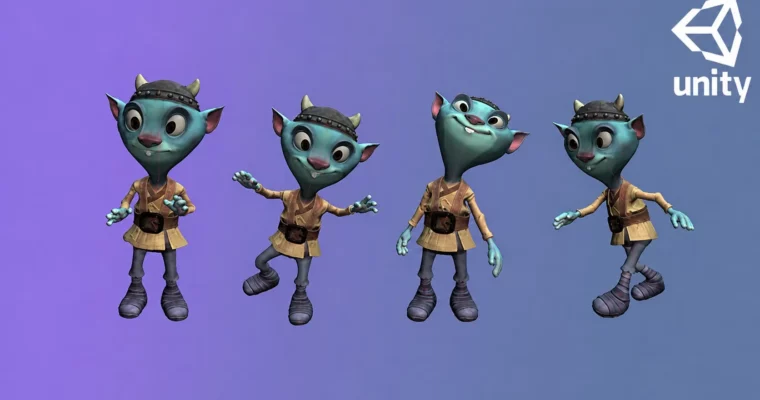
Finally, you’ll dive into facial animation. Using Blender, you’ll create custom blendshapes for a character’s face and clothes. Back in Unity, you’ll use the Animator window and C# scripting to create an interactive, non-linear animation system controlled by parameters.

Each project is self-contained, so you can jump around based on what you want to learn. By the end, you’ll have a solid grasp of the core animation tools in Unity and a portfolio of finished cutscenes.

🧑‍🎓 Who this course is for

  • Anyone wanting to learn more about real-time animation using Unity
  • Anyone wanting to learn Cinemachine
  • Anyone wanting to learn how to use the Animation Rigging package

🧑‍🏫 About the Author

Pete Jepson is a qualified teacher with over 12 years of experience teaching game design. He has been using Unity since 2013 and has produced a series of courses focused on game creation and animation. With over 68,000 students from 157 countries, his teaching style is hands-on and support-driven. He is known for being highly responsive to student questions.

🏁 Final Result

  • Four complete, portfolio-ready animated cutscenes: a space fly-through, a racing sequence, a western shootout, and an interactive character with facial blendshapes.
Curriculum

📋 Course content

  1. Module 1: Project 1 – Monolith (Standard 3D)
    • Introduction2:34
    • Install Unity8:24
    • Timing and Pacing17:19
    • Multiple animations7:23
    • First animated sequence24:45
    • Project Preview2:28
    • Import assets3:01
    • Space station0:11
    • Download 3D models3:54
    • Import 3D models11:18
    • Window layout3:41
    • Moon surface layout16:49
    • Post processing11:51
    • Earth setup12:55
    • Space station setup16:18
    • Size of the earth8:23
    • Rotator script14:48
    • Moon setup19:53
    • Space station rotates around the moon14:27
    • Camera culling5:27
    • Camera details10:31
    • Add the monolith13:37
    • Audio editing7:33
    • Importing audio2:51
    • Shot theory task3:21
    • Shot 1 – establishing shot14:54
    • Shot 28:53
    • Shot 36:41
    • Shot 45:28
    • Shot 5 and 619:22
    • Final shot16:17
    • Unity recorder9:17
    • Video player4:14
  2. ** 2: Project 2 – Speed Tournament (URP)**
    • Project 2 preview0:48
    • Standard assets pack0:23
    • Standard assets3:38
    • Simulation Rigid body physics16:20
    • Simulation cloth physics19:26
    • Lake Race Track asset0:14
    • Racing car0:19
    • Import assets2:56
    • Setting up assets6:00
    • Terrain sculpting15:13
    • Terrain painting5:16
    • Background mountains8:27
    • Painting in trees11:41
    • Add rocks and grass12:38
    • Baking a lightmap7:21
    • Adjusting the sky and fog3:23
    • Post Processing16:32
    • Adding a lens flare17:48
    • Painting in more grass5:58
    • Adjusting car materials9:36
    • Adjust road textures7:00
    • Adding extra elements28:19
    • Flag setup12:26
    • Reflection probe3:20
    • Spinning wheels10:40
    • Smoke3:45
    • Import cinemachine3:51
    • Sorting the hierarchy2:41
    • Shot 111:59
    • Moving the car12:48
    • Shot 215:31
    • Shot 311:23
    • Slow motion6:25
    • Shot 414:08
    • Shot 5 and 616:40
    • Shot 711:04
    • Shot 89:56
    • Shot 915:07
    • Final adjustments9:37
    • Adding car sounds5:31
    • Skid sound5:50
    • Fix reflection probe12:22
    • Exporting a unity project15:13
    • OBS software4:36
  3. Module 3: Project 3 – Shootout (HDRP)
    • Project 3 preview0:51
    • 12 principles task1:19
    • Pro western starter pack0:14
    • Eagle Asset0:08
    • Create a new project5:24
    • Animation rigging examples6:38
    • Two bone IK18:32
    • Testing two bone IK3:58
    • Position IK9:41
    • Aim constraint10:09
    • Rotate constraint9:38
    • Parent constraint12:05
    • Rig challenge1:23
    • Challenge review1:45
    • Hand IK12:01
    • Saving prefabs4:54
    • Sitting animation21:25
    • Jumping animation13:11
    • Arms for jumping animation10:24
    • Drop kick animation24:51
    • Climbing steps21:00
    • Switching constraints9:13
    • Setting up a new scene23:18
    • Lighting19:36
    • Post processing8:16
    • Setting up shot 115:46
    • Character positions26:25
    • Shot 219:20
    • Gun shot animation5:31
    • The Bullet animation10:58
    • Shot 318:51
    • Character turn22:56
    • Camera animation9:29
    • Depth of field11:22
    • Bullet firing10:29
    • Shot 48:55
    • Shot 525:37
    • Cowboy positions8:05
    • Overhead zoom7:43
    • Shot 615:38
    • Footstep sounds3:59
    • Shot 711:25
    • Shot 89:04
    • Matching the rig14:15
    • Turn to look3:17
    • Shot 913:28
    • Shot 1015:41
    • Shot 117:09
    • Shot 1223:37
    • Bullet cam14:28
    • Cowboy 2 shooting8:56
    • Cowboy 2 gets shot9:03
    • Cowboy 1 gets shot14:55
    • Last shot9:51
    • Saving out a recording3:05
  4. Module 4: Project 4 – Blendshapes (Standard 3D)
    • Project 4 preview0:29
    • Mixamo8:05
    • Blendshapes19:35
    • Blendshapes Continued15:31
    • Blinking19:52
    • Export the character7:47
    • Create a new Unity project5:11
    • Setting up the scene5:45
    • Setting up animations9:05
    • Animator blocks16:10
    • Scripting animation7:49
    • Scripting input3:28
    • Animating blendshapes9:44
    • Final blendshapes13:48
    • Exporting the project5:37
Watch online or Download for Free
Animating in Unity by Pete Jepson
NAME
SIZEDURATION
01 Introduction
11 MB10m
02 Animation Basics
32.7 MB49m
05 Shootout
505.5 MB10h 28m

Download all Videos (141)
1.4 GB25h 18m

Project Files (Assets, Resources)
136.3 MB

Download all

Join us on
  Channel    and      Group

Leave a Comment

Your email address will not be published. Required fields are marked *