Digital Composition Techniques for 3D Animation by DON PORFIRIO

Actual Duration:3h 58m
Release date:2024, December
Publisher:Domestika
Skill level:Intermediate
Language:English
Exercise files:Yes
Software:Adobe After Effects, Autodesk 3ds Max
Course URL:https://www.domestika.org/en/courses/639-digital-composition-techniques-for-3d-animation
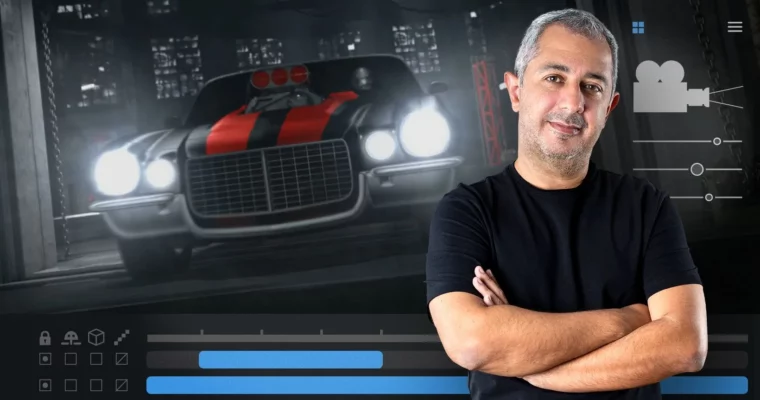
This course is all about that final polish. You’ve got your 3D animation done, but it still looks flat. Don Porfirio shows you how to break down your scene into render passes, bring them into After Effects, and build back up a final image that looks like it came straight out of a studio pipeline. It’s the missing link between raw 3D output and a professional, broadcast-ready result.
🎯 What you’ll learn
- Decompose a 3D scene into individual render passes for maximum control.
- Plan and export renders specifically for post-production in After Effects.
- Import and layer render passes to reconstruct a scene with depth and atmosphere.
- Integrate animated 2D elements into a 3D scene.
- Apply finishing effects and color grading for a polished final export.
✅ Requirements
- Skills: Working knowledge of Adobe After Effects and a 3D animation software like Autodesk 3ds Max.
- Tools: A computer with After Effects and your preferred 3D software installed.
- Hardware: A dedicated GPU is recommended for handling render passes and real-time previews.
📝 Description
Most 3D artists focus on modeling and animation, but the final look comes from composition. This course flips the script. Instead of trying to get everything perfect in your 3D viewport, you learn to think like a compositor.
Roberto Puig and his team at Don Porfirio walk you through their exact pipeline. You start by breaking down a finished 3D scene into its core elements—diffuse, specular, shadows, reflections, and more. Then you plan your renders specifically to give yourself the most flexibility in post. The real magic happens when you bring those passes into After Effects. You’ll learn how to rebuild the scene layer by layer, adding depth, atmosphere, and visual interest that’s nearly impossible to achieve in a single render.
The course also covers exporting your 3D camera data to match your composition perfectly, and integrating 2D animated elements to add life to the scene. By the end, you’re not just rendering a scene; you’re directing a final image with full control over every pixel.
🧑🎓 Who this course is for
- 3D animators who want their work to look more polished and professional.
- Motion graphics artists looking to bridge the gap between 3D and 2D workflows.
- Digital animators who want to understand the post-production side of the pipeline.
🧑🏫 About the Author
Don Porfirio is a Mexican animation and motion graphics studio led by Roberto Puig, a graphic and motion designer with over 15 years of experience. He has developed and directed projects for major international clients including CBC Sports, BBC Entertainment, Discovery Networks, and CBeebies. The studio specializes in creating animated commercials, TV branding, and content for clients across Mexico, the US, and Canada. This course is taught by Roberto alongside other specialized artists from the studio, bringing real-world production experience to every lesson.
🏁 Final Result
- A fully composited 3D scene with professional lighting, depth, and post-production effects, ready for portfolio use.
 Channel