


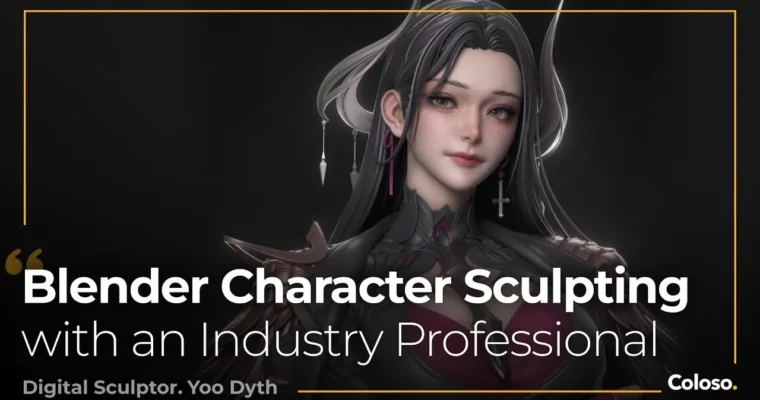
Blender Character Sculpting Masterclass with an Industry Professional by Yoo Dyth

Duration:20 hours 41 minutes
Actual Duration:18h 42m
Release date:2025, June
Publisher:Coloso
Skill level:Intermediate
Language:Chinese
Exercise files:No
Software:Blender, ZBrush, GIMP
Course URL:https://coloso.global/en/products/digitalsculptor-yoodyth-us
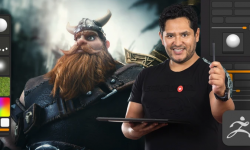
This course isn’t about memorizing button combos. It’s about understanding why you sculpt the way you do. Professional digital sculptor Yoo Dyth, who has worked on major titles like God of War: Ragnarok and Sniper Elite 5, walks you through his entire pipeline for creating a stunning female character. You’ll go from a simple sphere to a fully realized, portfolio-ready 3D figure, focusing on the fundamentals of human anatomy and the art of professional presentation.
🎯 What you’ll learn
- Sculpt a complete female character from a 2D concept using Blender and ZBrush.
- Understand and apply the core principles of attractive female anatomy.
- Create complex, layered costumes with different material properties.
- Set up professional lighting, materials, and renders for your portfolio.
- Master a complete industry-standard workflow from blocking to final compositing.
✅ Requirements
- Skills: Basic familiarity with Blender’s interface and navigation.
- Tools: A 3-button mouse with a scroll wheel is highly recommended.
- Hardware: A computer capable of running Blender 4.2.0 LTS and ZBrush 2023.2.2.
📝 Description
This class is built around a simple idea: stop blindly following steps and start understanding the craft. Yoo Dyth breaks down the intimidating process of character sculpting by focusing on the fundamentals. You won’t just learn how to make a specific shape; you’ll learn why that shape works based on underlying anatomy.
The curriculum is a complete journey. You’ll start by analyzing a 2D concept and gathering references, then move into blocking out the entire female body from basic primitives. From there, you’ll refine the anatomy, pose the character, and build a complex, layered costume with accessories. The course doesn’t stop at the sculpt. A significant portion is dedicated to presentation—teaching you how to set up lighting, create materials, and composite your final renders so your work looks professional and portfolio-ready. You’ll also get hands-on with ZBrush for advanced detailing and GIMP for final image compositing.
🧑🎓 Who this course is for
- Intermediate artists who know the software but struggle to create a complete, polished character from start to finish.
- Advanced artists looking to refine their female anatomy skills and learn a professional presentation workflow to break into the industry.
- Dedicated beginners who want to see the entire professional pipeline and understand the “why” behind each step, not just the “how.”
🧑🏫 About the Author
Yoo Dyth is a professional Digital Sculptor and Character Artist currently working full-time at Prime 1 Studio, a leading manufacturer of high-end collectible statues. With nearly a decade of experience, he has contributed to major game titles like God of War: Ragnarok and Sniper Elite 5, and has worked on licensed statues for franchises like Vampirella, Fairy Tail, and Fullmetal Alchemist. His career spans freelance work and contract roles, giving him a broad, real-world perspective on the industry.
🏁 Final Result
- A complete, high-resolution 3D printable figure of a female character based on NESSI’s concept art.
- A set of professional portfolio renders showcasing your character with proper lighting, materials, and compositing.
 Channel

This is amazing, Thanks!!
The project files doesn’t have any asset or project files. Is it possible to add them?
Thank you
thanks for pointing that out. unfortunately we don’t have the exercise files. updated the post desc. thx
Thanks so much for this course!
Since the language is in chinese, is it possible to have english subtitles added?
yeah, we’ll add buttons soon so u can translate it to any lang yourself
Is this course only in Chinese? No english dub?
yes, this course is only in Chinese – no dubbing, just subtitles