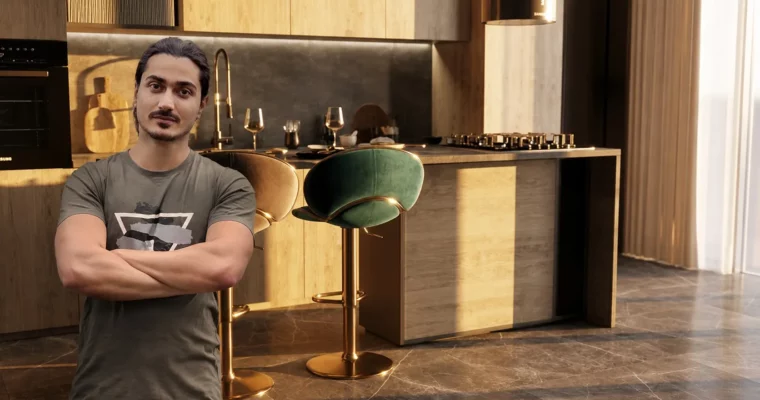
Vantage interior workshop – Zero to photorealistic render by Mohsen Afshari

Duration:2 hours
Actual Duration:1h 55m
Release date:2024, May
Publisher:Udemy
Skill level:Intermediate
Language:English
Exercise files:Yes
Software:3ds Max, V-Ray, Chaos Vantage
Course URL:https://www.udemy.com/course/vantage-interior-workshop
A focused, no-fluff workshop that takes you from a blank 3ds Max scene to a finished photorealistic render using Chaos Vantage. In under 2 hours, you’ll learn the exact pipeline for modeling, lighting, and material setup, then jump into Vantage’s live-link to get final results without endless test renders.
🎯 What you’ll learn
- Master Chaos Vantage’s live-link mode for photorealistic rendering
- Create a complete interior scene from scratch in 3ds Max
- Set up all scene materials in V-Ray
- Configure V-Ray camera settings for final output
- Build scene lighting optimized for Vantage
- Export V-Ray scenes to Chaos Vantage
- Understand Vantage’s render setup and post-production options
- Achieve the best quality in the shortest render time
✅ Requirements
- Skills: Basic knowledge of 3ds Max and V-Ray
- Tools: 3-button mouse
- Hardware: Dedicated GPU compatible with Chaos Vantage
📝 Description
This isn’t a theory-heavy lecture series. It’s a project-based workshop built around a single goal: getting you from zero to a photorealistic render using Chaos Vantage as fast as possible. The instructor, with 15 years of archviz experience, cuts straight to the practical steps.
You’ll start by modeling the interior scene in 3ds Max, then move through lighting, material assignment, and camera setup in V-Ray. The real magic happens when you switch to Vantage’s live-link mode. No exporting, no converting—just one click and you’re rendering in real-time. The course covers every critical option in Vantage, from render presets to post-production color corrections, and even compares quality and timing across different sampling rates.
If you’re tired of waiting for test renders and want a direct, repeatable workflow for interior visualization, this course delivers exactly that.
🧑🎓 Who this course is for
- Interior designers looking to speed up their rendering pipeline
- Archviz experts wanting to adopt real-time workflows
- Architectural modelers and 3D modelers
- Architecture students familiar with 3ds Max and V-Ray
- CG Artists and animators
🧑🏫 About the Author
Mohsen Afshari is an architect and 3D artist with over 15 years of experience in modeling, rendering, and animation. He has spent more than a decade teaching software like 3ds Max, V-Ray, Photoshop, Lumion, and Vantage to thousands of students. His courses are project-based, and he provides permanent support to his students.
🏁 Final Result
- A fully rendered photorealistic interior scene produced using the Chaos Vantage live-link workflow
- A repeatable pipeline for modeling, lighting, and rendering any interior project
 Channel