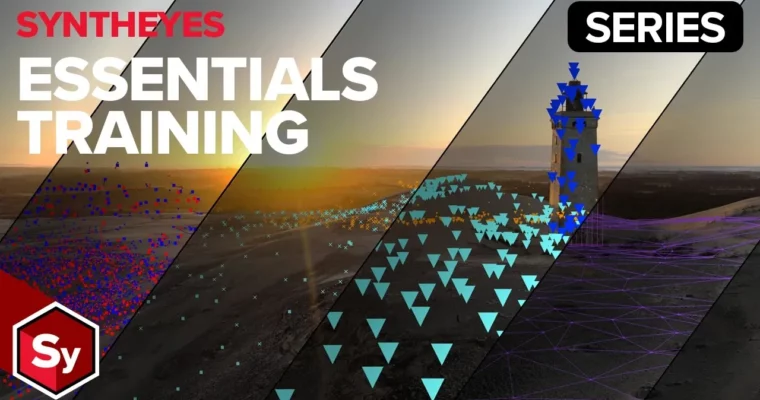
SynthEyes Essentials Video Tutorials 2025 by Christoph Zapletal

Duration:2 hours
Actual Duration:3h 32m
Release date:2026, May 7
Publisher:BorisFX
Skill level:Beginner
Language:English
Exercise files:Yes
Software:SynthEyes
Course URL:https://borisfx.com/free-training/syntheyes-essentials/
This course by Boris FX product specialist Christoph Zapletal is your fast track to mastering SynthEyes, the industry-leading matchmoving solution. In about two hours, you’ll go from a blank slate to confidently solving your first shots, handling lens distortion, and exporting data for your VFX pipeline. It’s built for artists who want practical, no-nonsense training.
🎯 What you’ll learn
- Understand the core concepts of 3D tracking and matchmoving.
- Perform automated and supervised (manual) tracking.
- Solve camera motion and interpret solver data like HPIX error.
- Use roto masking and AI-powered tools to handle obstructions.
- Calculate, calibrate, and manage lens distortion.
- Generate geometry and track objects within a scene.
- Export your matchmove data for use in other applications.
✅ Requirements
- Skills: Basic understanding of 3D space and compositing concepts.
- Tools: A 3-button mouse with a scroll wheel is highly recommended.
- Hardware: A computer capable of running SynthEyes smoothly.
📝 Description
This isn’t a dry, theoretical lecture. Christoph Zapletal walks you through the real-world matchmoving pipeline, starting with the absolute basics. You’ll first get a high-level overview by solving a shot in the introduction, then circle back to understand the “why” behind every step.
The course is structured to build your confidence quickly. You’ll learn how to leverage SynthEyes’ powerful automated tracking, but more importantly, you’ll learn how to supervise it. Christoph dedicates significant time to the Solver Room, showing you how to interpret error data and clean up bad tracking data both automatically and manually. This is where the real skill of a matchmove artist is forged.
A major focus is on handling real-world problems. You’ll tackle lens distortion—a common headache in VFX—by learning to analyze, calculate, and calibrate it. You’ll also use roto masking and AI-powered tools to deal with obstructions like actors walking through your shot. By the end, you’ll be generating simple geometry, tracking objects, and exporting your final solve, ready for the next step in your pipeline.
🧑🎓 Who this course is for
- VFX artists and compositors who want to add matchmoving to their skillset.
- 3D generalists who need to integrate CG elements into live-action footage.
- Beginners with no prior matchmoving experience looking for a clear, practical starting point.
🧑🏫 About the Author
Christoph Zapletal is a Product Specialist at Boris FX, where he focuses on SynthEyes. With deep technical knowledge of the software and the matchmoving process, he brings a practical, problem-solving approach to his training. He understands the common pitfalls artists face and knows how to explain complex concepts in a clear, accessible way.
🏁 Final Result
- A solid understanding of the entire SynthEyes matchmoving workflow.
- The ability to independently solve a camera track, manage lens distortion, and export data for a VFX project.
 Channel