It looks like you're using an adblocker.
Adblockers make us sad. We use ads to keep our content happy and free. If you like what we are doing please consider supporting us by whitelisting our website. You can report badly-behaved ads by clicking/tapping the nearby 'Advertisement' X text.
Complete Godot 4 –Build 3 Games (2D , 3D Adventure & Runner) by Mohamed Ibrahim
Learn Godot 4 and GDScript from scratch by building a 2D space shooter, a 3D animal transformation game, and an endless runner.
This course takes you from zero to three finished games using Godot 4. You will master GDScript while building a classic 2D space shooter, a 3D character-switching adventure, and a high-speed endless runner. It is a practical, code-heavy journey designed to make you job-ready.
🎯 What you’ll learn
Program core game mechanics using GDScript
Build a complete 2D space shooter with enemy AI
Create a 3D animal transformation game with environment interaction
Develop an endless runner with procedural level generation
Implement UI systems, sound effects, and collision detection
✅ Requirements
Skills: No prior programming experience needed
Tools: Computer connected to the internet, Godot 4.4 installed
Hardware: Standard PC or Mac capable of running Godot
📝 Description
Stop overcomplicating your start in game development. This course focuses entirely on building rather than just watching. You will write GDScript code to drive three distinct gameplay loops, ensuring you understand the logic behind each mechanic.
The first project is a 2D Space Shooter. Here, you’ll learn the fundamentals of game states, enemy AI patterns, and UI management. It’s the perfect place to solidify your understanding of Godot 4’s Node system.
Next, you’ll tackle a 3D Animal Transform-style game. This introduces you to 3D scene setup, animation blending, and complex environmental interactions like water physics and terrain generation. You’ll learn how to switch characters dynamically based on gameplay requirements.
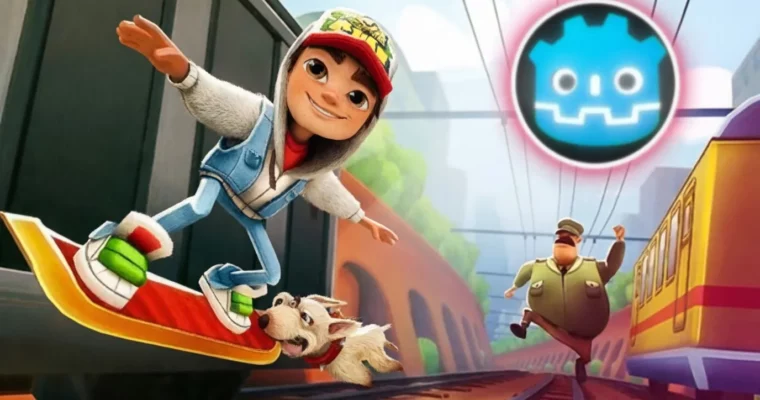
Finally, you’ll build an Endless Runner inspired by global hits like Subway Surfers. This project covers procedural level generation, obstacle spawning logic, and skill systems (like sliding and flying). By the end, you’ll have a portfolio with three completed, playable games.
🧑🎓 Who this course is for
Aspiring game developers with no prior coding experience
Programmers looking to switch engines to Godot 4
Hobbyists who want to create 2D and 3D games independently
Anyone interested in learning GDScript for game logic
🧑🏫 About the Author
Mohamed Ibrahim is a game developer with over 8 years of experience in the industry. He has delivered more than 20 published games across various studios and freelance projects. He is also certified in VR & AR development by The American Center Cairo (ACC). His teaching style focuses on practical, real-world application rather than abstract theory.
🏁 Final Result
A fully functional 2D Space Shooter with enemy waves and scoring.
A 3D adventure game featuring character switching and environmental puzzles.
An Endless Runner with procedural obstacles, power-ups, and a high-score system.
Curriculum
📋 Course content
Introduction:Godot Engine Basics
Introduction2:55
Downloading the Godot Game Engine1:14
Godot Interface & GDScript Basics:
Getting to Know the Godot Engine Interface12:15
Writing GDScript Scripts: Defining and Using Functions8:20
Understanding Variables in GDScript2:43
Variable Types in GDScript7:00
Arithmetic Operations in GDScript6:54
Conditional Statements – Part 19:31
Conditions – Part 24:38
Loops7:01
Arrays7:55
Project 1: 2D Space Shooter:
Downloading Assets for the SpaceShooter Game4:32
Setting Up the Player Spaceship Model7:08
Coding Player Movement13:05
Spawning a Bullet in the Game10:53
Adding Enemies to the Game7:07
Creating and Firing Enemy Bullets14:37
Destroy Enemy on Bullet Collision9:16
Destroy Player on Enemy Bullet Collision3:43
Adding Sounds in the Game5:05
Moving the Game Background11:12
UI Design – Win & Lose Screens8:55
Displaying the UI on Win/Loss4:55
Programming the UI Buttons9:44
Making the player and enemies shoot multiple bullets8:01
Making the Player’s Ship Require Multiple Hits to Destroy3:15
Creating Asteroids – Part 17:26
Destroying Asteroids on Player Collision6:25
Adding a Small Missile and Adjusting Ship & Bullet Sizes5:24
Random Enemy Generation9:22
Rewarding the Player After Time & Adding a Score Counter6:57
Increasing Difficulty Over Time2:58
Project 2: 3D Animal Transform Game:
Download Godot 4.4 and Explore Its Main Features4:13
Animal Transform Racing Game: Animal Transform Tutorial3:00
Importing Game Assets9:48
Enhancing Lighting & Colors in the Game7:55
Adding Water Effect to the Game3:34
Setting Up the Cheetah Model & Animating It11:17
Setting Up the Other Animals in the Game9:27
Switching between animals by clicking on the animal icons6:50
Making the Camera Follow the Player7:25
Adding Rocks & Making Only the Terex Drop Them10:44
Pushing Rocks Away & Destroying Them After a Time7:11
Prevent the Shark from “Walking” on Land10:04
Adding Water and Allowing Only the Shark to Pass Through6:57
Adding an Empty Area and Allowing Only the Bird to Pass Through4:38
Generating Terrain Randomly11:00
Creating Animals to Race the Player and Automatically Change at Obstacles – Part110:58
Making Enemies Automatically Change at Obstacles – Part 28:06
Creating a Finish Line for the Game7:01
Creating the Game Start Screen UI and Game Over Screen UI7:23
Programming the Game Over Screen6:21
Adding Sound Effects to the Game11:20
Project 3: Endless Runner:
Downloading assets7:01
Adding Water Inside the Game3:06
Improving Game Colors and Lighting3:15
Setting Up the Player and Animations10:13
Moving the Player Left, Right, and Jumping12:28
Improving the Player’s Animation6:08
Adding Sliding Animation and a Game Timer7:40
Generating Map Within the Game10:11
Creating the First Obstacle and Making the Player Lose Upon Collision6:32
Creating the Remaining Obstacles in the Game12:20
Making the Player Slide Under Obstacles3:54
Automatically Generating Obstacles Along the Path6:45
Making Obstacles Continuously Spawn3:00
Creating and Spawning Coins Along the Path10:01
Adding Speed and Flying Abilities10:10
Creating a Shield Skill and Spawning Skill Icons Along the Path8:51
Creating the Game UI11:57
Improving the Game and Adding Sound Effects8:55
Watch online or Download for Free
Complete Godot 4 –Build 3 Games (2D , 3D Adventure & Runner) by Mohamed Ibrahim




 Channel